--
:
--
:
--
全局时间提示模块
最后更新于:
全局时间提示模块
目录
[toc]
版权声明
:::warning
本着开源共享、共同学习的精神:
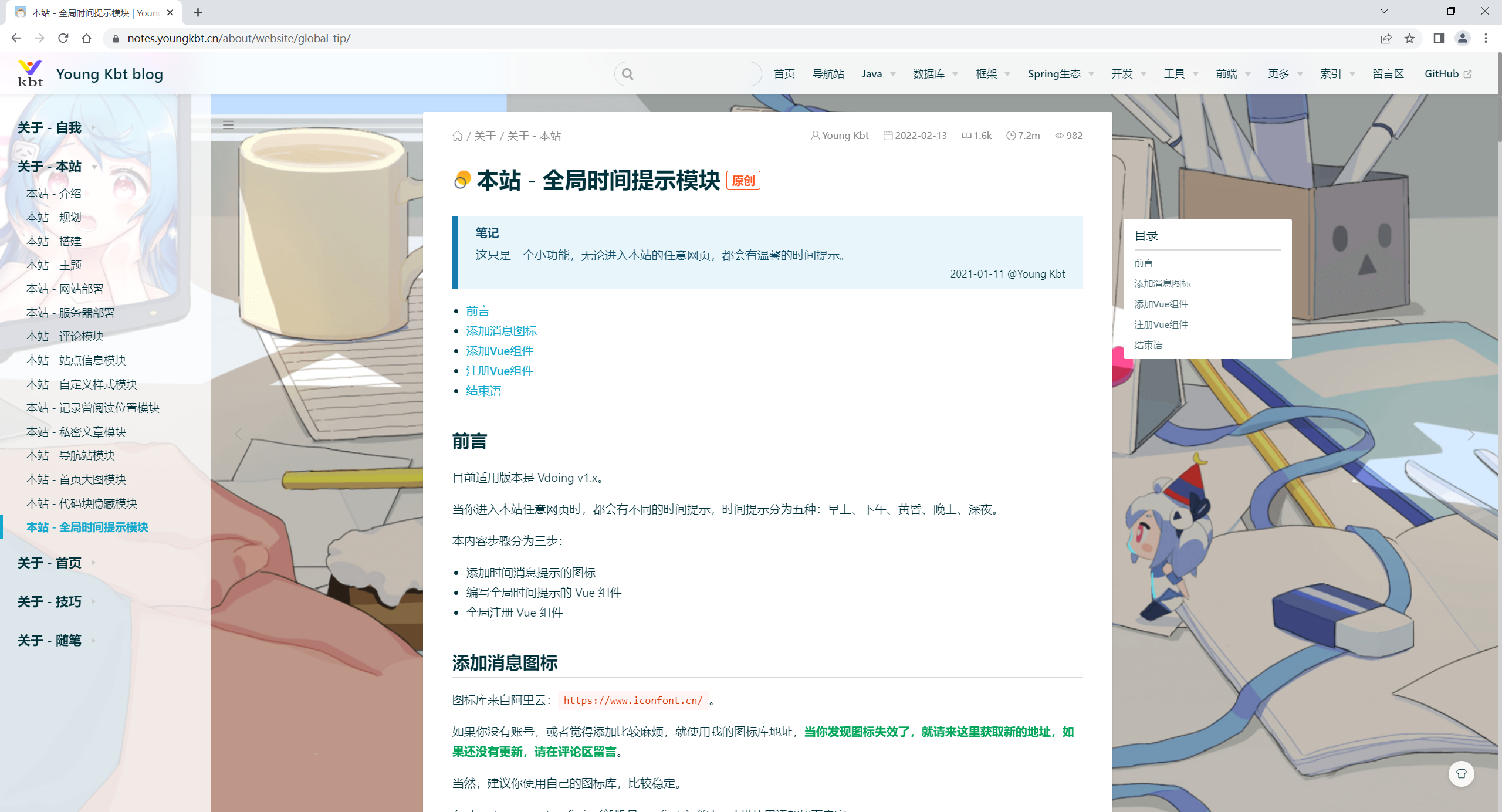
本文是在 博主《youngkbt》 文章:《本站 - 全局时间提示模块》https://notes.youngkbt.cn/about/website/global-tip/ 基础上增加了一些自己的实际操作记录和修改,内容依旧属于原作者《youngkbt》 所有。转载无需和我联系,但请注明文章来源。如果侵权之处,请联系博主进行删除,谢谢~(这里万分感谢原作者的优质文章😜,感谢开源,拥抱开源💖)
:::
本人测试环境
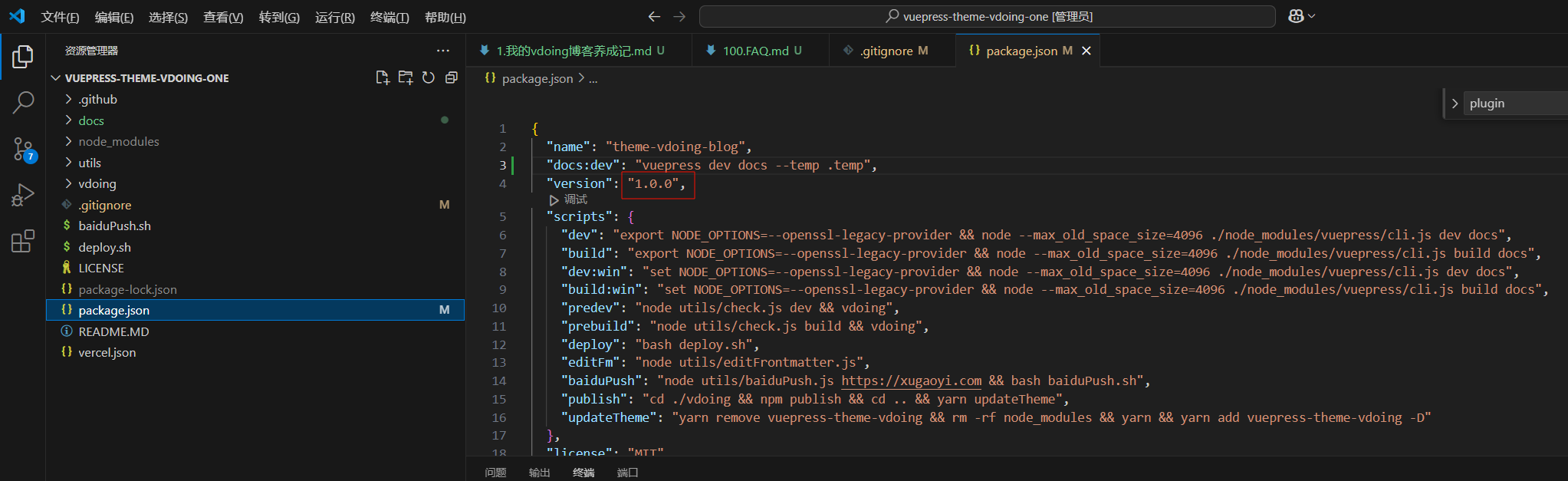
2024年12月26日测试
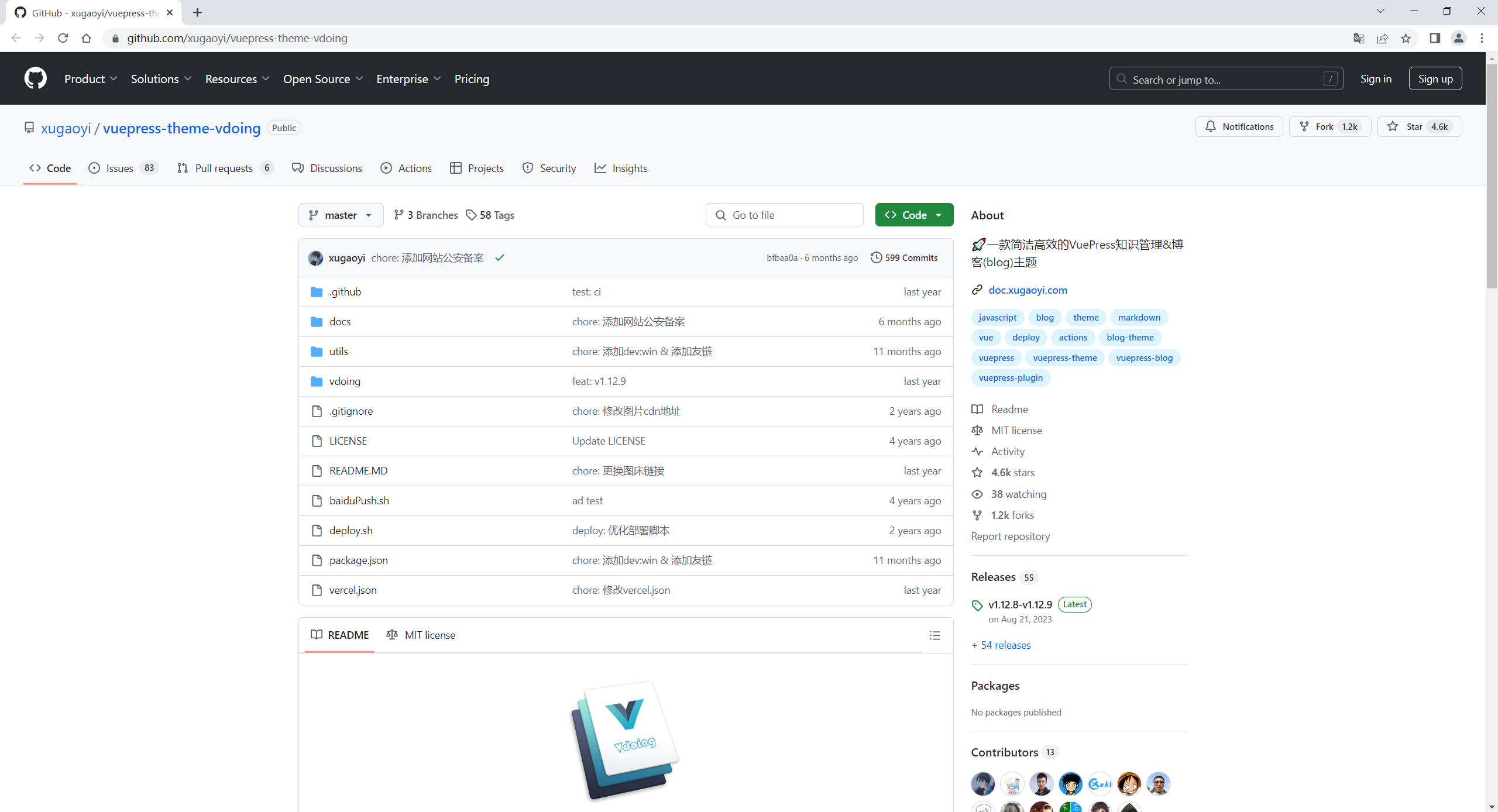
2024年12月23日从官方拉取的项目:
基于官方https://github.com/xugaoyi/vuepress-theme-vdoing搭建的仓库。
前言
笔记
这只是一个小功能,无论进入本站的任意网页,都会有温馨的时间提示。
目前适用版本是 Vdoing v1.x。
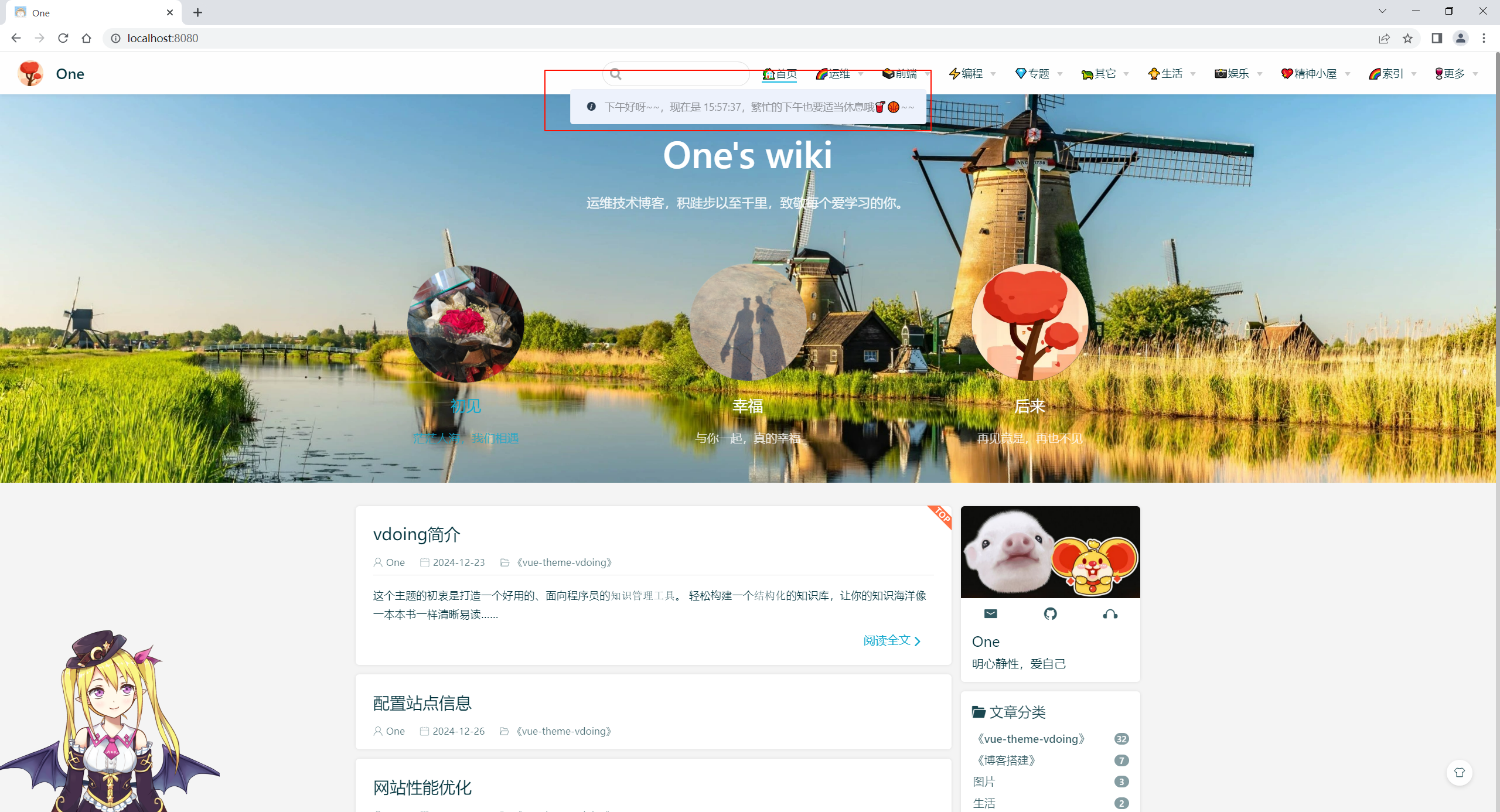
当你进入本站任意网页时,都会有不同的时间提示,时间提示分为五种:早上、下午、黄昏、晚上、深夜。
本内容步骤分为三步:
- 添加时间消息提示的图标
- 编写全局时间提示的 Vue 组件
- 全局注册 Vue 组件
1、添加消息图标
图标库来自阿里云:https://www.iconfont.cn/。
如果你没有账号,或者觉得添加比较麻烦,就使用我的图标库地址,当你发现图标失效了,就请来这里获取新的地址,如果还没有更新,请在评论区留言。
当然,建议你使用自己的图标库,比较稳定。
在 docs/.vuepress/config.js(新版是 config.ts)的 head 模块里添加如下内容:
1['link', { rel: 'stylesheet', href: '//at.alicdn.com/t/font_3114978_qe0b39no76.css' }],
2、添加Vue组件
建议:本内容代码块比较长,可以点击代码块的右侧箭头来折叠,然后点击复制图标进行复制即可。
在 docs/.vuepress/components 目录下创建 Vue 组件:GlobalTip.vue。如果不存在 components 目录,则请创建。
添加如下内容:
  1<template></template>
  2<script>
  3// 首页是否开启时间消息提示,默认 false。因为首页大图模块已经内置时间消息提示,所以这里不需要开启,如果您不使用首页大图模块,可以将此值设置为 true。
  4const indexTip = true;
  5export default {
  6  mounted() {
  7    // 首页不弹出消息提示,因为首页大图模块已经内置首页的消息提示
  8    if (indexTip || this.$route.path != "/") {
  9      this.bgTimeColor();
 10    }
 11  },
 12  watch: {
 13    $route(to, from) {
 14      let gloablTip = document.getElementsByClassName("gloablTip");
 15      // 如果已经存在一个消息提示,则不会重新弹出,除非消息提示已经消失
 16      if(gloablTip.length <= 0){
 17        if (indexTip || (this.$route.path != "/" && this.$route.hash == "")) {
 18          this.bgTimeColor();
 19        }
 20      }
 21    },
 22  },
 23  methods: {
 24    bgTimeColor() {
 25      var hours = new Date().getHours();
 26      var minutes = new Date().getMinutes();
 27      var seconds = new Date().getSeconds();
 28      hours = hours < 10 ? "0" + hours : hours;
 29      minutes = minutes < 10 ? "0" + minutes : minutes;
 30      seconds = seconds < 10 ? "0" + seconds : seconds;
 31      let div = document.createElement("div");
 32      div.className = "banner-color";
 33      if (hours >= 6 && hours < 11) {
 34        addTip(
 35          `早上好呀~~,现在是 ${hours}:${minutes}:${seconds},吃早餐了吗?😊🤭`,
 36          "info",
 37          50,
 38          4000
 39        );
 40      } else if (hours >= 12 && hours <= 16) {
 41        addTip(
 42          `下午好呀~~,现在是 ${hours}:${minutes}:${seconds},繁忙的下午也要适当休息哦🥤🏀~~`,
 43          "info",
 44          50,
 45          4000
 46        );
 47      } else if (hours >= 16 && hours <= 19) {
 48        addTip(
 49          `到黄昏了~~,现在是 ${hours}:${minutes}:${seconds},该准备吃饭啦🥗🍖~~`,
 50          "info",
 51          50,
 52          4000
 53        );
 54      } else if (hours >= 19 && hours < 24) {
 55        addTip(
 56          `晚上好呀~~,现在是 ${hours}:${minutes}:${seconds},该准备洗漱睡觉啦🥱😪~~`,
 57          "info",
 58          50,
 59          4000
 60        );
 61      } else if (hours >= 0 && hours < 6) {
 62        addTip(
 63          `别再熬夜了~~,现在是 ${hours}:${minutes}:${seconds},早点睡吧,让我们一起欣赏早上的太阳~~😇🛏`,
 64          "info",
 65          50,
 66          4000
 67        );
 68      }
 69      document.body.append(div);
 70    },
 71  },
 72};
 73
 74/**
 75 * 添加消息提示
 76 * content:内容
 77 * type:弹窗类型(tip、success、warning、danger)
 78 * startHeight:第一个弹窗的高度,默认 50
 79 * dieTime:弹窗消失时间(毫秒),默认 3000 毫秒
 80 *
 81 * 在 head 里添加图标 link 地址:https://at.alicdn.com/t/font_3114978_qe0b39no76.css
 82 */
 83function addTip(content, type, startHeight = 50, dieTime = 3000) {
 84  var tip = document.querySelectorAll(".global-tip");
 85  var time = new Date().getTime();
 86  // 获取最后消息提示元素的高度
 87  var top = tip.length == 0 ? 0 : tip[tip.length - 1].getAttribute("data-top");
 88  // 如果产生两个以上的消息提示,则出现在上一个提示的下面,即高度添加,否则默认 50
 89  var lastTop =
 90    parseInt(top) +
 91    (tip.length != 0 ? tip[tip.length - 1].offsetHeight + 17 : startHeight);
 92
 93  let div = document.createElement("div");
 94  div.className = `global-tip tip-${type} ${time} gloablTip`;
 95  div.style.top = parseInt(top) + "px";
 96  div.setAttribute("data-top", lastTop);
 97  if (type == "info" || type == 1) {
 98    div.innerHTML = `<i class="iconfont icon-info icon"></i><p class="tip-info-content">${content}</p>`;
 99  } else if (type == "success" || type == 2) {
100    div.innerHTML = `<i class="iconfont icon-dagouyouquan icon"></i><p class="tip-success-content">${content}</p>`;
101  } else if (type == "danger" || type == 3) {
102    div.innerHTML = `<i class="iconfont icon-cuowu icon"></i><p class="tip-danger-content">${content}</p>`;
103  } else if (type == "warning" || type == 4) {
104    div.innerHTML = `<i class="iconfont icon-gantanhao icon"></i><p class="tip-warning-content">${content}</p>`;
105  }
106  document.body.appendChild(div);
107
108  let timeTip = document.getElementsByClassName(time)[0];
109  setTimeout(() => {
110    timeTip.style.top = parseInt(lastTop) + "px";
111    timeTip.style.opacity = "1";
112  }, 10);
113
114  // 消息提示 dieTime 秒后隐藏并被删除
115  setTimeout(() => {
116    timeTip.style.top = "0px";
117    timeTip.style.opacity = "0";
118
119    // 下面的所有元素回到各自曾经的出发点
120    var allTipElement = nextAllTipElement(timeTip);
121    for (let i = 0; i < allTipElement.length; i++) {
122      var next = allTipElement[i];
123      var top =
124        parseInt(next.getAttribute("data-top")) - next.offsetHeight - 17;
125      next.setAttribute("data-top", top);
126      next.style.top = top + "px";
127    }
128    setTimeout(() => {
129      timeTip.remove();
130    }, 500);
131  }, dieTime);
132}
133/**
134 * 获取后面的兄弟元素
135 */
136function nextAllTipElement(elem) {
137  var r = [];
138  var n = elem;
139  for (; n; n = n.nextSibling) {
140    if (n.nodeType === 1 && n !== elem) {
141      r.push(n);
142    }
143  }
144  return r;
145}
146</script>
147
148<style>
149/* 提示框元素 */
150.global-tip {
151  position: fixed;
152  display: flex;
153  top: -10px;
154  left: 50%;
155  opacity: 0;
156  min-width: 320px;
157  transform: translateX(-50%);
158  transition: opacity 0.3s linear, top 0.4s, transform 0.4s;
159  z-index: 99999;
160  padding: 15px 15px 15px 20px;
161  border: 1px solid #ebeef5;
162  border-radius: 4px;
163  grid-row: 1;
164  line-height: 17px;
165}
166
167.global-tip p {
168  line-height: 17px;
169  margin: 0;
170  font-size: 14px;
171}
172
173.icon {
174  margin-right: 10px;
175  line-height: 17px;
176}
177
178.tip-success {
179  color: #67c23a;
180  background-color: #f0f9eb;
181  border-color: #e1f3d8;
182}
183
184.tip-success .tip-success-content {
185  color: #67c23a;
186}
187
188.tip-danger {
189  color: #f56c6c;
190  background-color: #fef0f0;
191  border-color: #fde2e2;
192}
193
194.tip-danger .tip-danger-content {
195  color: #f56c6c;
196}
197
198.tip-info {
199  background-color: #edf2fc;
200  border-color: #ebeef5;
201}
202
203.tip-info .tip-info-content {
204  color: #909399;
205}
206
207.tip-warning {
208  color: #e6a23c;
209  background-color: #fdf6ec;
210  border-color: #faecd8;
211}
212
213.tip-warning .tip-warning-content {
214  margin: 0;
215  color: #e6a23c;
216  line-height: 21px;
217  font-size: 14px;
218}
219</style>
代码默认不开启首页的时间提示,也就是除了首页,其他网页都会提示。因为我配置了首页大图模块,该模块已经内置时间提示,所以如果你没有配置首页大图模块,则在第 4 行改为 true。
35、42、49、56、63 行是不同时间的时间提示,更加自己的喜好进行修改。
36、43、50、57、64 行默认时间提示的背景色是 info(灰色),还有其他的三种:success(绿色)、warning(黄色)、danger(红色)。
3、注册Vue组件
在 docs/.vuepress/config.js(新版是 config.ts)的 plugins 中添加插件配置。
js
1module.exports = {
2    plugins: [
3        {
4            name: 'custom-plugins',
5            globalUIComponents: ["GlobalTip"] // 2.x 版本 globalUIComponents 改名为 clientAppRootComponentFiles
6        }
7    ],
8}
ts(本次)
1import { UserPlugins } from 'vuepress/config'
2plugins: <UserPlugins>[
3    [
4    	{
5        	name: 'custom-plugins',
6        	globalUIComponents: ["GlobalTip"] // 2.x 版本 globalUIComponents 改名为 clientAppRootComponentFiles
7    	}
8    ]
9]
测试
哇哦,有效果了,nice。🤣
结束语
如果你还有疑惑,可以去我的 GitHub 仓库或者 Gitee 仓库查看源码。
如果你有更好的方式,评论区留言告诉我,或者加入 Vdoing 主题的 QQ 群:694387113。谢谢!
📡
推荐使用微信支付

推荐使用支付宝