--
:
--
:
--
搜集物理服务器光衰
最后更新于:
3、搜集物理服务器光衰
方法1:python搜集物理服务器光衰并导入excel-2021.04.15(测试成功)
1、脚本说明
2、使用方法
脚本使用前提
(1)保证python环境已经安装了相应的软件包;
1import xlsxwriter
2import paramiko
3import time
(2)且具备可远程ssh到目标机器的环境;
脚本需要修改的地方
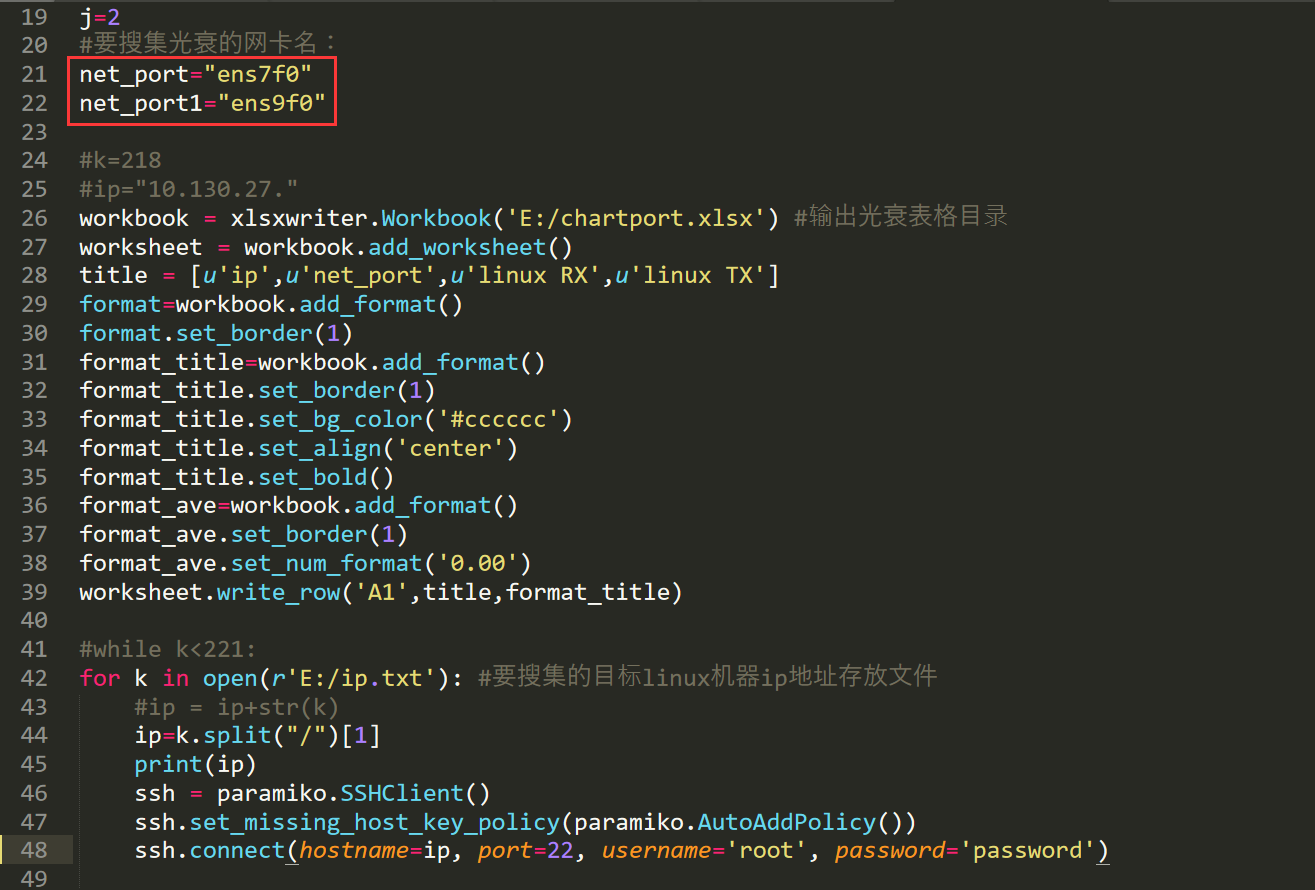
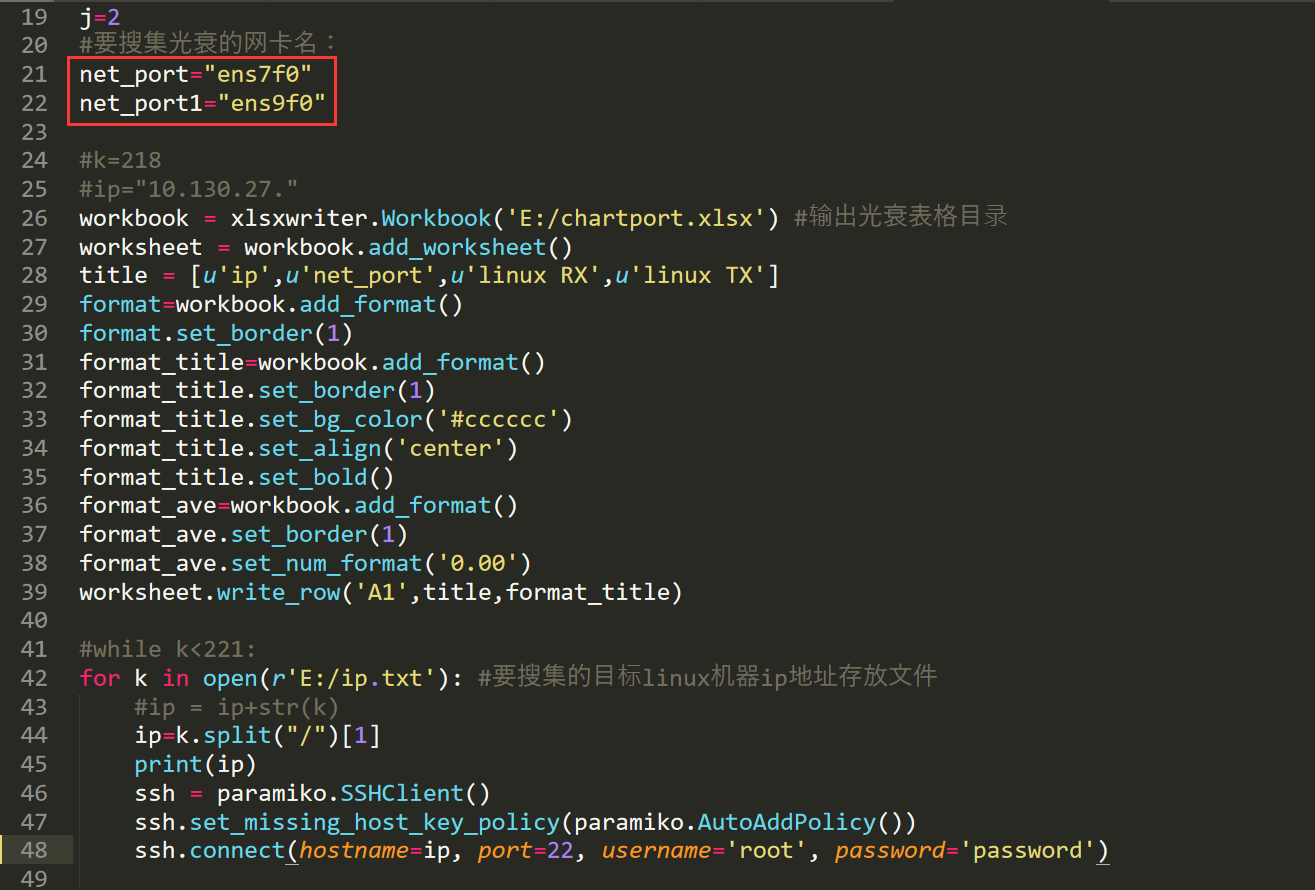
- 修改为本次服务器要收集光衰的网卡名:
//注意,这个脚本目前只能搜集服务器上的2个网卡的光衰,如何想要搜集更多网卡的话,可以再搜集一次或者更改脚本;(后续改进)
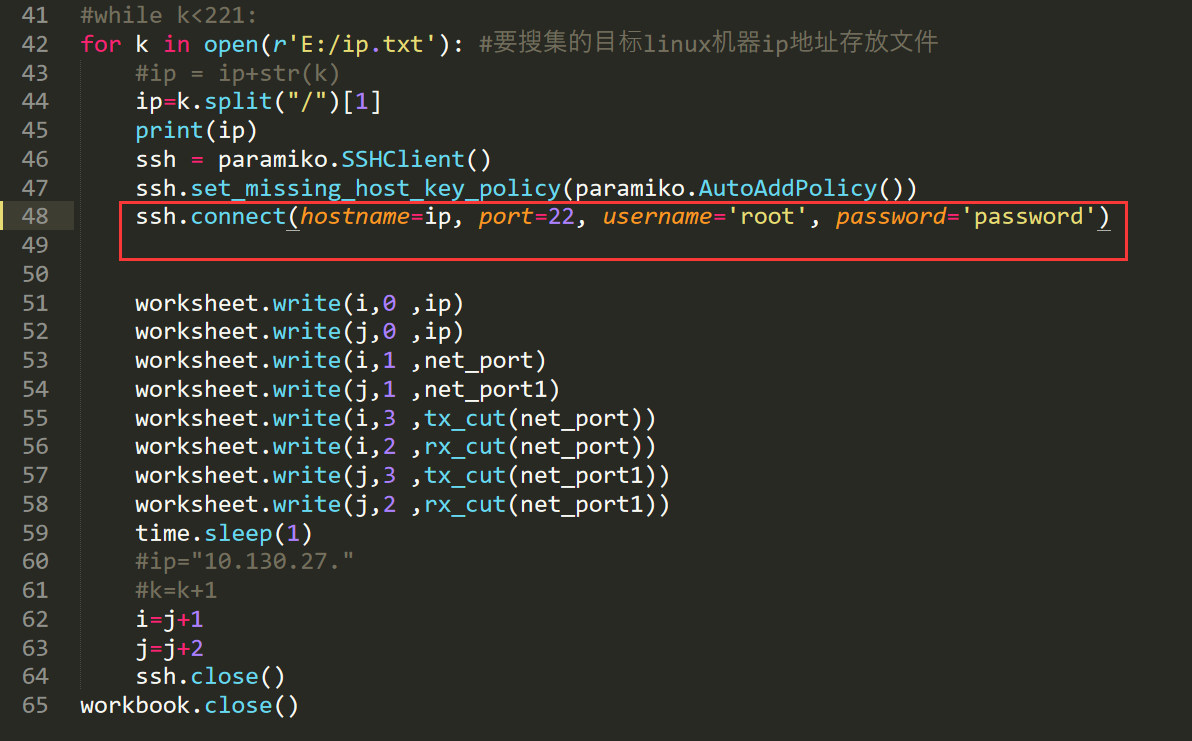
- 修改ssh相关信息
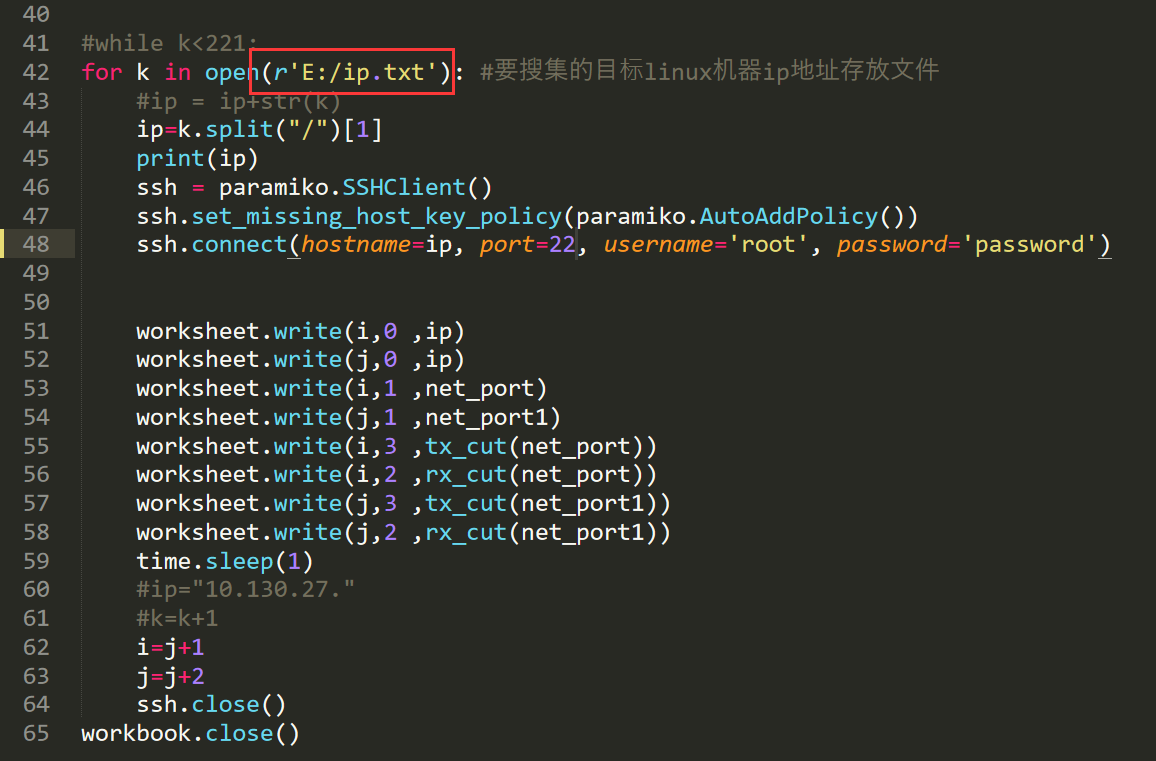
- 填写本次涉及的ip信息
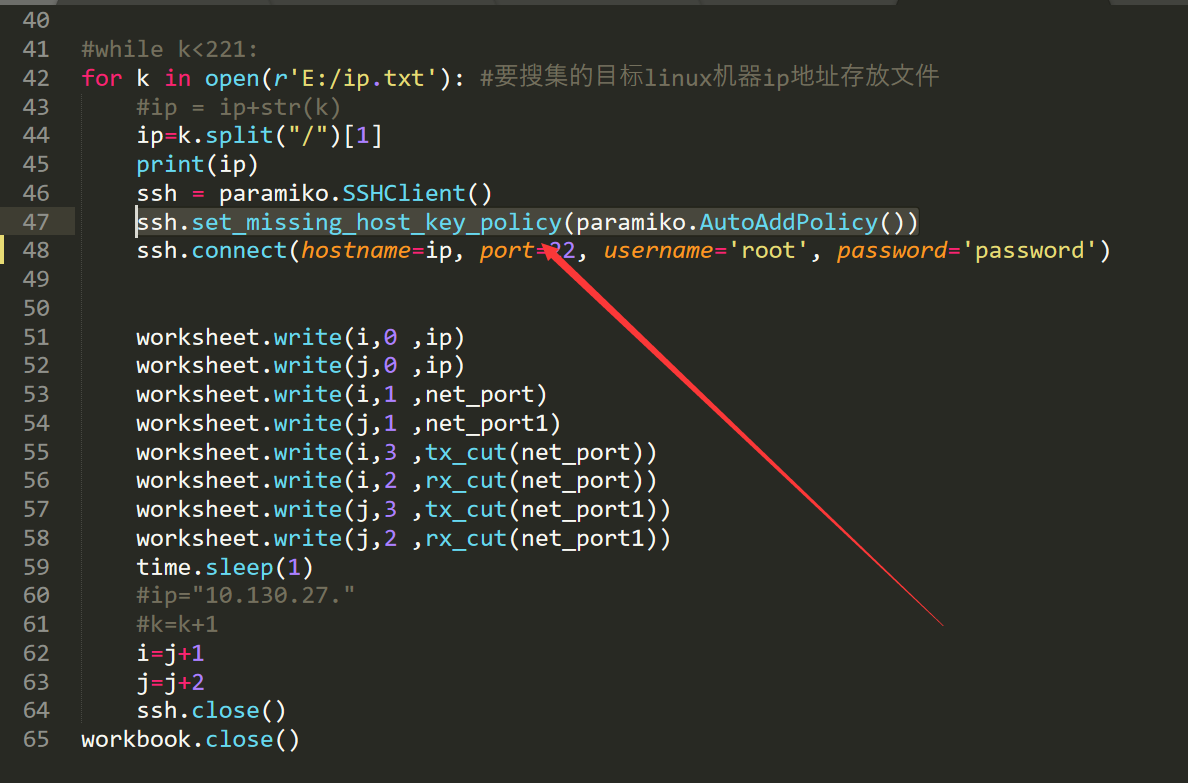
#注意,这个脚本,如果其中ip有不通情况,会自动跳过,然后执行下一个目标的。(我感觉是这个语句的作用)
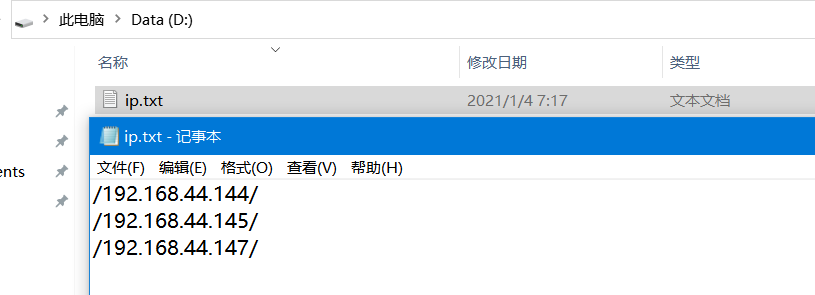
- 验证输出结果是否符合预期
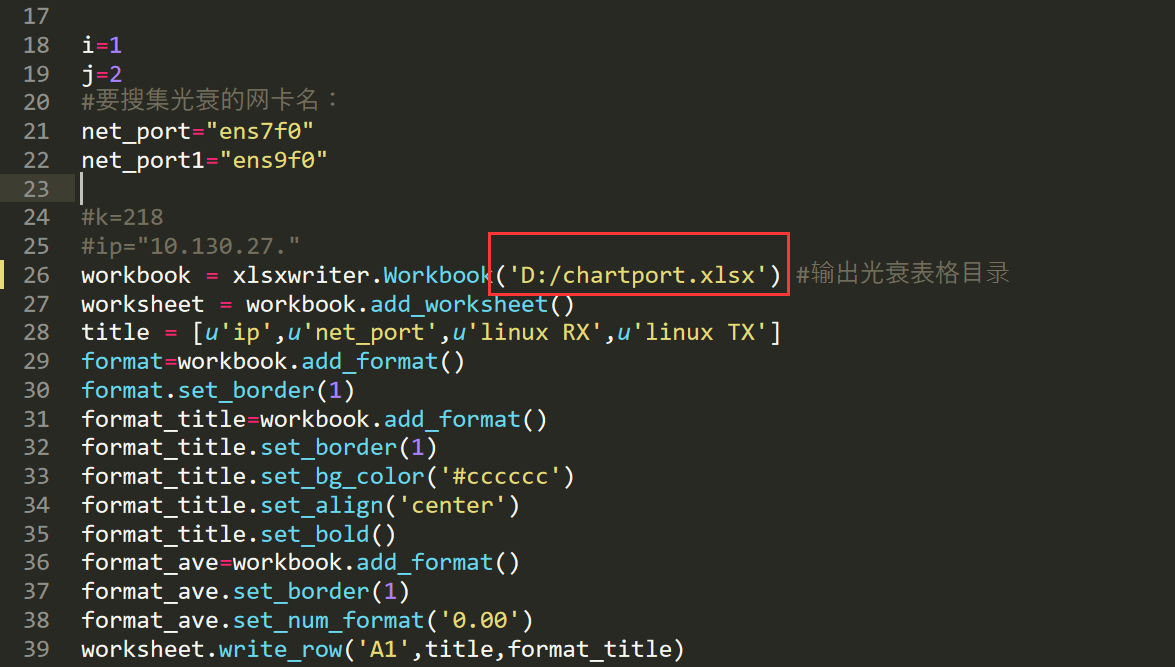

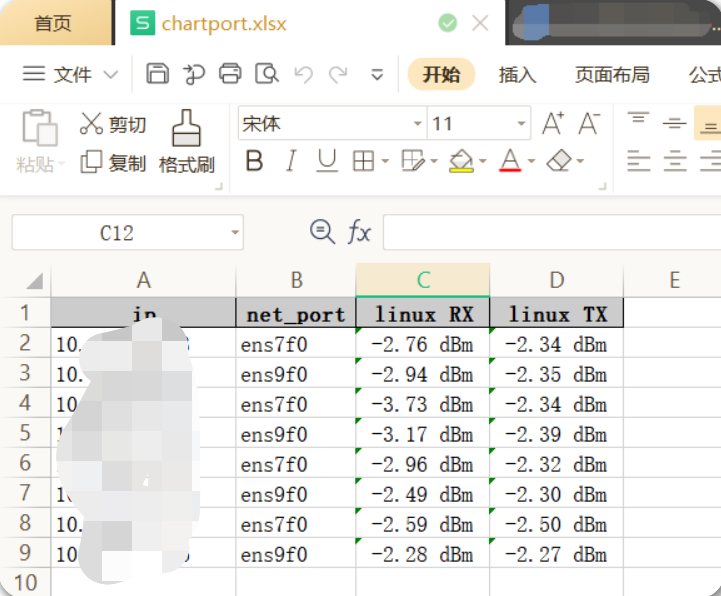
3、脚本位置
2023.11.24-范例:搜集物理服务器光衰并导入excel-2021.04.15(测试成功)

LinuxCollectLight.py
https://onedayxyy.cn/scripts/linux_collect_eth_light/LinuxCollectLight.py
 1import xlsxwriter
 2import paramiko
 3import time
 4
 5def tx_cut(net_port):
 6#stdin, stdout, stderr = ssh.exec_command("ifconfig | grep "+ net_port +" | awk -F \" \" \'{print $5}\'")
 7    stdin, stdout, stderr = ssh.exec_command("ethtool -m "+ net_port+" | grep \"Laser output power\" |  head -1 | awk -F \'\/\' \'{print $2}\'")
 8    tx = stdout.read().decode()
 9    return tx
10
11def rx_cut(net_port):
12#stdin, stdout, stderr = ssh.exec_command("ifconfig | grep "+ net_port +" | awk -F \" \" \'{print $5}\'")
13    stdin, stdout, stderr = ssh.exec_command("ethtool -m "+ net_port +" | grep \"Receiver signal\"| awk -F \'/\' \'{print $2}\'")
14    rx = stdout.read().decode()
15    return rx
16
17
18i=1
19j=2
20#要搜集光衰的网卡名:
21net_port="ens7f0"
22net_port1="ens9f0"
23
24#k=218
25#ip="10.130.27."
26workbook = xlsxwriter.Workbook('D:/chartport.xlsx') #输出光衰表格目录
27worksheet = workbook.add_worksheet()
28title = [u'ip',u'net_port',u'linux RX',u'linux TX']
29format=workbook.add_format()
30format.set_border(1)
31format_title=workbook.add_format()
32format_title.set_border(1)
33format_title.set_bg_color('#cccccc')
34format_title.set_align('center')
35format_title.set_bold()
36format_ave=workbook.add_format()
37format_ave.set_border(1)
38format_ave.set_num_format('0.00')
39worksheet.write_row('A1',title,format_title)
40
41#while k<221:
42for k in open(r'E:/ip.txt'): #要搜集的目标linux机器ip地址存放文件
43    #ip = ip+str(k)
44    ip=k.split("/")[1]
45    print(ip)
46    ssh = paramiko.SSHClient()
47    ssh.set_missing_host_key_policy(paramiko.AutoAddPolicy())
48    ssh.connect(hostname=ip, port=22, username='root', password='password')
49
50
51    worksheet.write(i,0 ,ip)
52    worksheet.write(j,0 ,ip)
53    worksheet.write(i,1 ,net_port)
54    worksheet.write(j,1 ,net_port1)
55    worksheet.write(i,3 ,tx_cut(net_port))
56    worksheet.write(i,2 ,rx_cut(net_port))
57    worksheet.write(j,3 ,tx_cut(net_port1))
58    worksheet.write(j,2 ,rx_cut(net_port1))
59    time.sleep(1)
60    #ip="10.130.27."
61    #k=k+1
62    i=j+1
63    j=j+2
64    ssh.close()
65workbook.close()
ip.txt
https://onedayxyy.cn/scripts/linux_collect_eth_light/ip.txt
1/业务ip/
2/业务ip/
3/业务ip/
4、存在问题
- 如何一次搜集更多的网卡光衰??;
//注意,这个脚本目前只能搜集服务器上的2个网卡的光衰,如何想要搜集更多网卡的话,可以再搜集一次或者更改脚本;(后续改进)
方法2:shell脚本收集方法
CollectServerGuangShuai_20190121_hg.sh
https://onedayxyy.cn/scripts/linux_collect_eth_light/CollectServerGuangShuai_20190121_hg.sh
1echo -e ens10f0 tx:"\t"`ethtool -m ens10f0 | grep "Laser output power"| head -1 | awk -F '/' '{print $2}'` > /root/fabric
2echo -e ens10f0 rx:"\t"`ethtool -m ens10f0 | grep "Receiver signal"| awk -F '/' '{print $2}'` >> /root/fabric
3echo -e ens10f1 tx:"\t"`ethtool -m ens10f1 | grep "Laser output power"| head -1 | awk -F '/' '{print $2}'` >> /root/fabric
4echo -e ens10f1 rx:"\t"`ethtool -m ens10f1 | grep "Receiver signal"| awk -F '/' '{print $2}'` >> /root/fabric
📡
推荐使用微信支付

推荐使用支付宝