--
:
--
:
--
vdoing部署-官方
最后更新于:
前提
注意⚠️
Node请使用
>=18.0.0版本。
安装和启动
- 知识库兼博客风格预设配置
 1# clone the project
 2git clone https://github.com/xugaoyi/vuepress-theme-vdoing.git
 3
 4# enter the project directory
 5cd vuepress-theme-vdoing
 6
 7# install dependency 注意:如安装不成功请关闭淘宝源。
 8npm install # or yarn install
 9
10# develop
11npm run dev # or yarn dev
- 文档风格预设配置
 1# clone the project
 2git clone https://github.com/xugaoyi/vuepress-theme-vdoing-doc.git
 3
 4# enter the project directory
 5cd vuepress-theme-vdoing-doc
 6
 7# install dependency 注意:如安装不成功请关闭淘宝源。
 8npm install # or yarn install
 9
10# develop
11npm run dev # or yarn dev
- 简洁模板预设配置(社区提供)
 1# clone the project
 2git clone https://github.com/u2sb/vuepress-theme-vdoing-template.git
 3
 4# enter the project directory
 5cd vuepress-theme-vdoing-template
 6
 7# install dependency 注意:如安装不成功请关闭淘宝源。
 8npm install # or yarn install
 9
10# develop
11npm run dev # or yarn dev
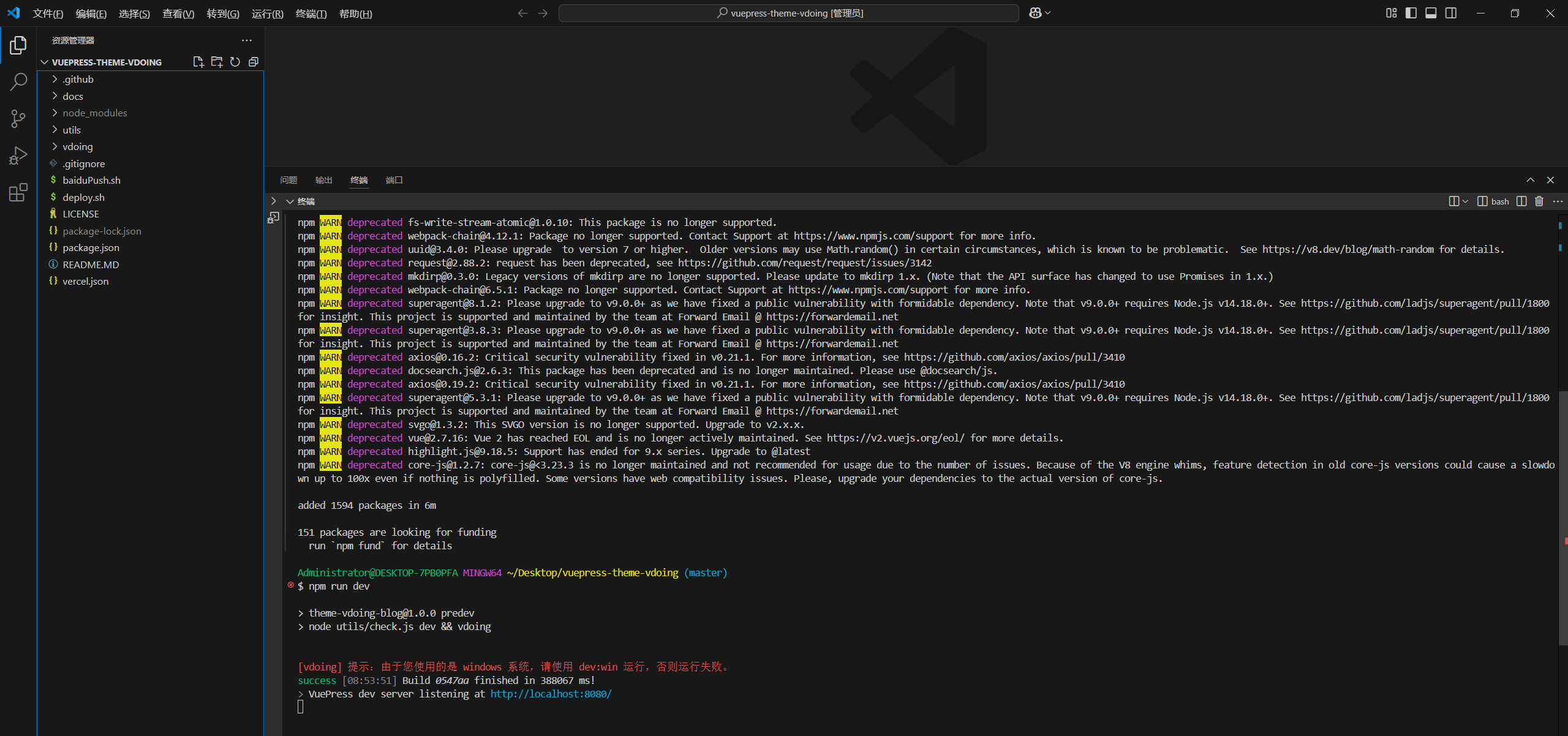
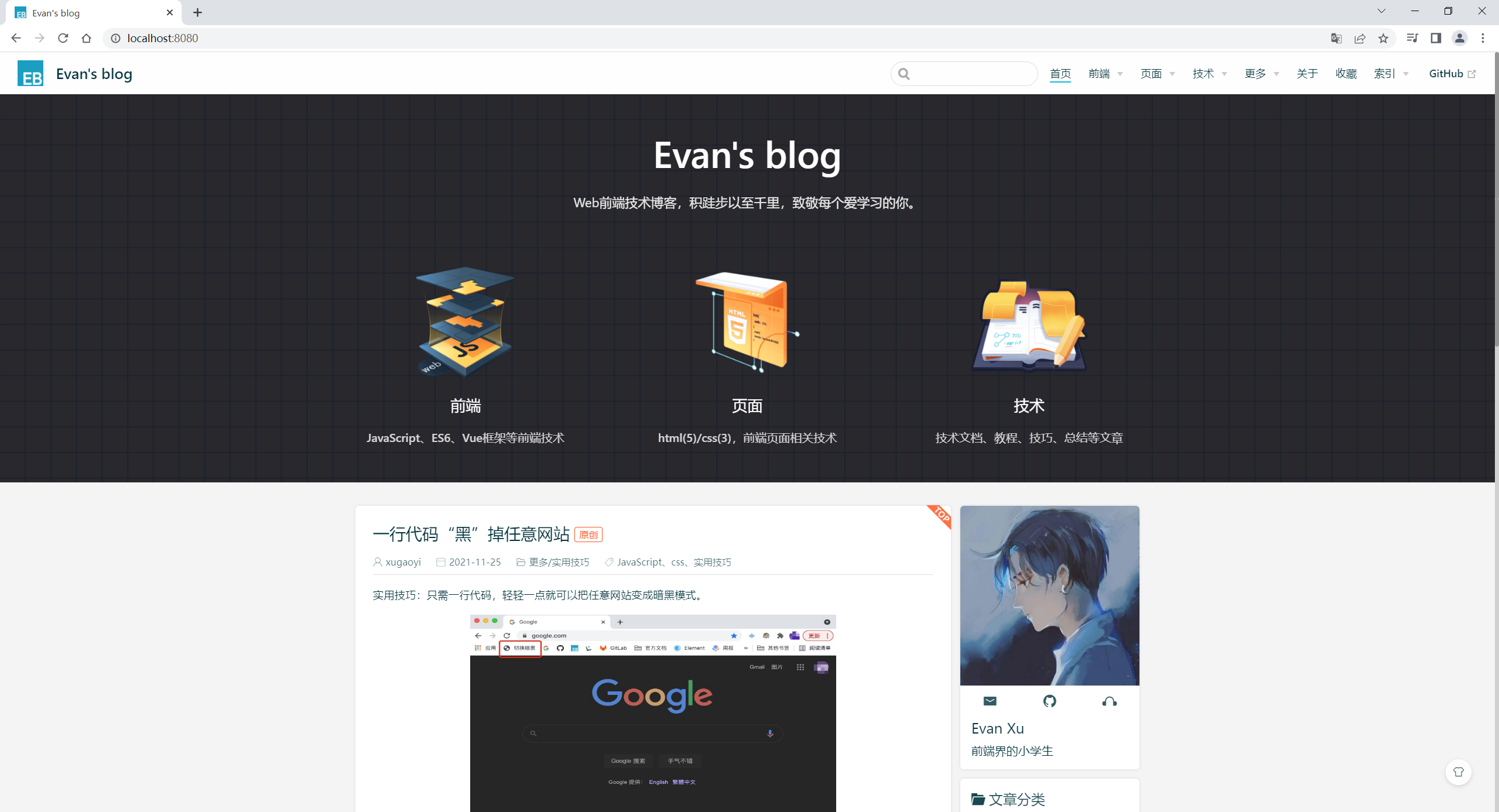
自己实际配置:
哇哦,好了呢:😜
使用Vdoing主题(可跳过)
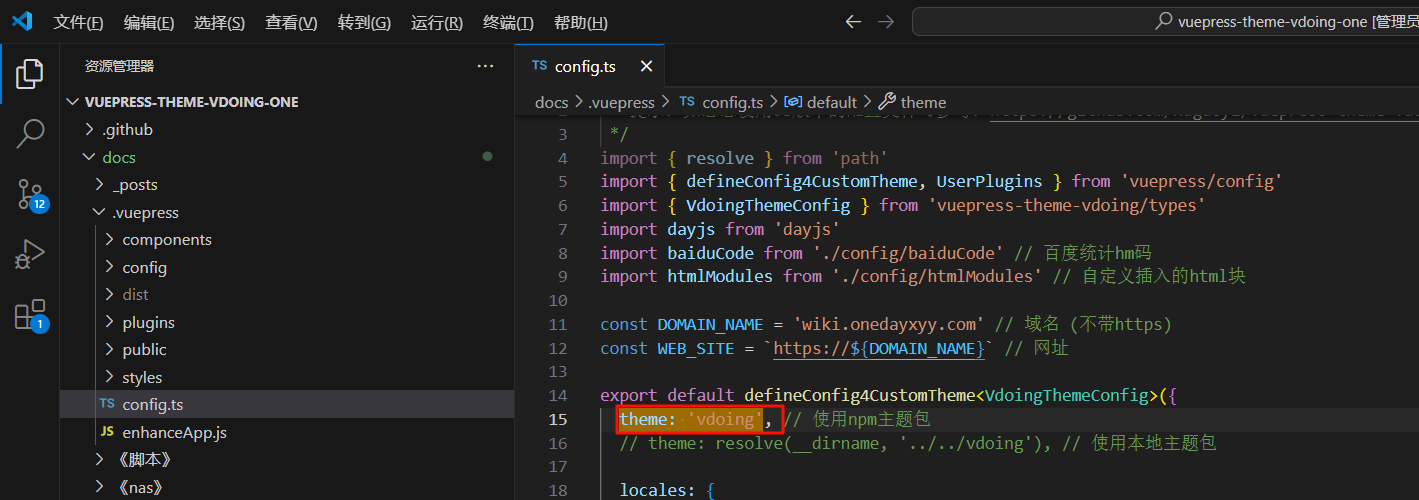
注意:最新项目这里是默认的,无需配置。
1、安装最新的Vdoing主题包:
1npm install vuepress-theme-vdoing -D
2、在.vuepress/config.js中配置使用主题:
1// config.js
2module.exports = {
3  theme: 'vdoing'
4}
提示
- 不建议在原默认vuepress项目上单独安装使用本主题包,而是clone我的整个项目再替换你自己的内容即可。
- 修改
config.js配置后需要重新启动项目才会生效。- 更多关于项目上手的问题,请查阅 问答。
版本升级
主题的版本会不定期更新,你只需更新npm主题包即可:
1npm update vuepress-theme-vdoing
提示
- 如更新后没起作用或报错,尝试把
node_modules文件夹删除再npm i重新安装。- 在.vuepress/config.js中,设置
theme: 'vdoing'才是使用npm主题依赖包:1// config.js 2module.exports = { 3 theme: 'vdoing', // npm主题依赖包 4 // theme: require.resolve('../../vdoing'), // 使用本地主题包 5}
📡
推荐使用微信支付

推荐使用支付宝