--
:
--
:
--
3、gitlab部署(部署成功)
最后更新于:
gitlab部署
此文档依赖于基础环境配置文档, 运行K8s集群并配置NFS存储。
代码库地址: https://jihulab.com/devopsvvip/myiac/-/tree/main/devops/gitlab
Docker镜像:
- docker pull gitlab/gitlab-ce:16.2.2-ce.0
主机hosts文件更新: 192.168.1.200 gitlab.idevops.site
Step1 NFS目录
1mkdir -p /data/storage/kubernetes/gitlab/{config,logs,data}
2chmod 777 -R /data/storage/kubernetes/gitlab/
3
4[root@devops-nuc-service devops]# ls -l /data/storage/kubernetes/gitlab/
5总用量 0
6drwxrwxr-x  3 root root 268 8月   3 20:08 config
7drwxr-xr-x 13 root root 237 8月   3 20:09 data
8drwxr-xr-x 10 root root 139 8月   3 20:09 logs
Step2 部署GitLab
已经编写好了一套K8s 清单文件和一个声明式的Argo APP。【具体参考代码库】
1docker pull uhub.service.ucloud.cn/onedayxyy/gitlab-ce:16.2.2-ce.0
2docker tag uhub.service.ucloud.cn/onedayxyy/gitlab-ce:16.2.2-ce.0 gitlab/gitlab-ce:16.2.2-ce.0
3
4## LoadDockerImage
5kind load  docker-image gitlab/gitlab-ce:16.2.2-ce.0 --name devopscluster
6
7#cd /root/myiac-gitee/devops/gitlab
8kubectl -n argocd apply -f gitlab-argoapp.yaml
- 部署成功后:
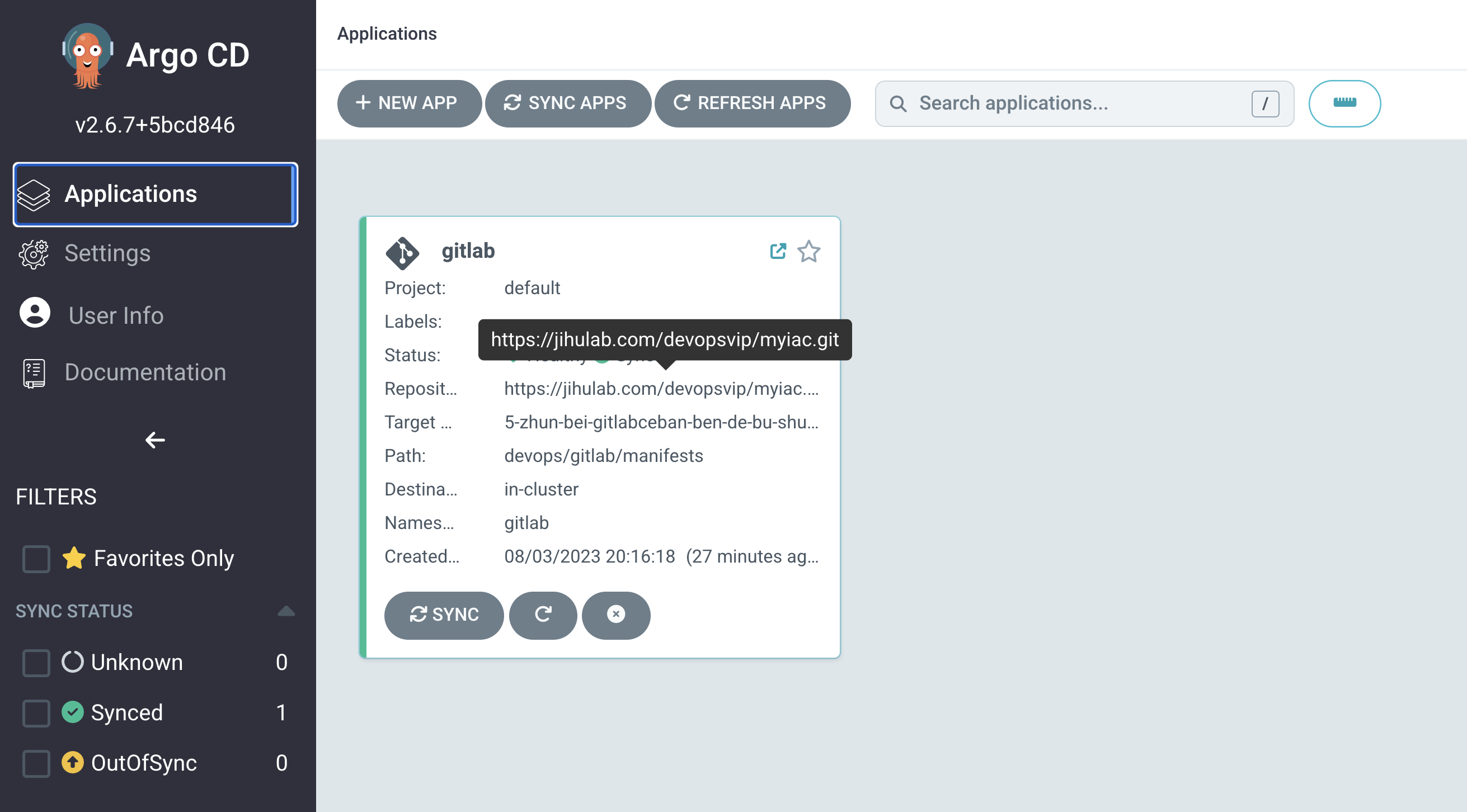
- 查看pod日志
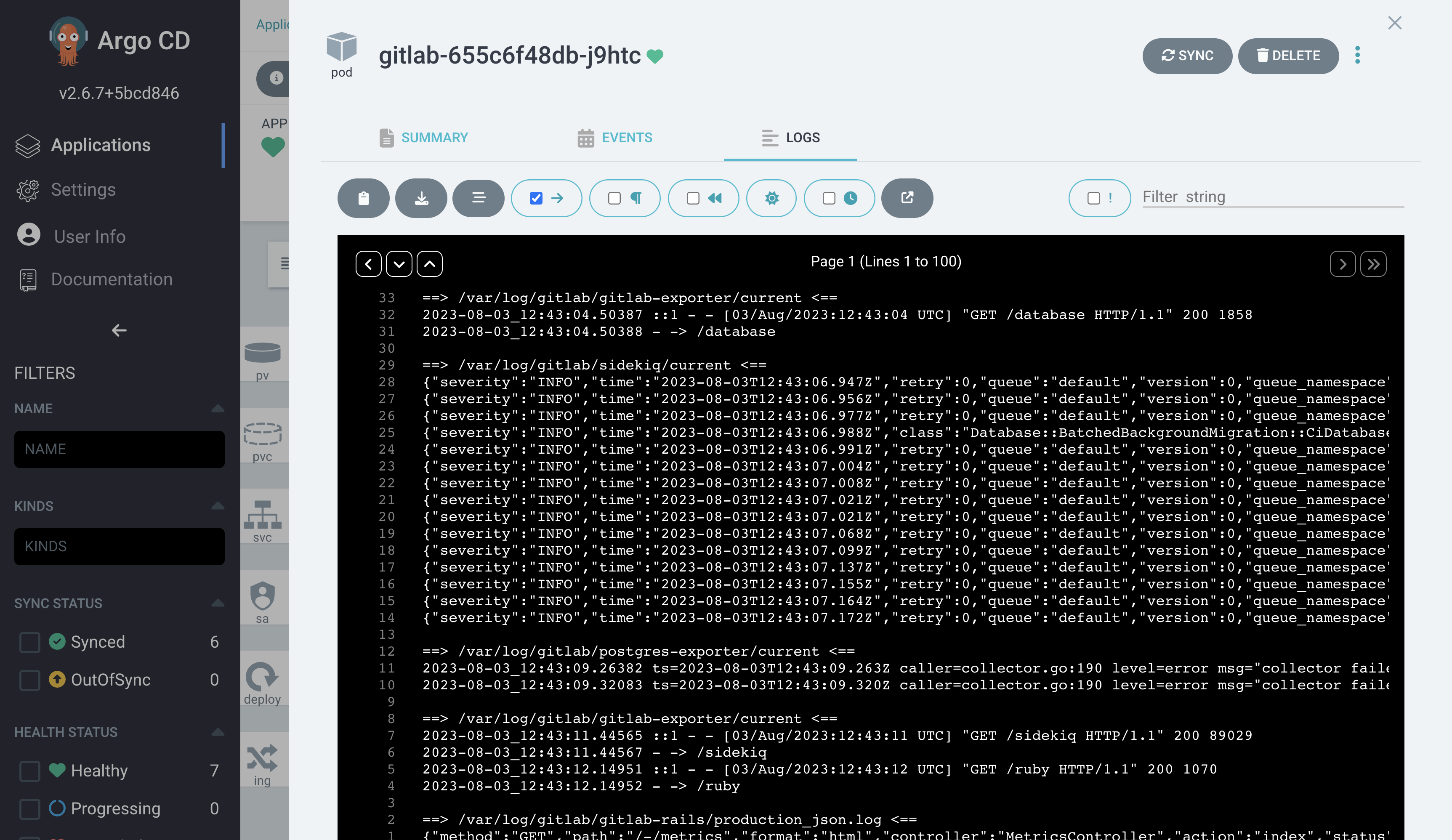
Step3 GitLab初始化配置
- 从
initial_root_password文件中获取初始密码:
 1cd /data/storage/kubernetes/gitlab/config
 2
 3[root@devops-nuc-service config]# pwd
 4/data/storage/kubernetes/gitlab/config
 5[root@devops-nuc-service config]# ls -l
 6总用量 192
 7-rwxrwxrwx 1 root root 146358 8月   3 20:08 gitlab.rb
 8-rwxrwxrwx 1 root root  19404 8月   3 20:16 gitlab-secrets.json
 9-rwxrwxrwx 1 root root    749 8月   3 20:08 initial_root_password
10-rwxrwxrwx 1 root root    525 8月   3 20:08 ssh_host_ecdsa_key
11-rwxrwxrwx 1 root root    190 8月   3 20:08 ssh_host_ecdsa_key.pub
12-rwxrwxrwx 1 root root    419 8月   3 20:08 ssh_host_ed25519_key
13-rwxrwxrwx 1 root root    110 8月   3 20:08 ssh_host_ed25519_key.pub
14-rwxrwxrwx 1 root root   2622 8月   3 20:08 ssh_host_rsa_key
15-rwxrwxrwx 1 root root    582 8月   3 20:08 ssh_host_rsa_key.pub
16drwxrwxrwx 2 root root      6 8月   3 20:08 trusted-certs
17[root@devops-nuc-service config]# cat initial_root_password
18# WARNING: This value is valid only in the following conditions
19#          1. If provided manually (either via `GITLAB_ROOT_PASSWORD` environment variable or via `gitlab_rails['initial_root_password']` setting in `gitlab.rb`, it was provided before database was seeded for the first time (usually, the first reconfigure run).
20#          2. Password hasn't been changed manually, either via UI or via command line.
21#
22#          If the password shown here doesn't work, you must reset the admin password following https://docs.gitlab.com/ee/security/reset_user_password.html#reset-your-root-password.
23
24Password: iGru391uh1dE9LZ2eZFLdgwZPVLNQ4cKcPpGltdZwH8=
25
26# NOTE: This file will be automatically deleted in the first reconfigure run after 24 hours.
- 登入GitLab: root/初始化密码 (nLU4eXA2YjRPjKZ)
Step4 修改密码
- 耐心等待一会儿:
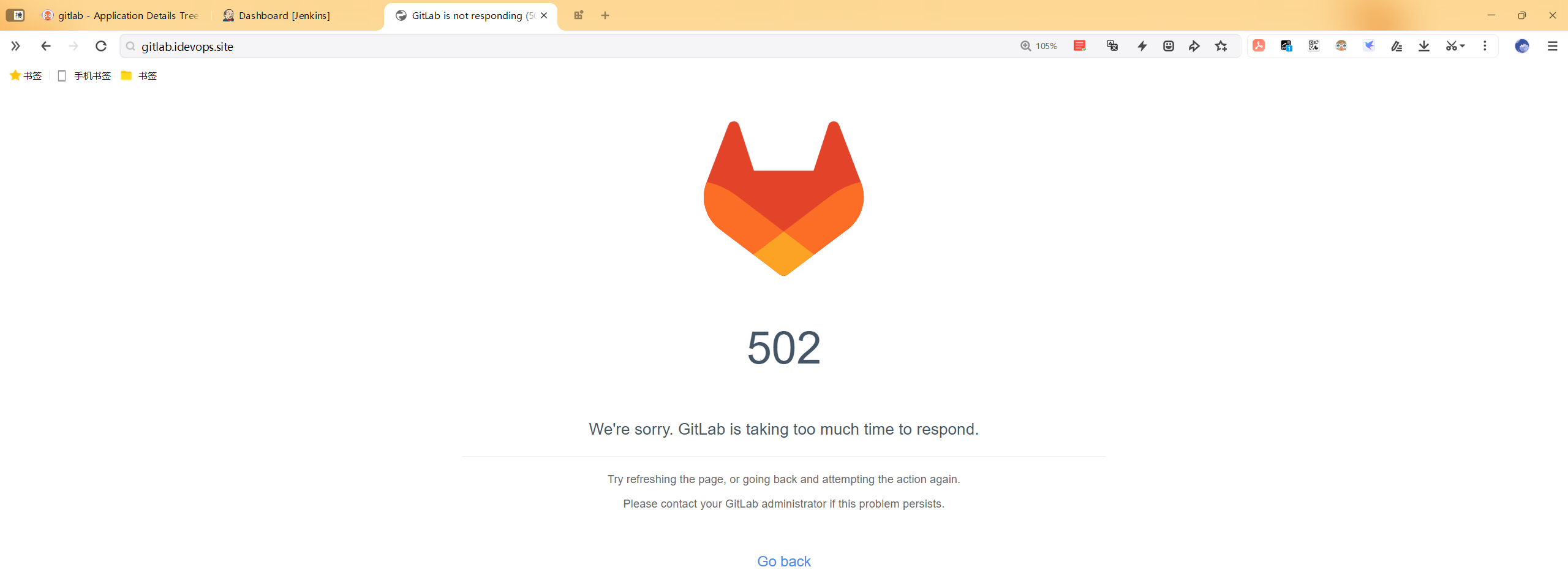
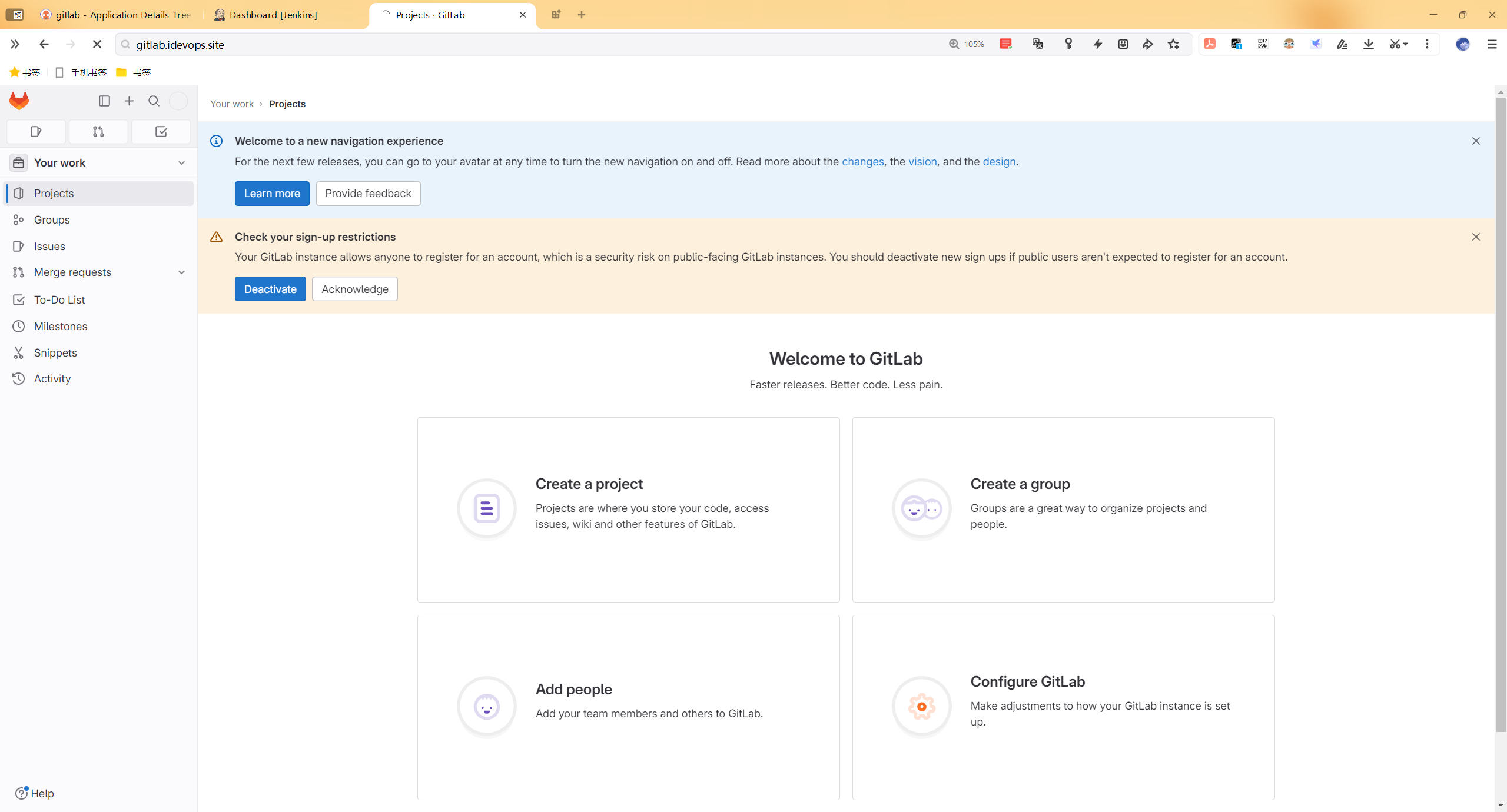
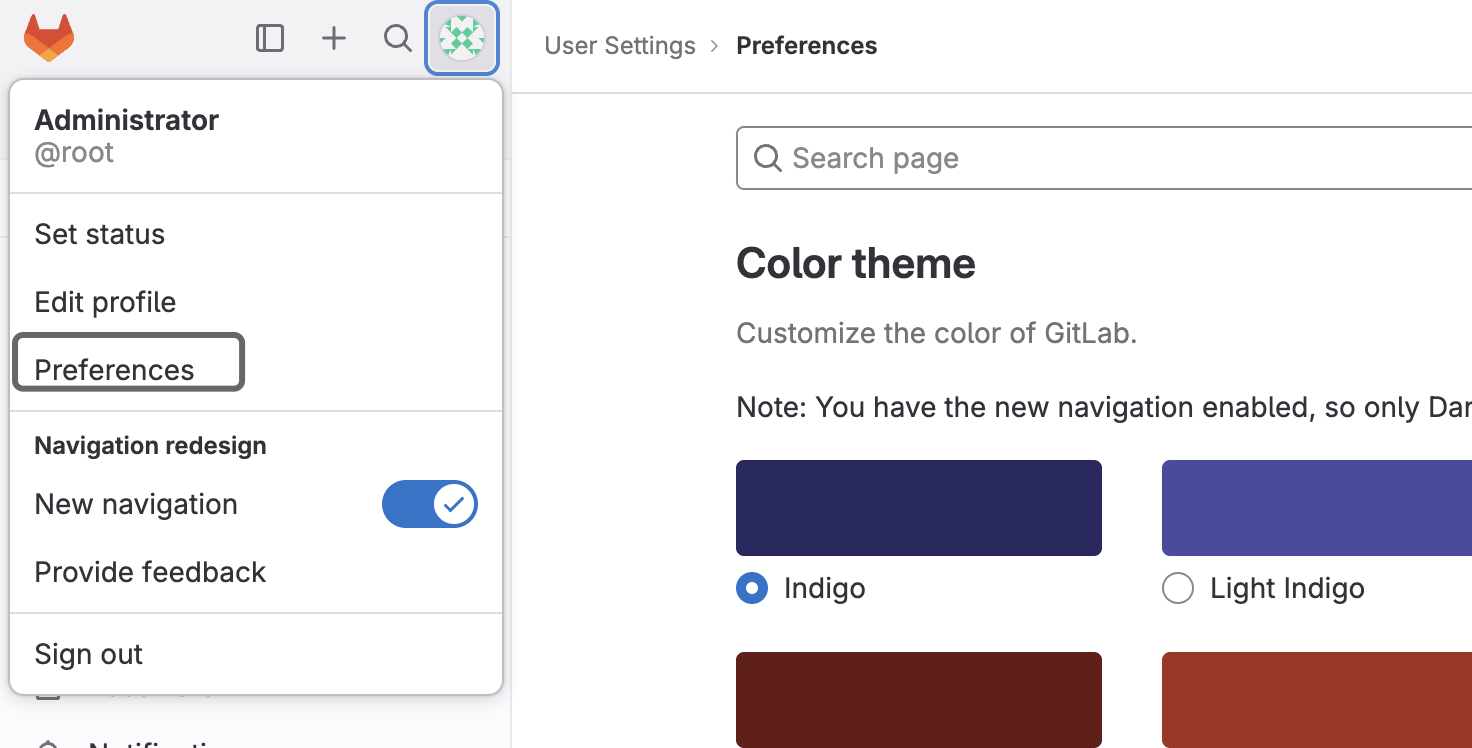
单击头像, 选择Preferences。
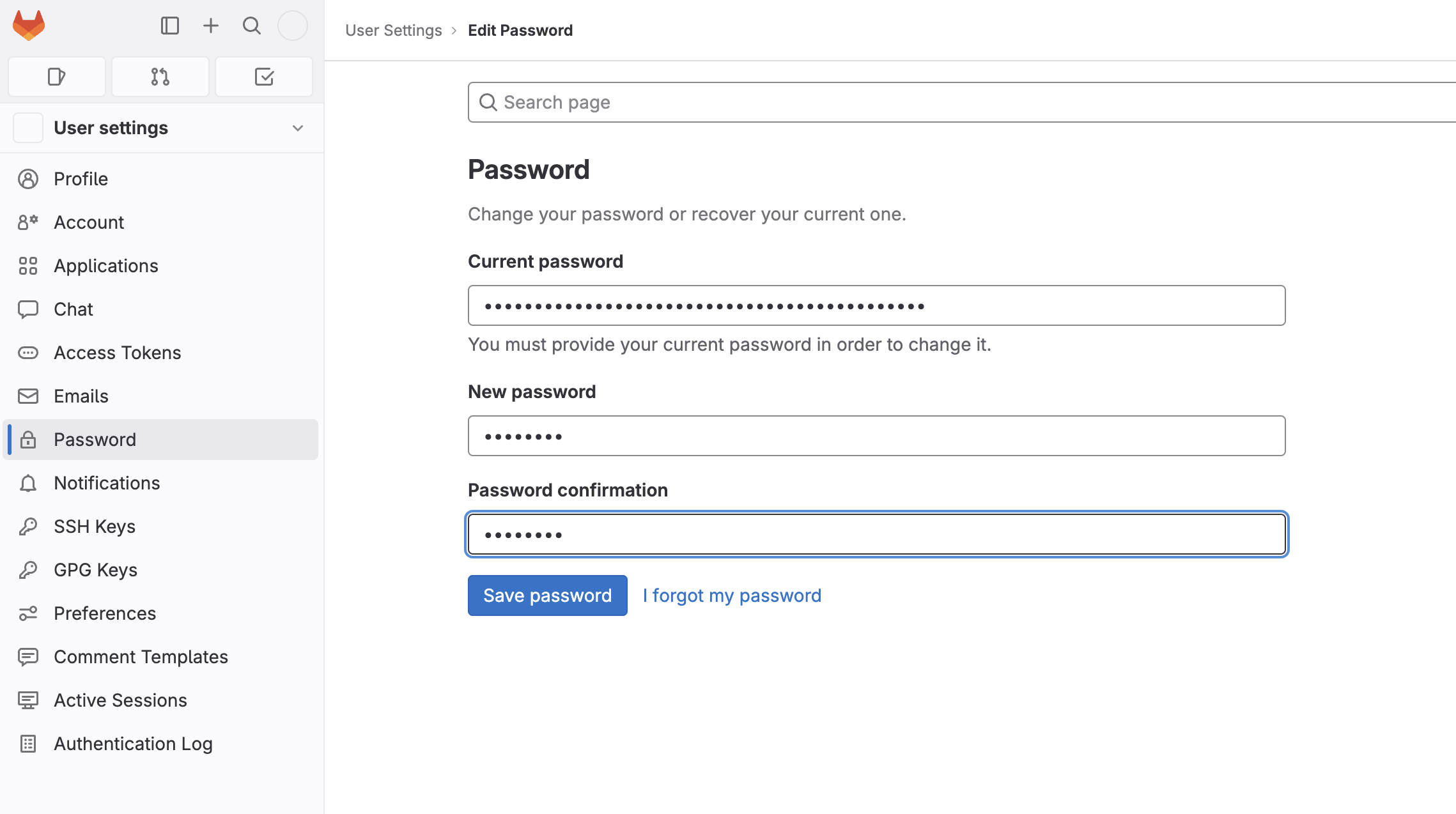
单击左侧Password
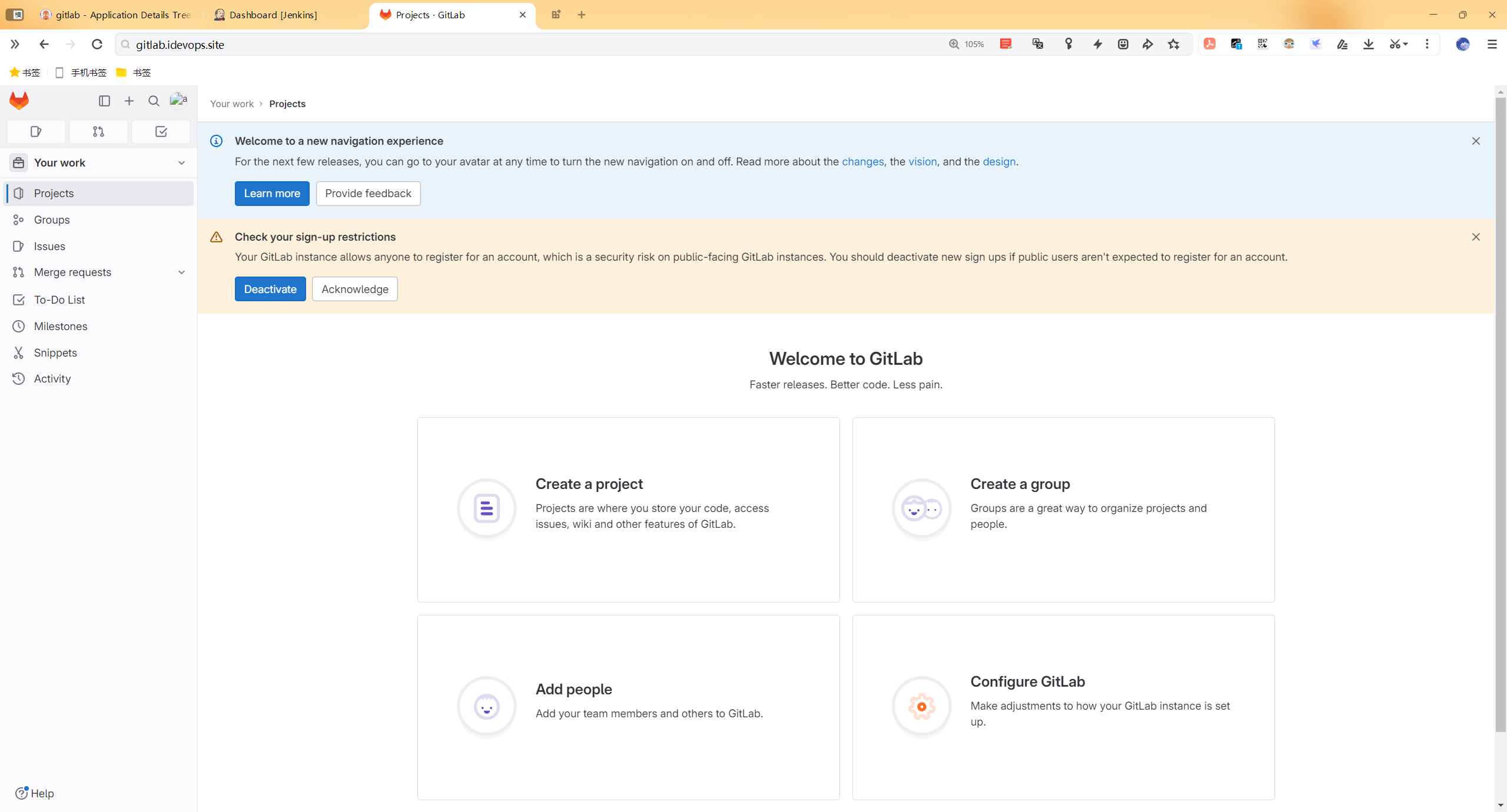
- 完美,自己部署成功
一键部署代码
1mkdir -p /data/storage/kubernetes/gitlab/{config,logs,data}
2chmod 777 -R /data/storage/kubernetes/gitlab/
3
4## LoadDockerImage
5kind load  docker-image gitlab/gitlab-ce:16.2.2-ce.0 --name devopscluster
6
7#cd /root/myiac-gitee/devops/gitlab
8kubectl -n argocd apply -f /root/myiac-gitee/devops/gitlab/gitlab-argoapp.yaml
FAQ
Q1 Unable to load host key: /etc/gitlab/ssh_host_ecdsa_
12023-08-03_12:37:56.33701 Unable to load host key: /etc/gitlab/ssh_host_ecdsa_key
22023-08-03_12:37:56.33713 @@@@@@@@@@@@@@@@@@@@@@@@@@@@@@@@@@@@@@@@@@@@@@@@@@@@@@@@@@@
32023-08-03_12:37:56.33713 @         WARNING: UNPROTECTED PRIVATE KEY FILE!          @
42023-08-03_12:37:56.33713 @@@@@@@@@@@@@@@@@@@@@@@@@@@@@@@@@@@@@@@@@@@@@@@@@@@@@@@@@@@
52023-08-03_12:37:56.33713 Permissions 0777 for '/etc/gitlab/ssh_host_ed25519_key' are too open.
62023-08-03_12:37:56.33713 It is required that your private key files are NOT accessible by others.
72023-08-03_12:37:56.33714 This private key will be ignored.
根据错误提示Permissions 0777 for '/etc/gitlab/ssh_host_ed25519_key' are too open. 判断为权限问题, 权限给的太大了,解决方法: chmod 600 ssh_host_*
 1[root@devops-nuc-service devops]# kubectl exec -it  gitlab-655c6f48db-j9htc -n gitlab bash
 2kubectl exec [POD] [COMMAND] is DEPRECATED and will be removed in a future version. Use kubectl exec [POD] -- [COMMAND] instead.
 3root@gitlab-655c6f48db-j9htc:/# cd /etc/gitlab/
 4root@gitlab-655c6f48db-j9htc:/etc/gitlab# ls -l
 5total 192
 6-rw------- 1 root root  19404 Aug  3 12:27 gitlab-secrets.json
 7-rwxrwxrwx 1 root root 146358 Aug  3 12:08 gitlab.rb
 8-rwxrwxrwx 1 root root    749 Aug  3 12:08 initial_root_password
 9-rwxrwxrwx 1 root root    525 Aug  3 12:08 ssh_host_ecdsa_key
10-rwxrwxrwx 1 root root    190 Aug  3 12:08 ssh_host_ecdsa_key.pub
11-rwxrwxrwx 1 root root    419 Aug  3 12:08 ssh_host_ed25519_key
12-rwxrwxrwx 1 root root    110 Aug  3 12:08 ssh_host_ed25519_key.pub
13-rwxrwxrwx 1 root root   2622 Aug  3 12:08 ssh_host_rsa_key
14-rwxrwxrwx 1 root root    582 Aug  3 12:08 ssh_host_rsa_key.pub
15drwxr-xr-x 2 root root      6 Aug  3 12:08 trusted-certs
16root@gitlab-655c6f48db-j9htc:/etc/gitlab# chmod 600 ssh_host_*
17root@gitlab-655c6f48db-j9htc:/etc/gitlab# ls -l
18total 192
19-rw------- 1 root root  19404 Aug  3 12:27 gitlab-secrets.json
20-rwxrwxrwx 1 root root 146358 Aug  3 12:08 gitlab.rb
21-rwxrwxrwx 1 root root    749 Aug  3 12:08 initial_root_password
22-rw------- 1 root root    525 Aug  3 12:08 ssh_host_ecdsa_key
23-rw------- 1 root root    190 Aug  3 12:08 ssh_host_ecdsa_key.pub
24-rw------- 1 root root    419 Aug  3 12:08 ssh_host_ed25519_key
25-rw------- 1 root root    110 Aug  3 12:08 ssh_host_ed25519_key.pub
26-rw------- 1 root root   2622 Aug  3 12:08 ssh_host_rsa_key
27-rw------- 1 root root    582 Aug  3 12:08 ssh_host_rsa_key.pub
28drwxr-xr-x 2 root root      6 Aug  3 12:08 trusted-certs
- 自己的环境后面也突然报这个错误了:
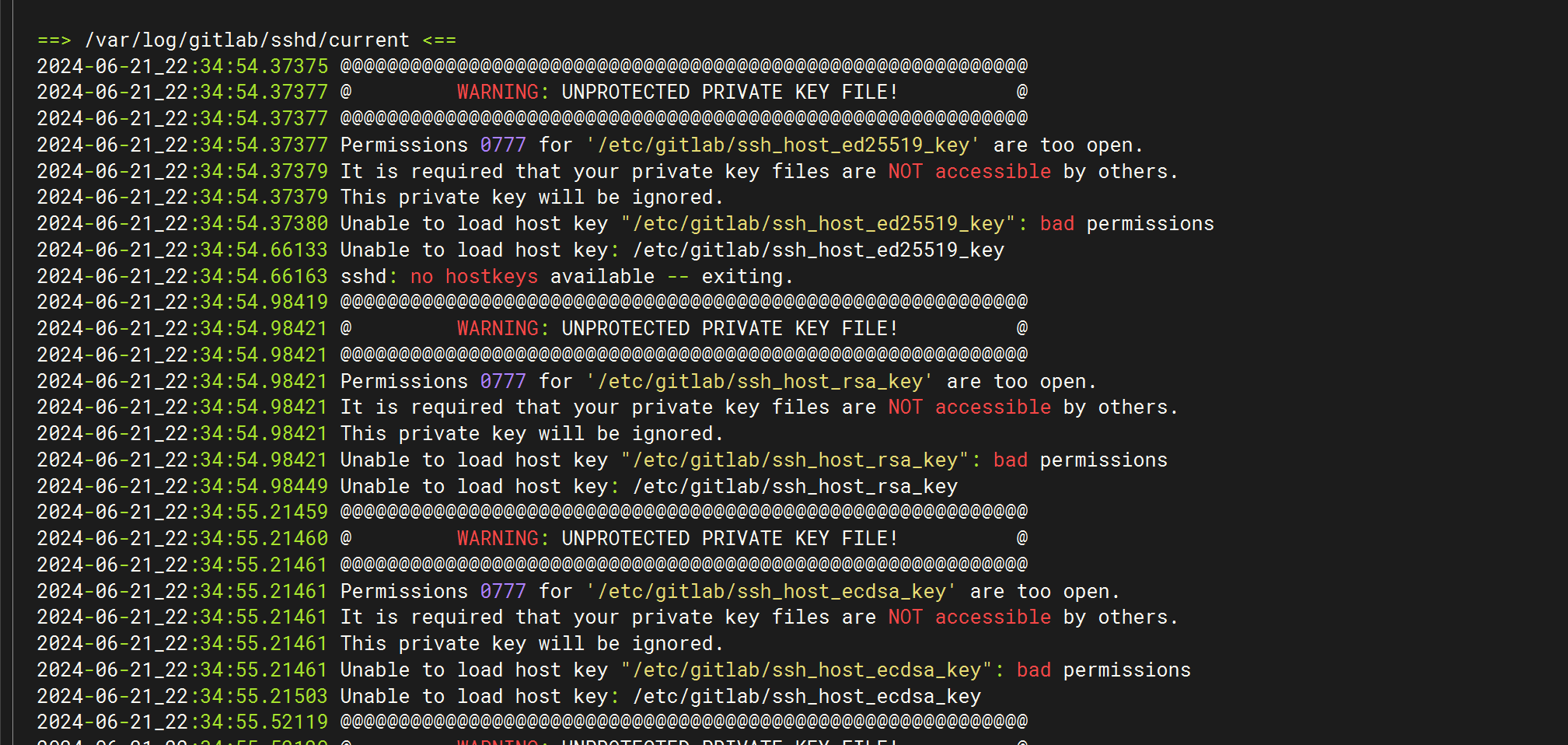
- 故障现象就是点击Gitlab后卡顿,无法操作:
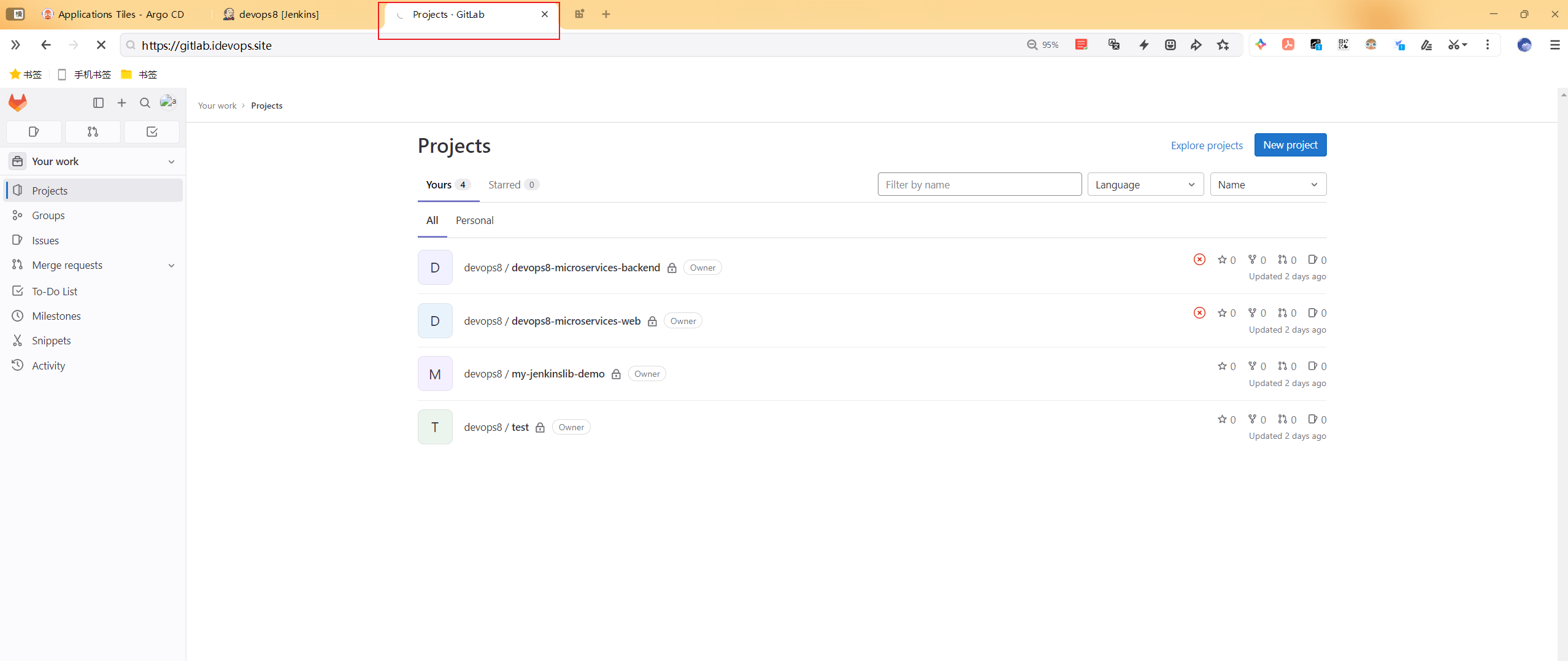
- 按以上方法配置
 1[root@devops8 ~]#kubectl get po -ngitlab
 2NAME                      READY   STATUS    RESTARTS   AGE
 3gitlab-655c6f48db-7vfzk   1/1     Running   0          45m
 4[root@devops8 ~]#kubectl exec -it gitlab-655c6f48db-7vfzk -ngitlab -- bash
 5root@gitlab-655c6f48db-7vfzk:/# cd /etc/gitlab/
 6root@gitlab-655c6f48db-7vfzk:/etc/gitlab# ls -l
 7total 188
 8-rw------- 1 root root  19408 Jun 21 21:53 gitlab-secrets.json
 9-rwxrwxrwx 1 root root 146358 Jun 18 14:47 gitlab.rb
10-rwxrwxrwx 1 root root    525 Jun 18 14:47 ssh_host_ecdsa_key
11-rwxrwxrwx 1 root root    190 Jun 18 14:47 ssh_host_ecdsa_key.pub
12-rwxrwxrwx 1 root root    419 Jun 18 14:47 ssh_host_ed25519_key
13-rwxrwxrwx 1 root root    110 Jun 18 14:47 ssh_host_ed25519_key.pub
14-rwxrwxrwx 1 root root   2622 Jun 18 14:47 ssh_host_rsa_key
15-rwxrwxrwx 1 root root    582 Jun 18 14:47 ssh_host_rsa_key.pub
16drwxr-xr-x 2 root root      6 Jun 18 14:47 trusted-certs
17root@gitlab-655c6f48db-7vfzk:/etc/gitlab# chmod 600 ssh_host_*
18root@gitlab-655c6f48db-7vfzk:/etc/gitlab# ls -l
19total 188
20-rw------- 1 root root  19408 Jun 21 21:53 gitlab-secrets.json
21-rwxrwxrwx 1 root root 146358 Jun 18 14:47 gitlab.rb
22-rw------- 1 root root    525 Jun 18 14:47 ssh_host_ecdsa_key
23-rw------- 1 root root    190 Jun 18 14:47 ssh_host_ecdsa_key.pub
24-rw------- 1 root root    419 Jun 18 14:47 ssh_host_ed25519_key
25-rw------- 1 root root    110 Jun 18 14:47 ssh_host_ed25519_key.pub
26-rw------- 1 root root   2622 Jun 18 14:47 ssh_host_rsa_key
27-rw------- 1 root root    582 Jun 18 14:47 ssh_host_rsa_key.pub
28drwxr-xr-x 2 root root      6 Jun 18 14:47 trusted-certs
29root@gitlab-655c6f48db-7vfzk:/etc/gitlab#
- 再次观察现象
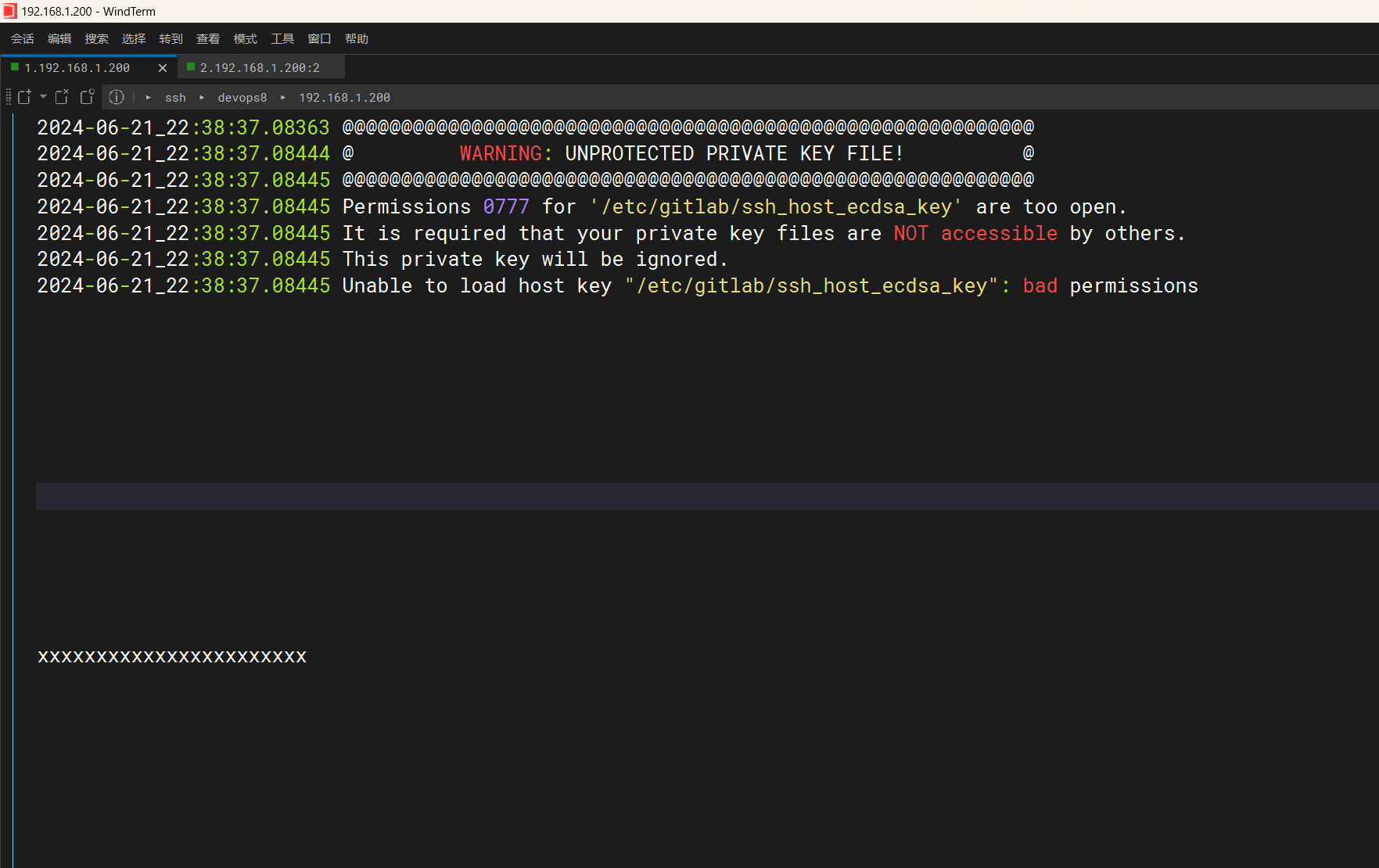
可以看到,配置后不会再报了。
📡
推荐使用微信支付

推荐使用支付宝