--
:
--
:
--
Jira自动化实践
最后更新于:
Jira自动化实践

目录
[toc]
推荐文章
https://www.yuque.com/xyy-onlyone/aevhhf?# 《玩转Typora》
1、Jira简介
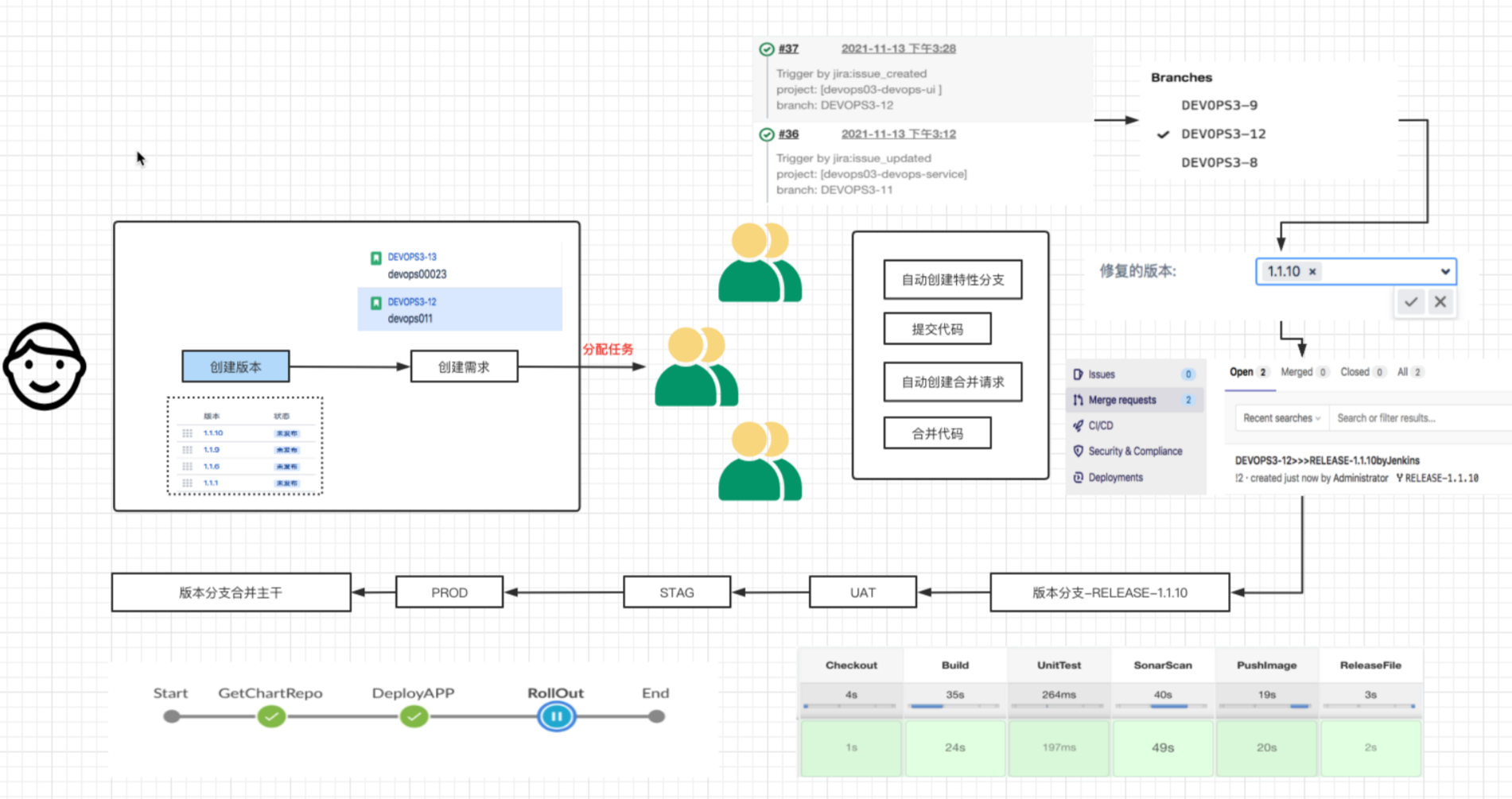
中文官网: https://www.atlassian.com/zh/software/jira

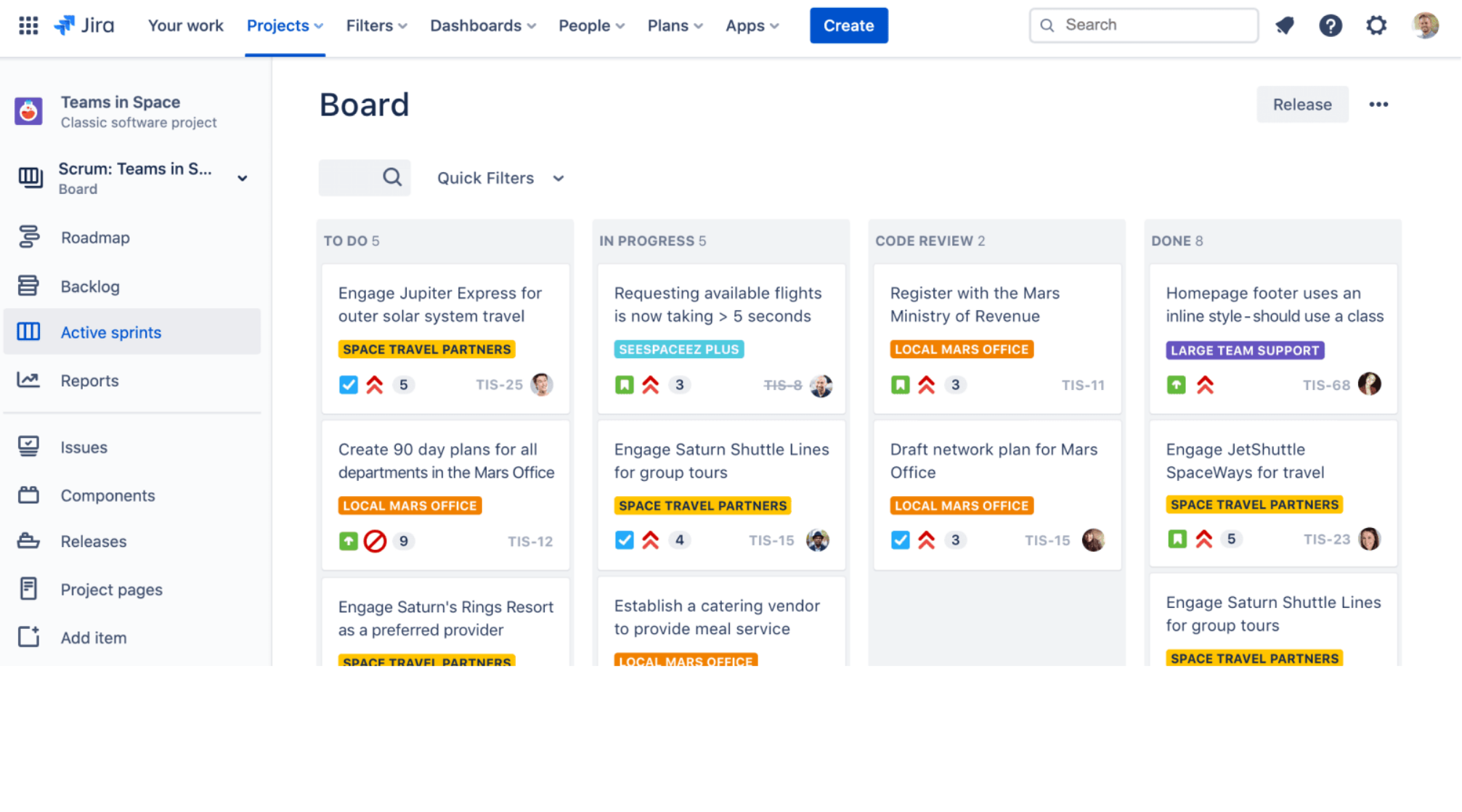
==Jira可以做什么?==
规划
创建项目,用户需求和事务、规划 Sprint 并跨团队分配开发任务。
跟踪
全面了解项目进度情况,安排整个团队工作的优先级排序并进行讨论。
2、Jira使用实践
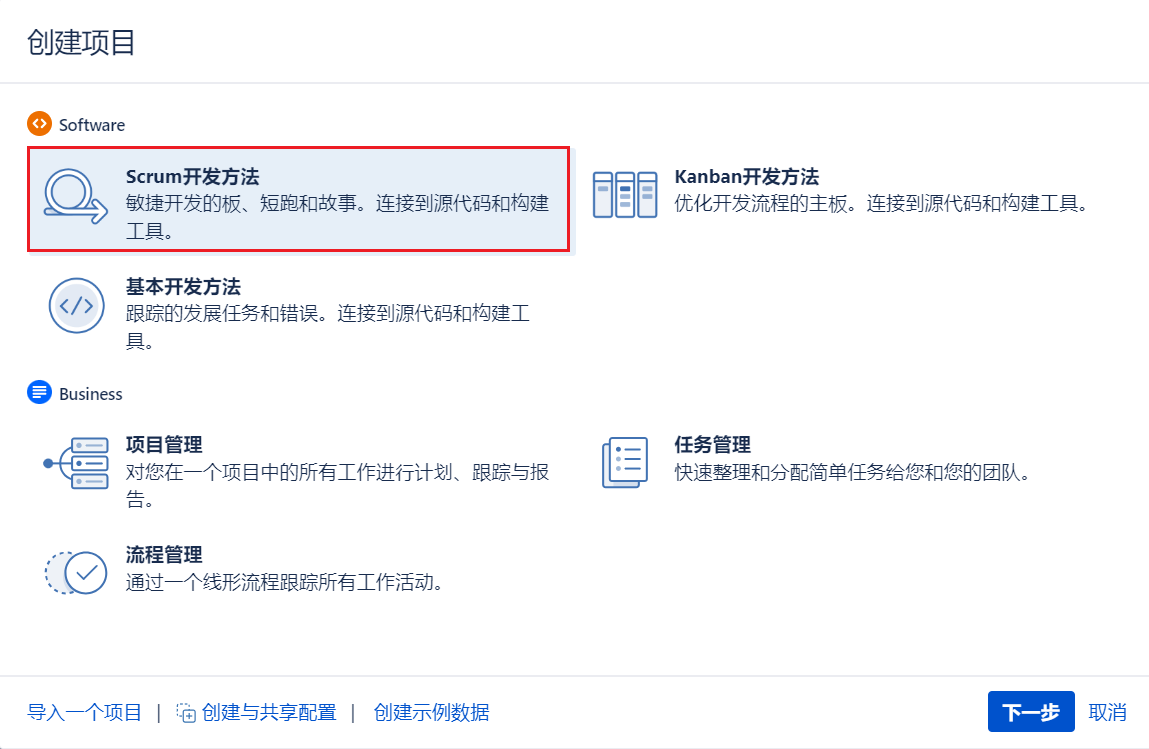
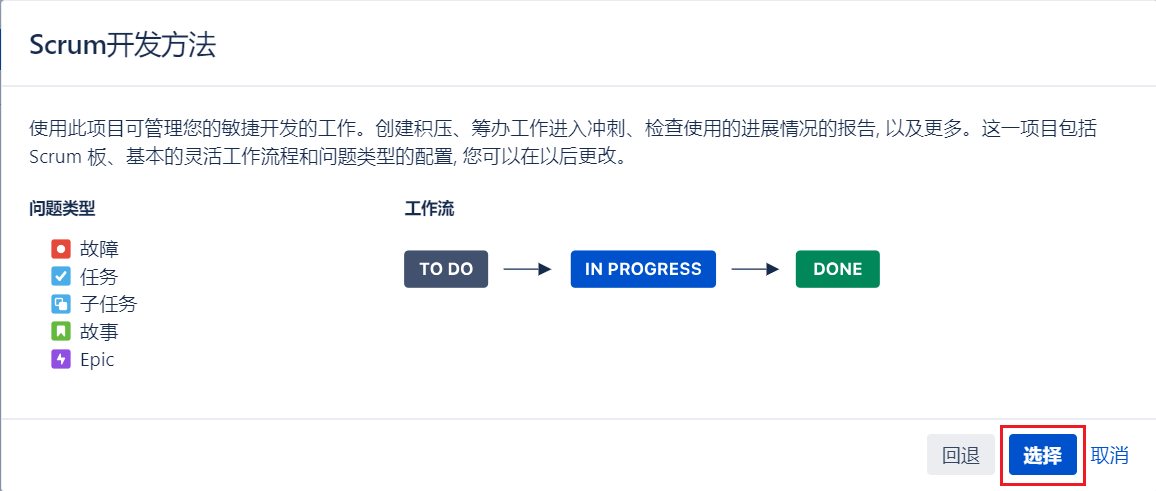
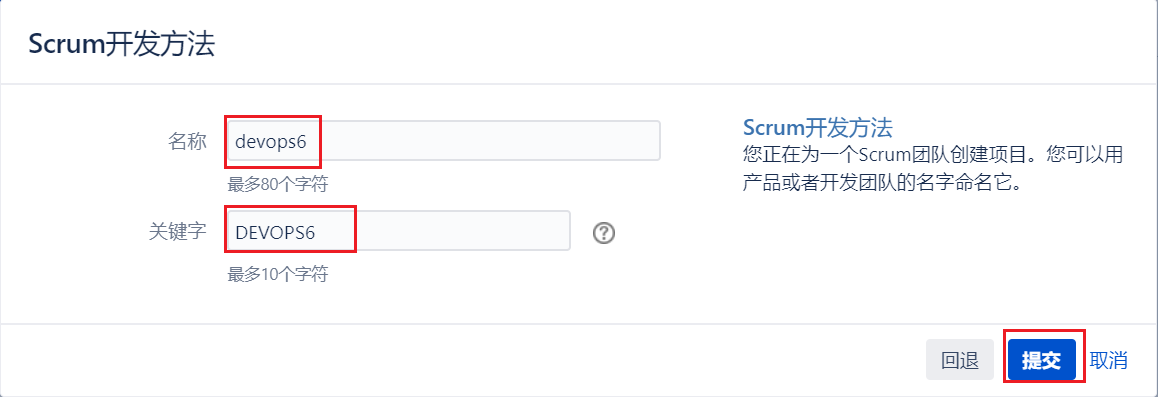
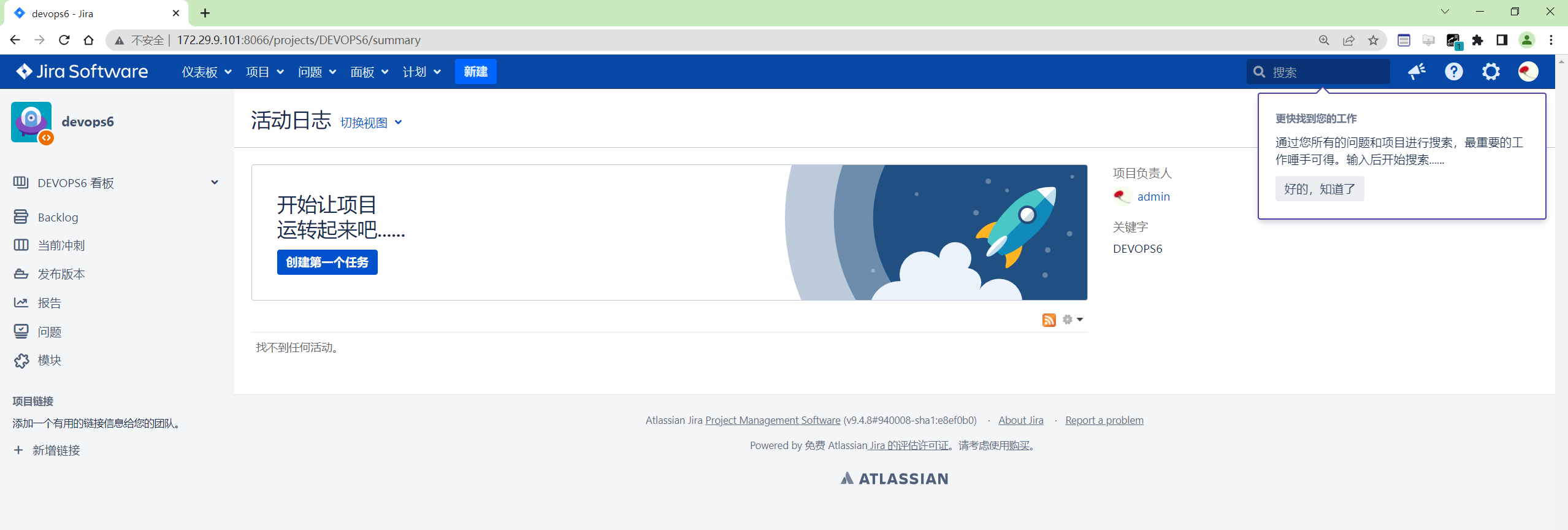
创建一个项目
注意: 一个Jira 项目对应一个GitLab项目组;
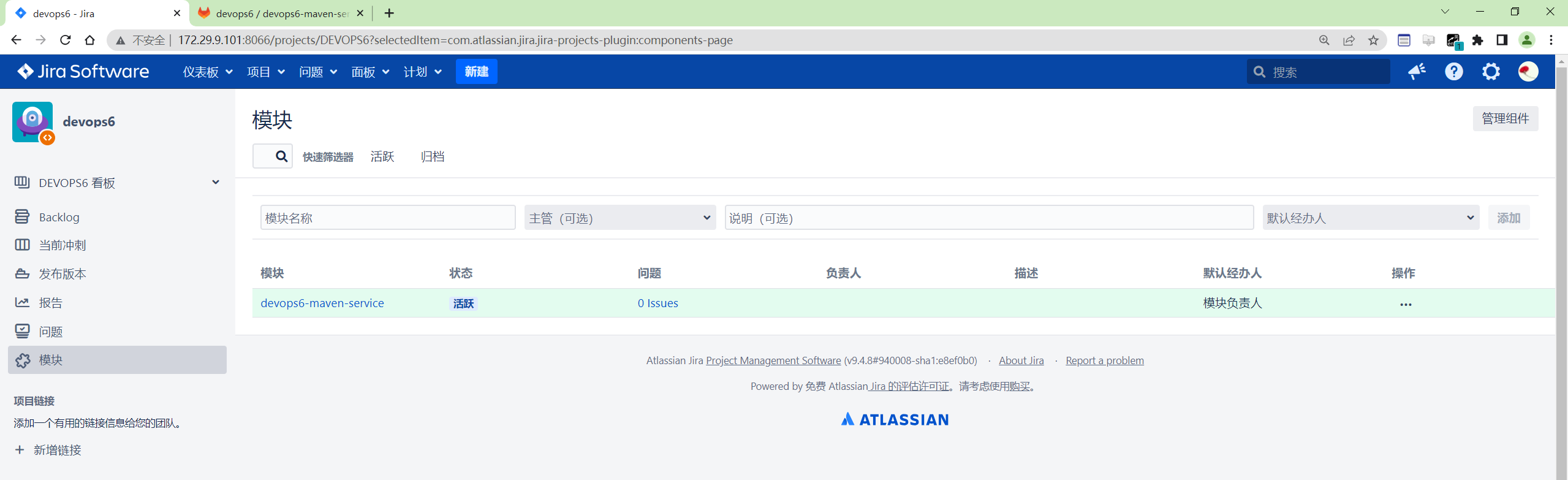
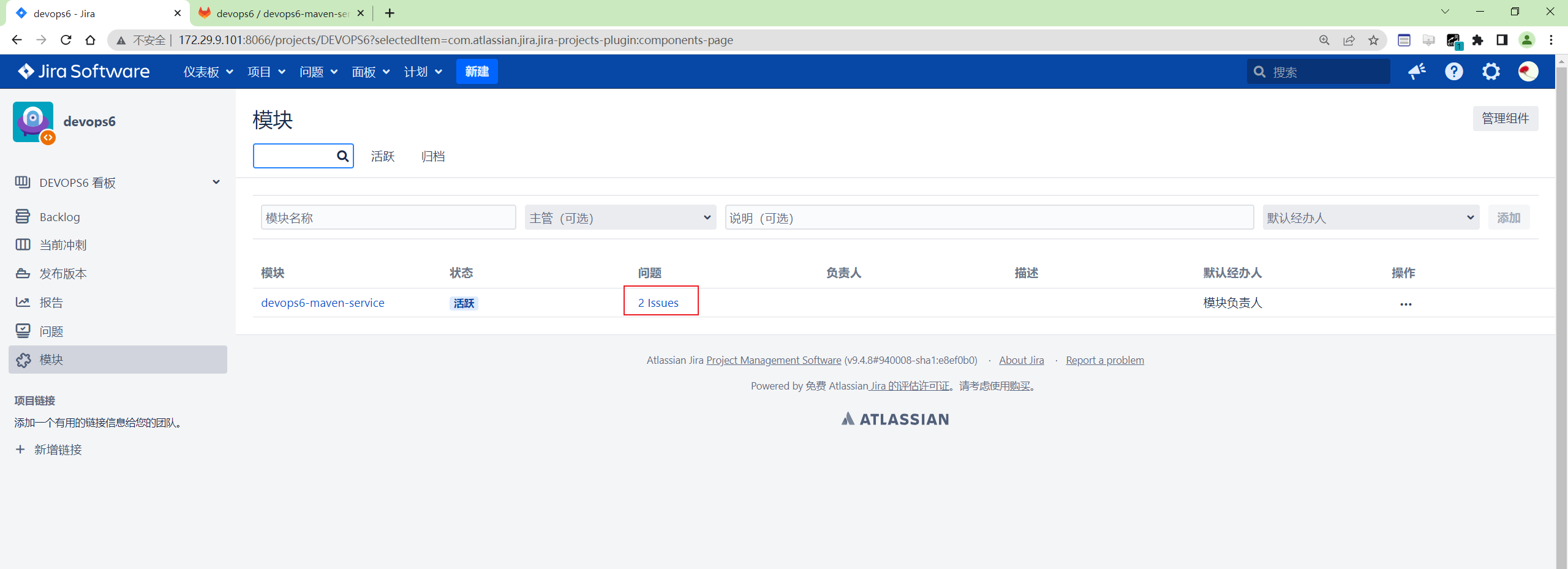
为项目添加模块
注意: 一个Jira模块对应一个GitLab项目;
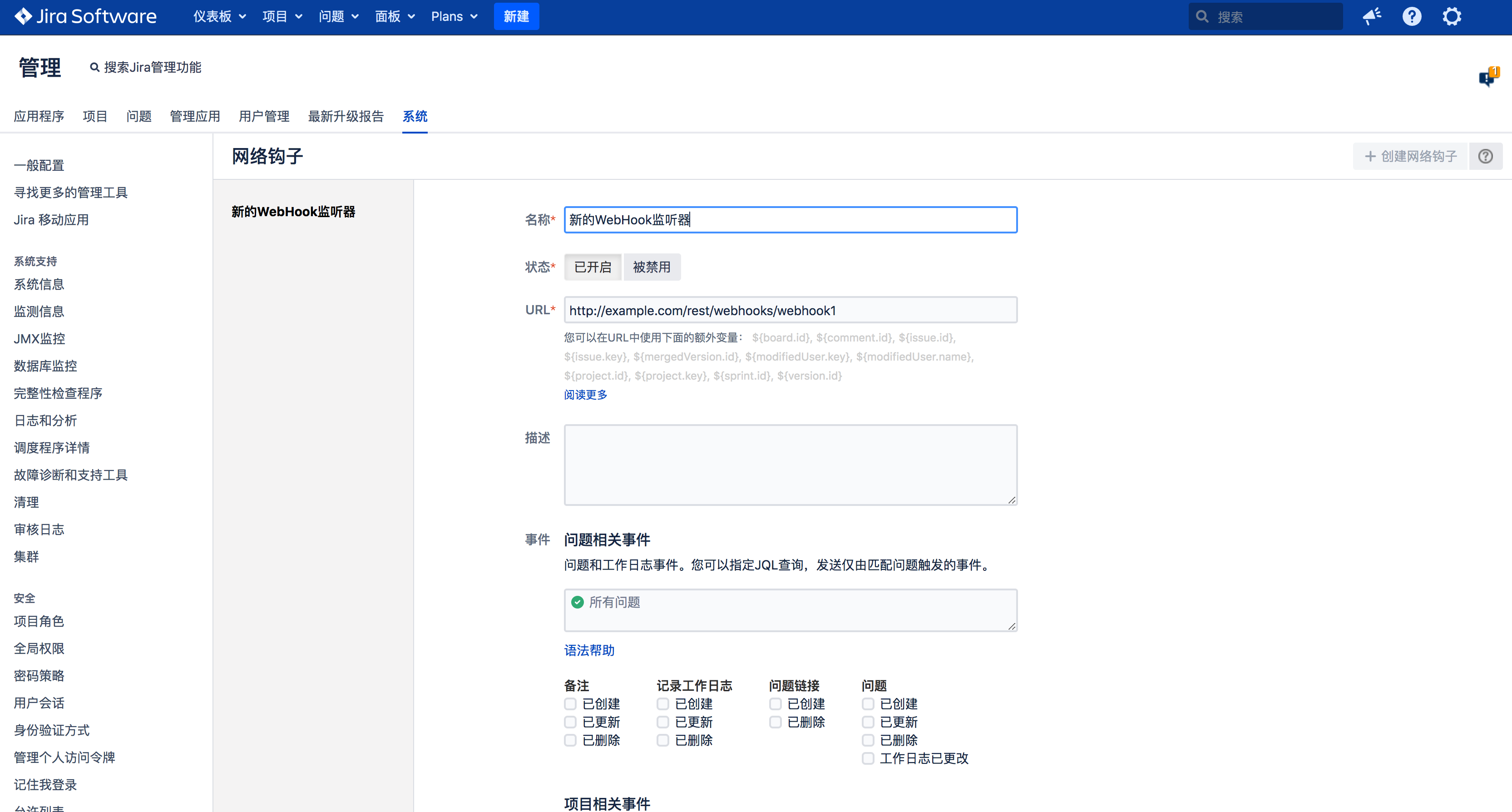
配置WebHook
系统, 网络钩子(webhook)
需求/任务管理
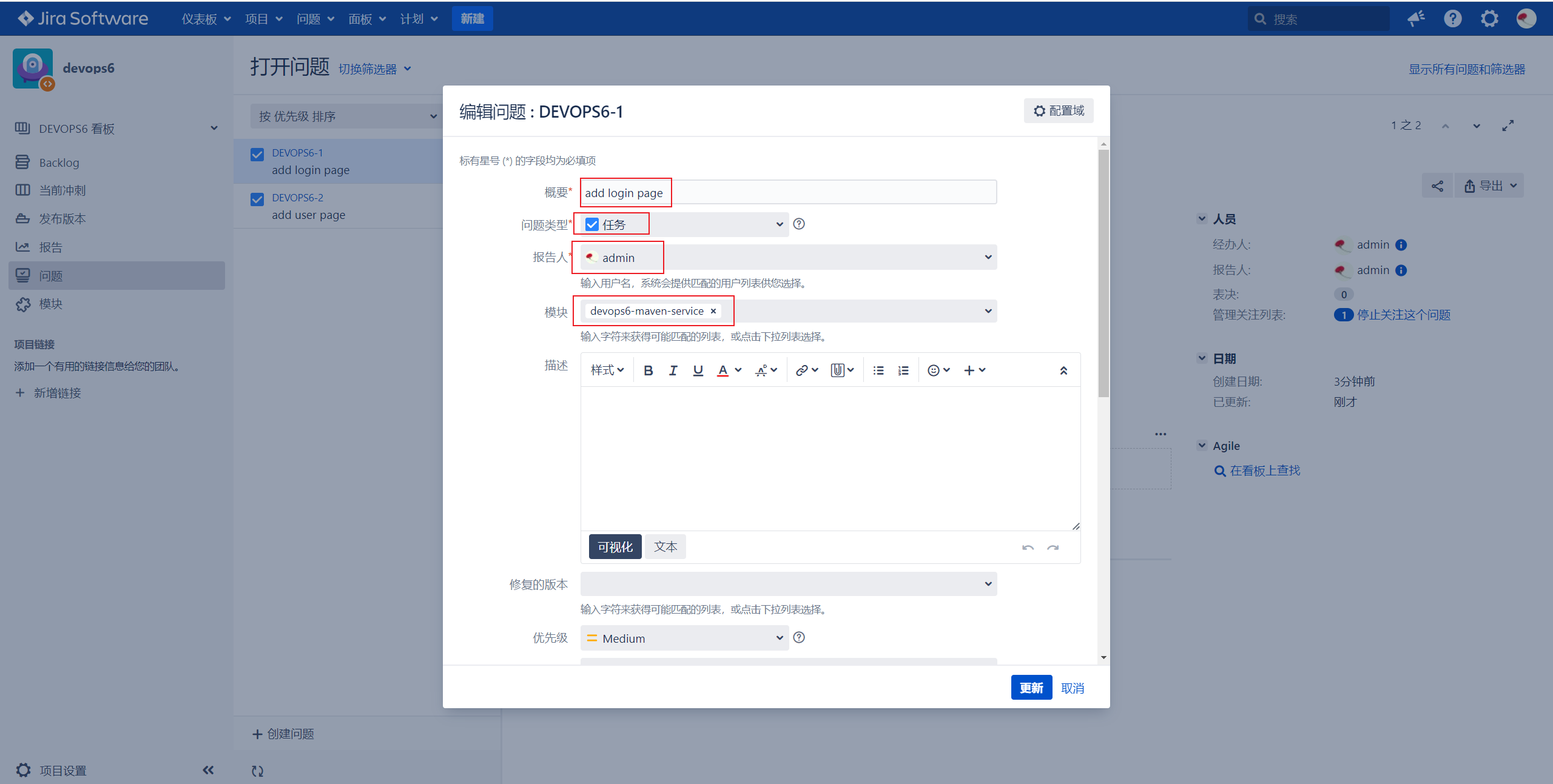
创建需求
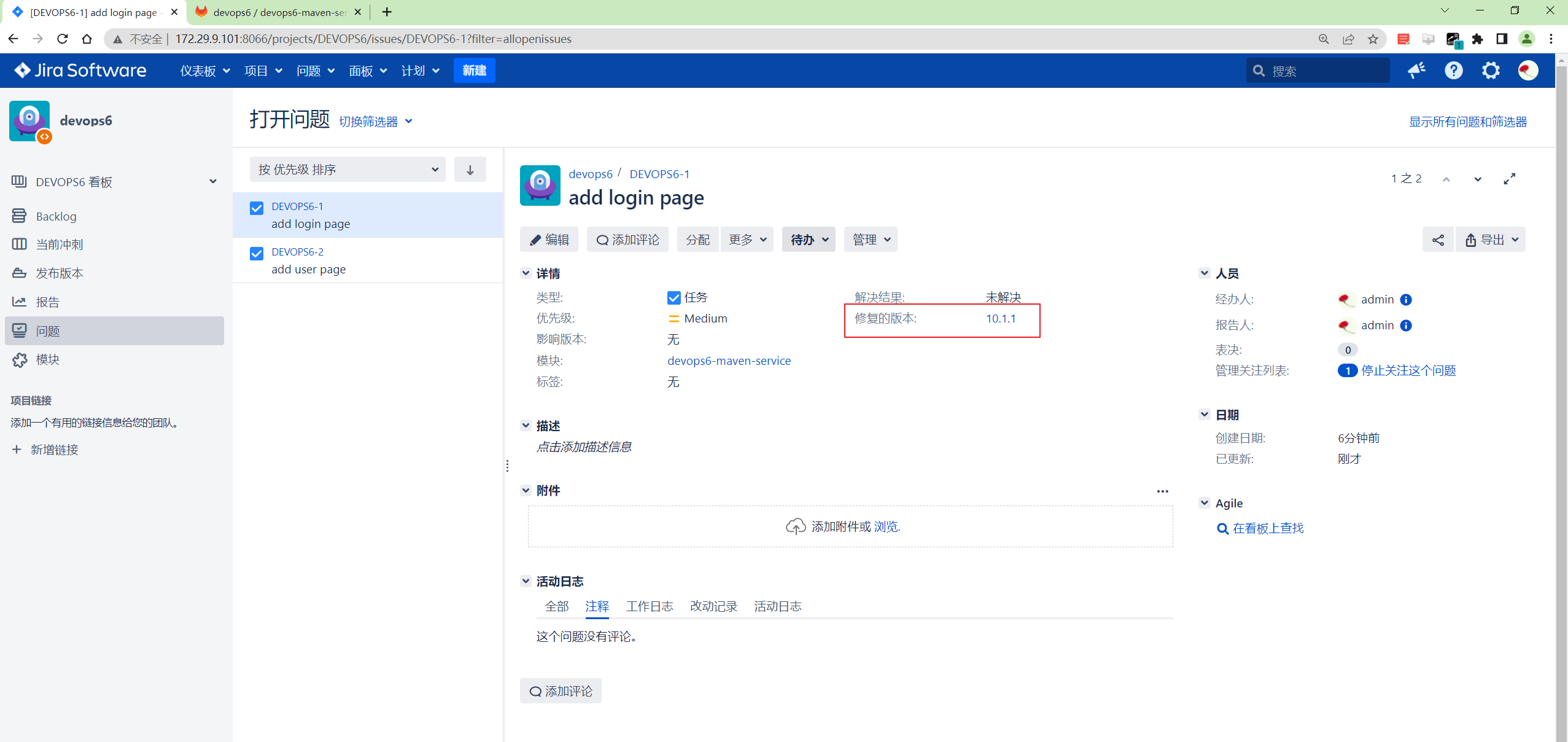
这里在Jira上面把这个需求add login page, 类型为任务 关联到devops6-maven-service模块;
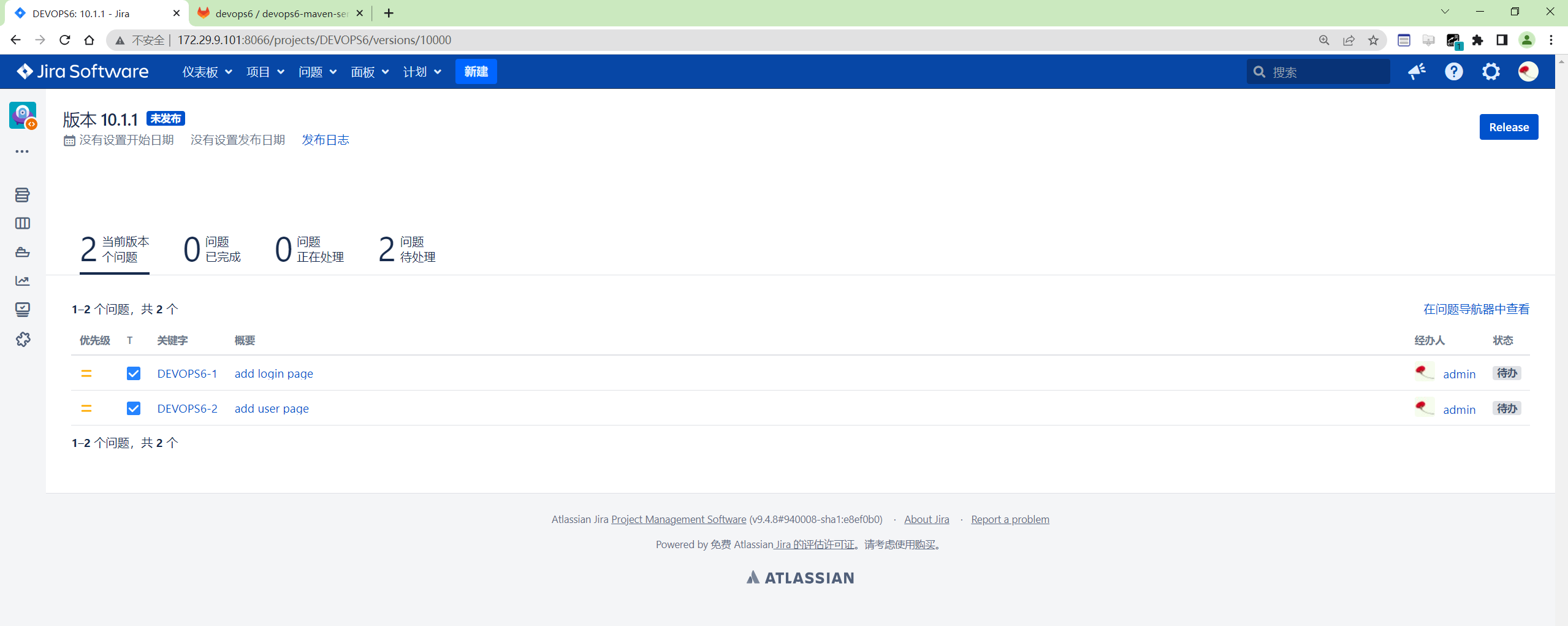
发布Release
课程中把 发布对应为GitLab项目代码库中的版本分支;
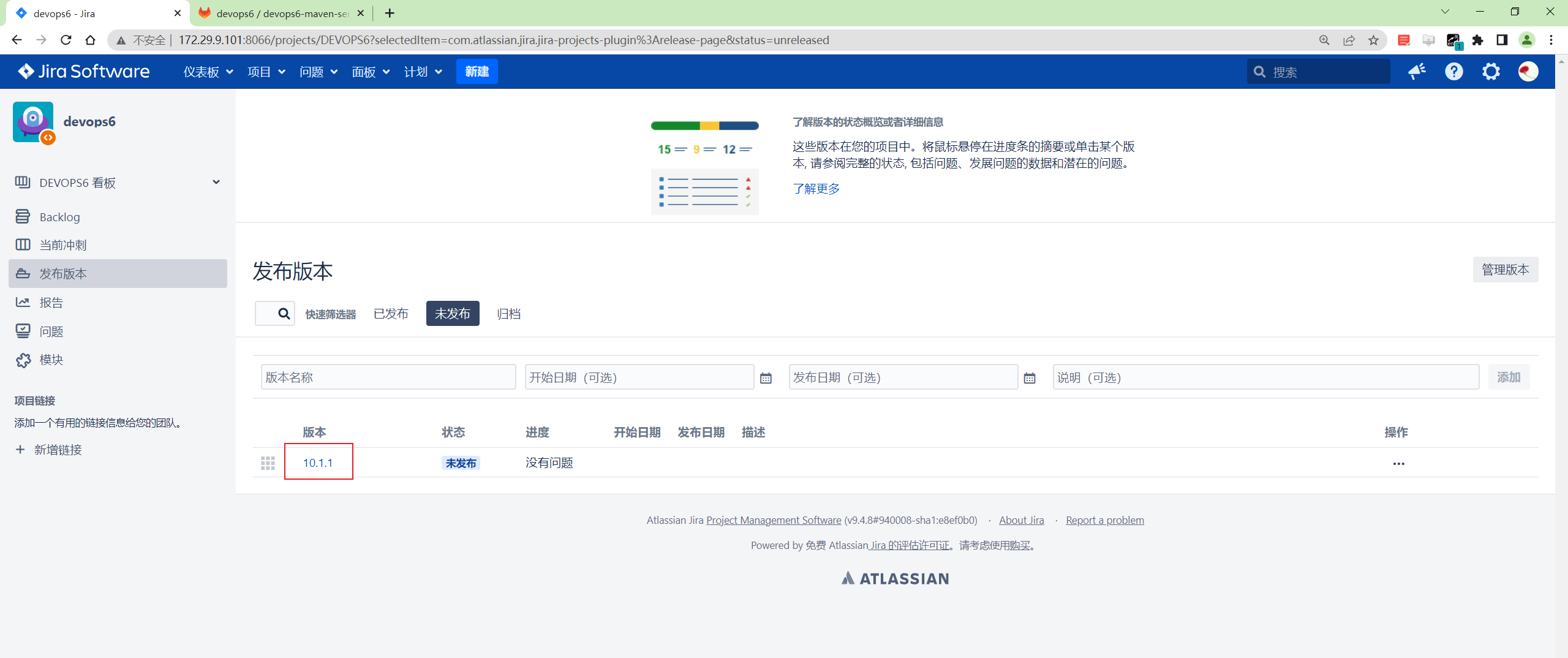
issue关联发布: 可以想象成GitLab特性分支合并到版本分支;
3、Jira自动化实践
工作流

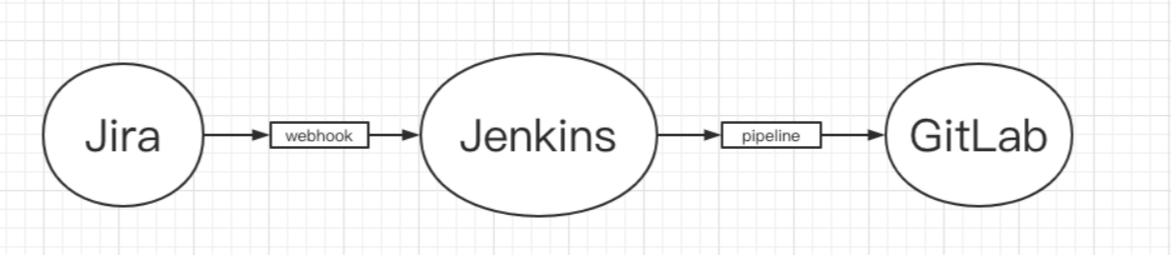
工具链集成
- 实验环境
1gitlab-ce:15.0.3-ce.0
2jenkins:2.346.3-2-lts-jdk11
3atlassian-jira-software-9.4.8-x64
- 实验软件
pipeline见正文。
==gitlab上模拟手动创建分支,提交代码==
- 创建
DEVOPS6-1特性分支
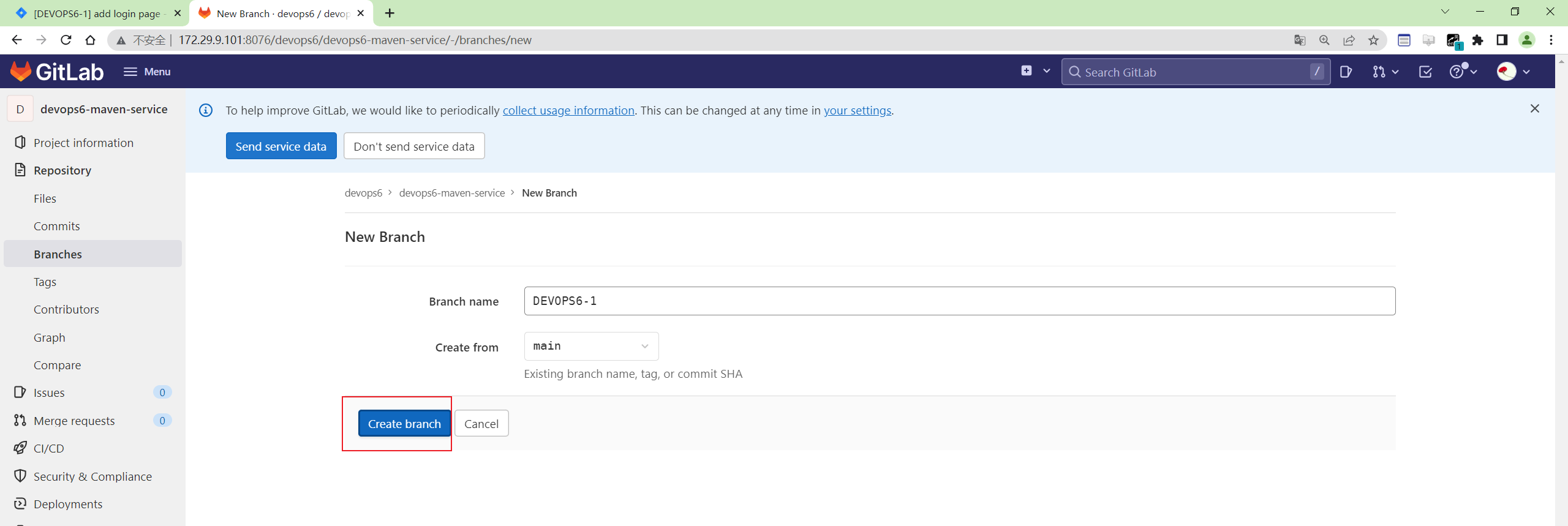
提交一次代码。
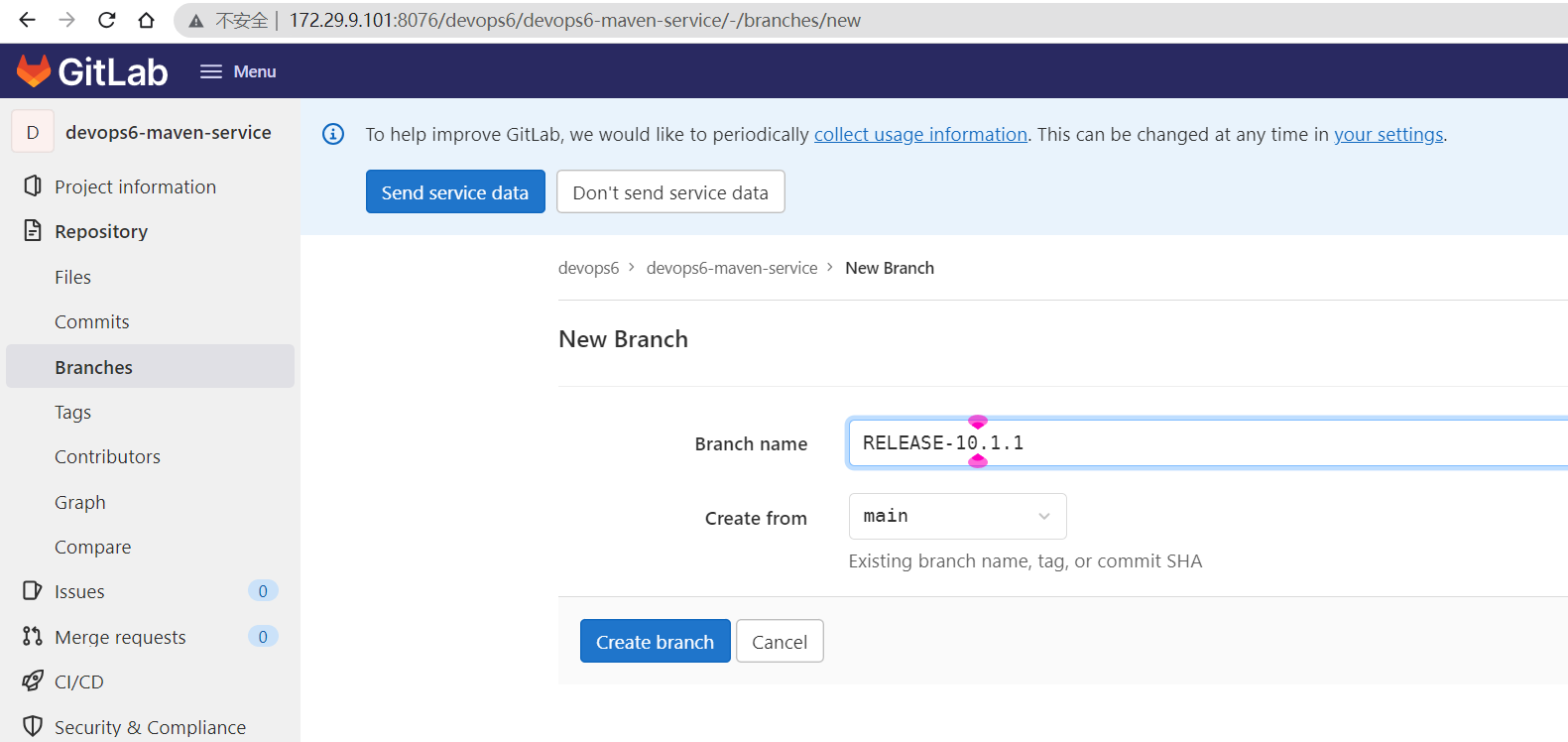
- 创建版本分支
RELEASE-10.1.1
- 将特性分支合并到版本分支
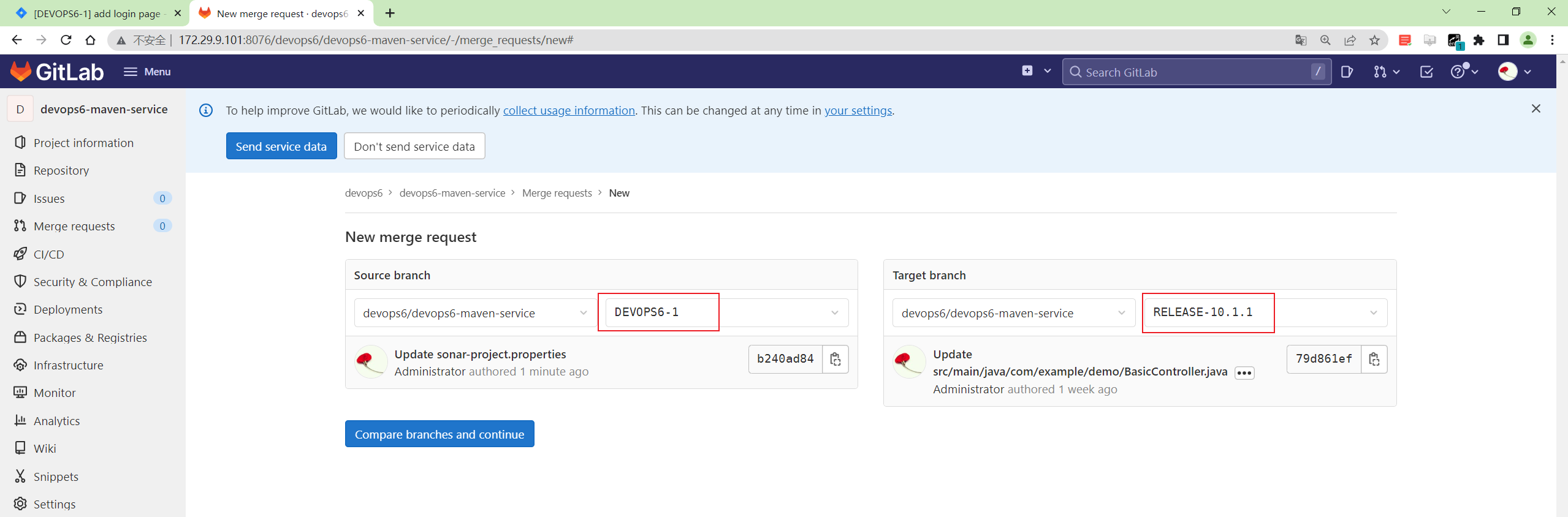
这个是手动操作,接下来,我们就利用Jira,jenkins,gitlab来完成操作。
1、需求与代码关联
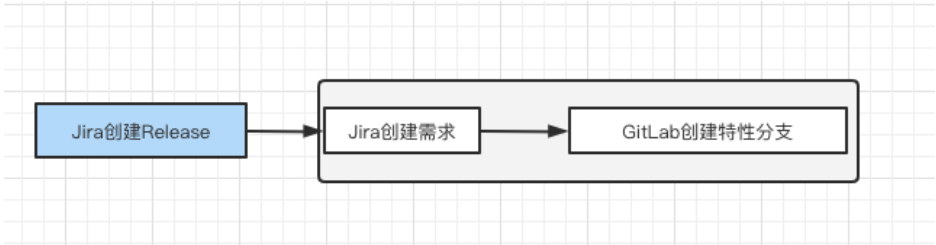
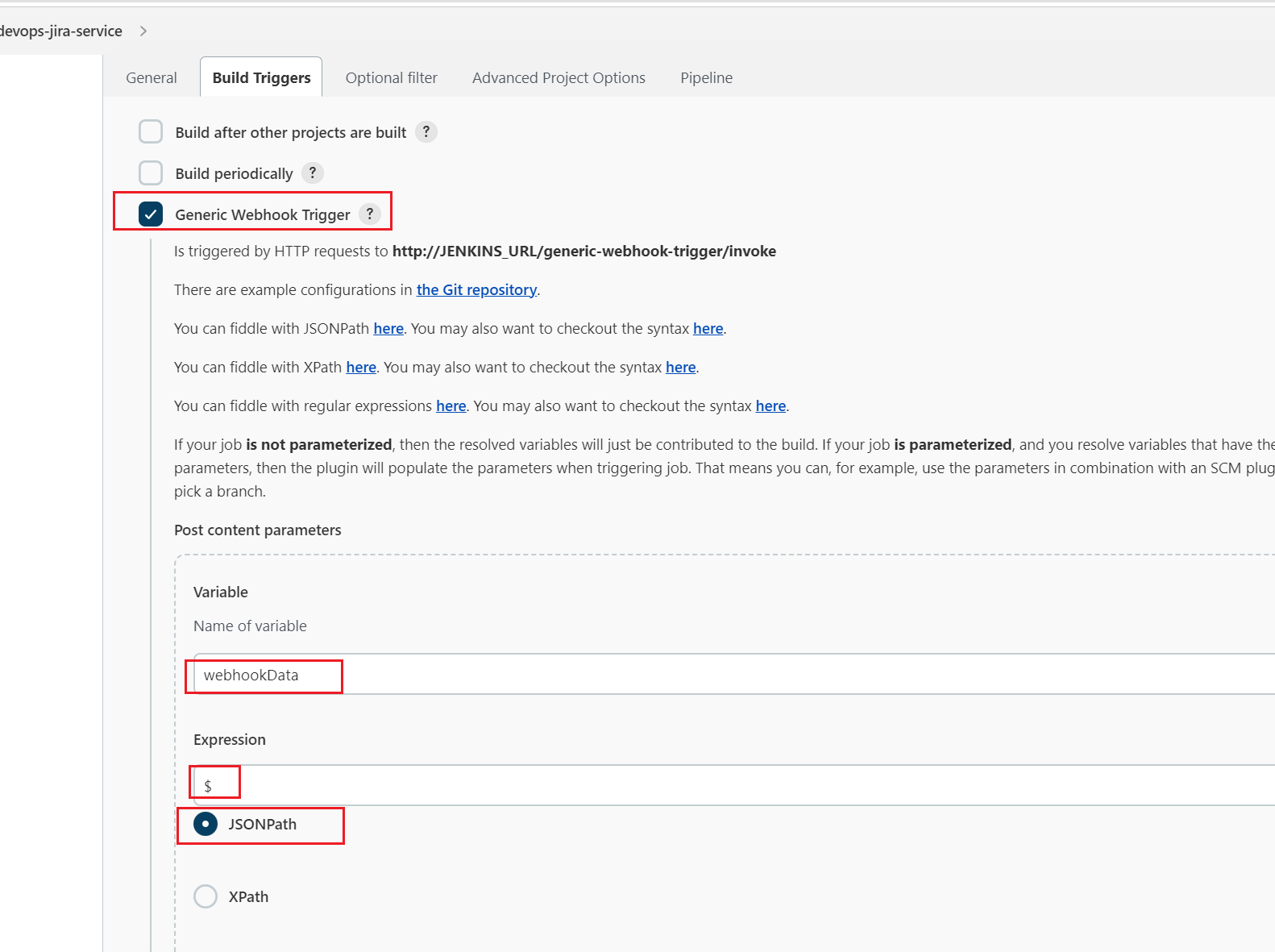
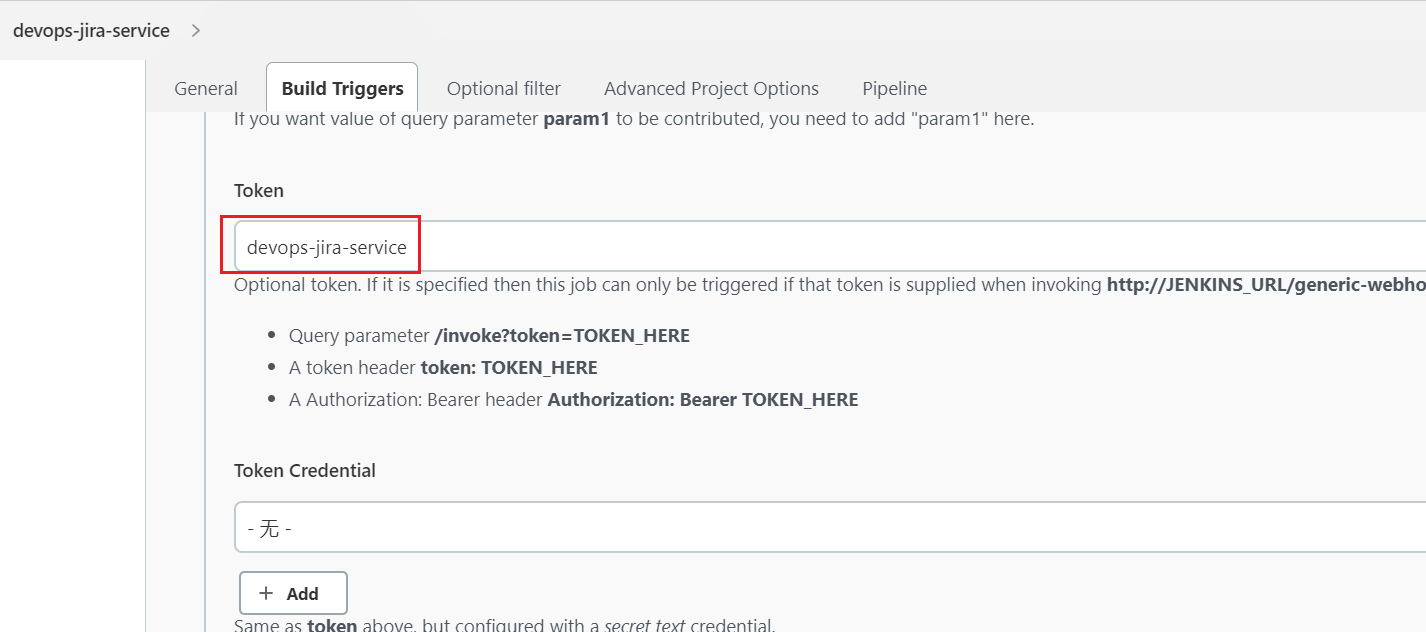
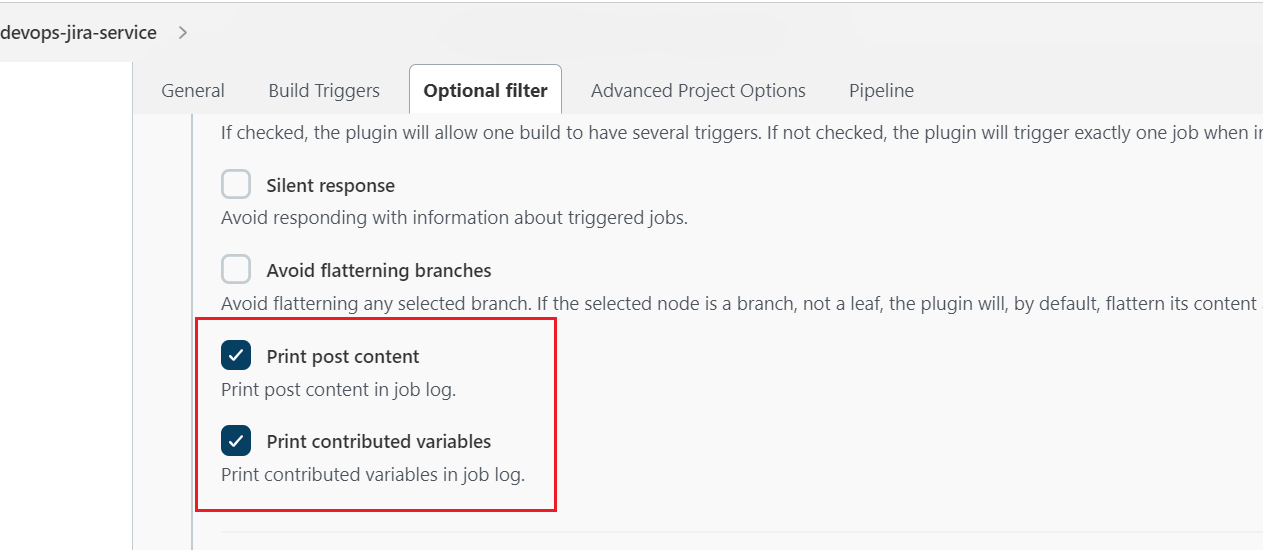
1.创建Jenkins作业并配置webhook
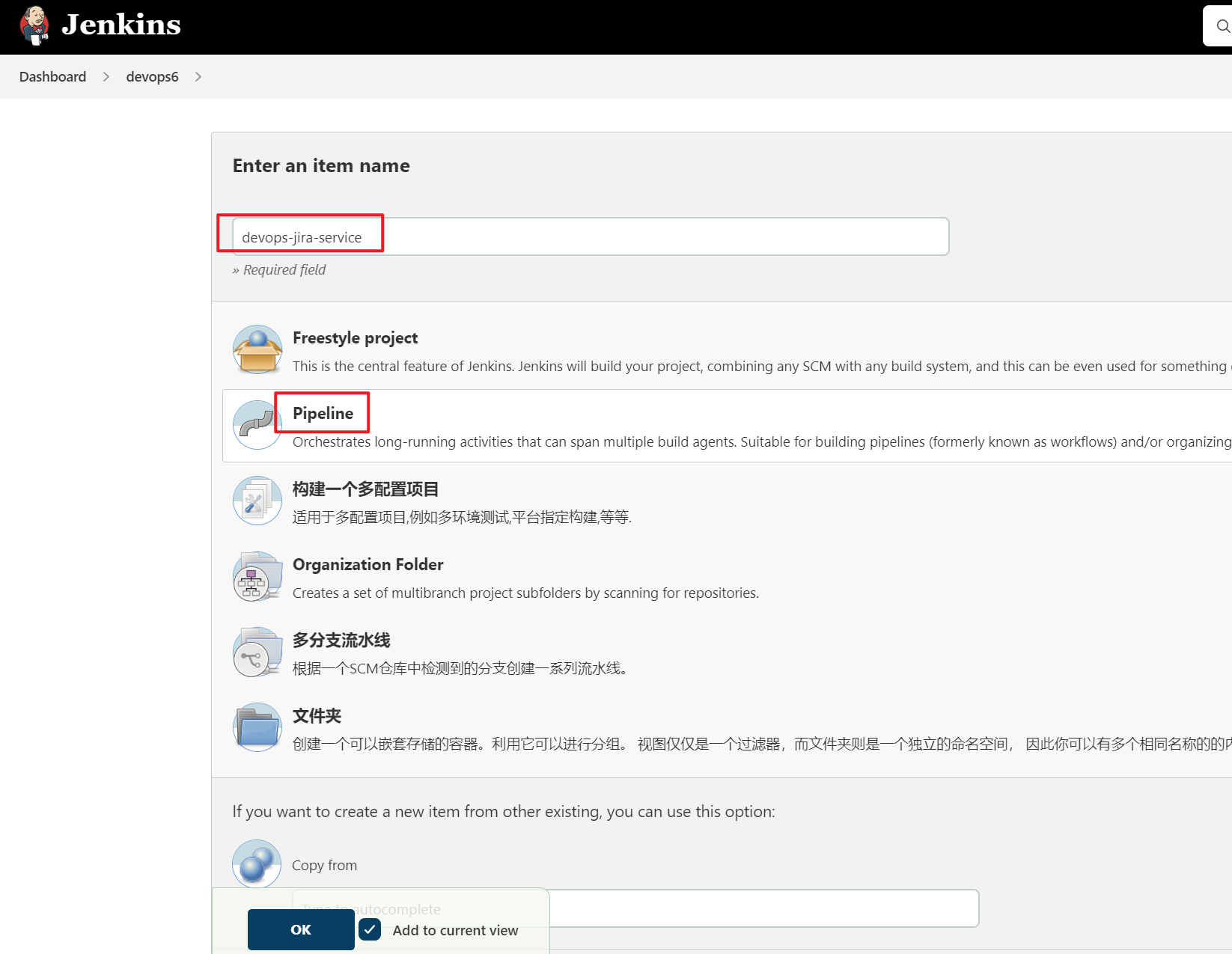
- 配置
Generic Webhook Trigger
webhookData: 这个变量存放的是Jira 传递的数据。
2.为Jira配置一个系统级别的webhook
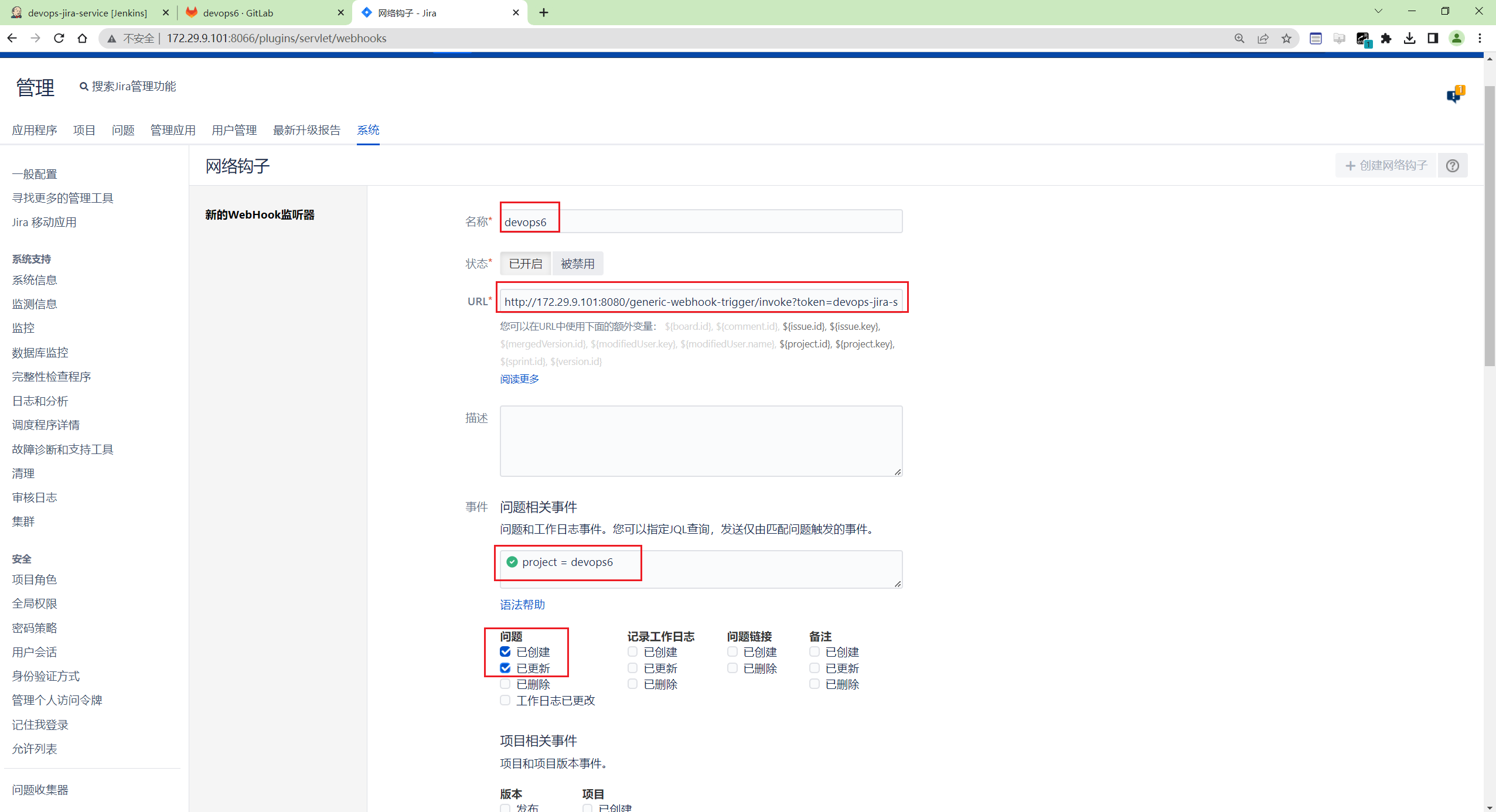
选项解释:
- 指定Jenkins的webhook触发器地址;
- 通过JQL指定,允许devops6这个项目进行触发;
- 勾选动作,触发事件;(我在jira做了什么操作之后能够触发)
- 此时,我们来测试下
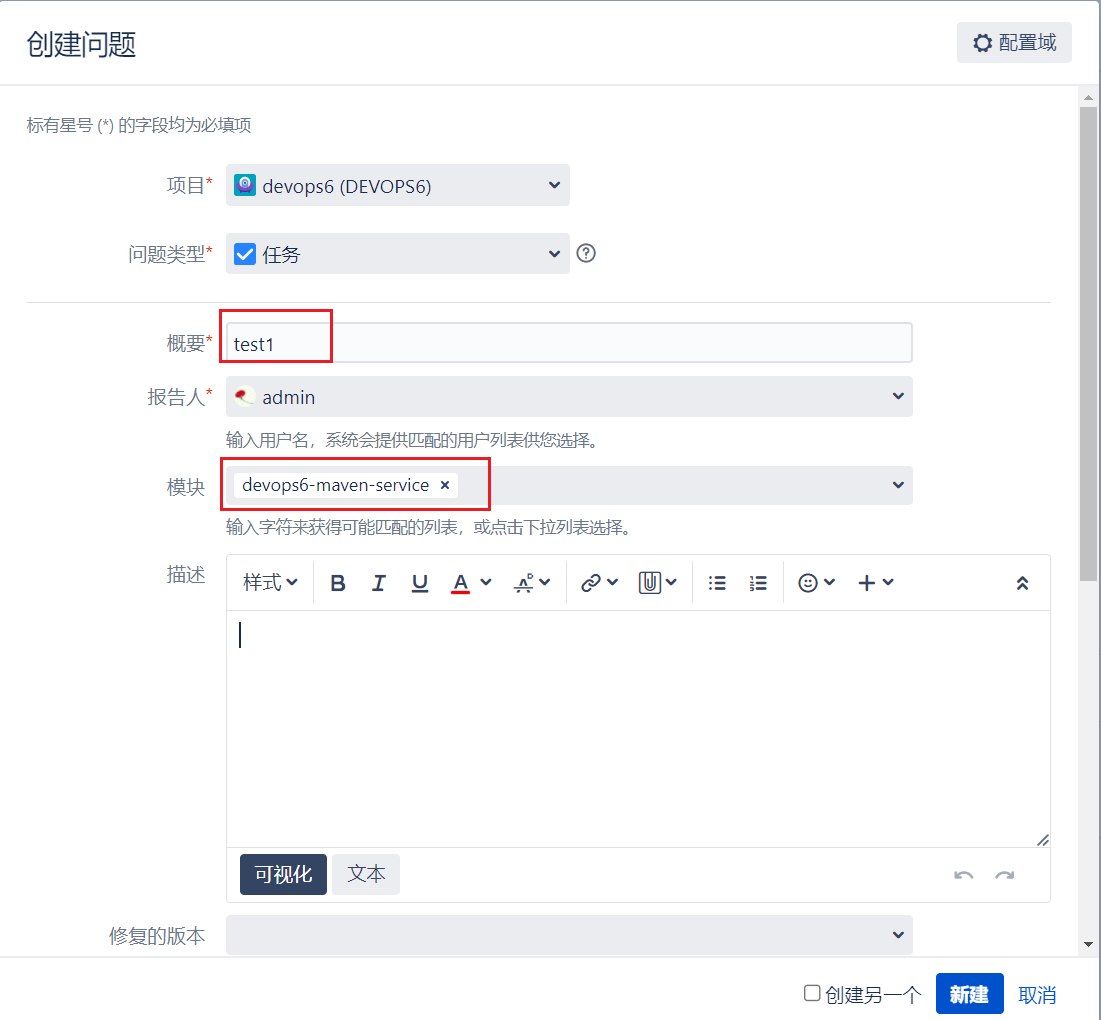
在jira上创建一个需求,看是否会触发jenkins作业?
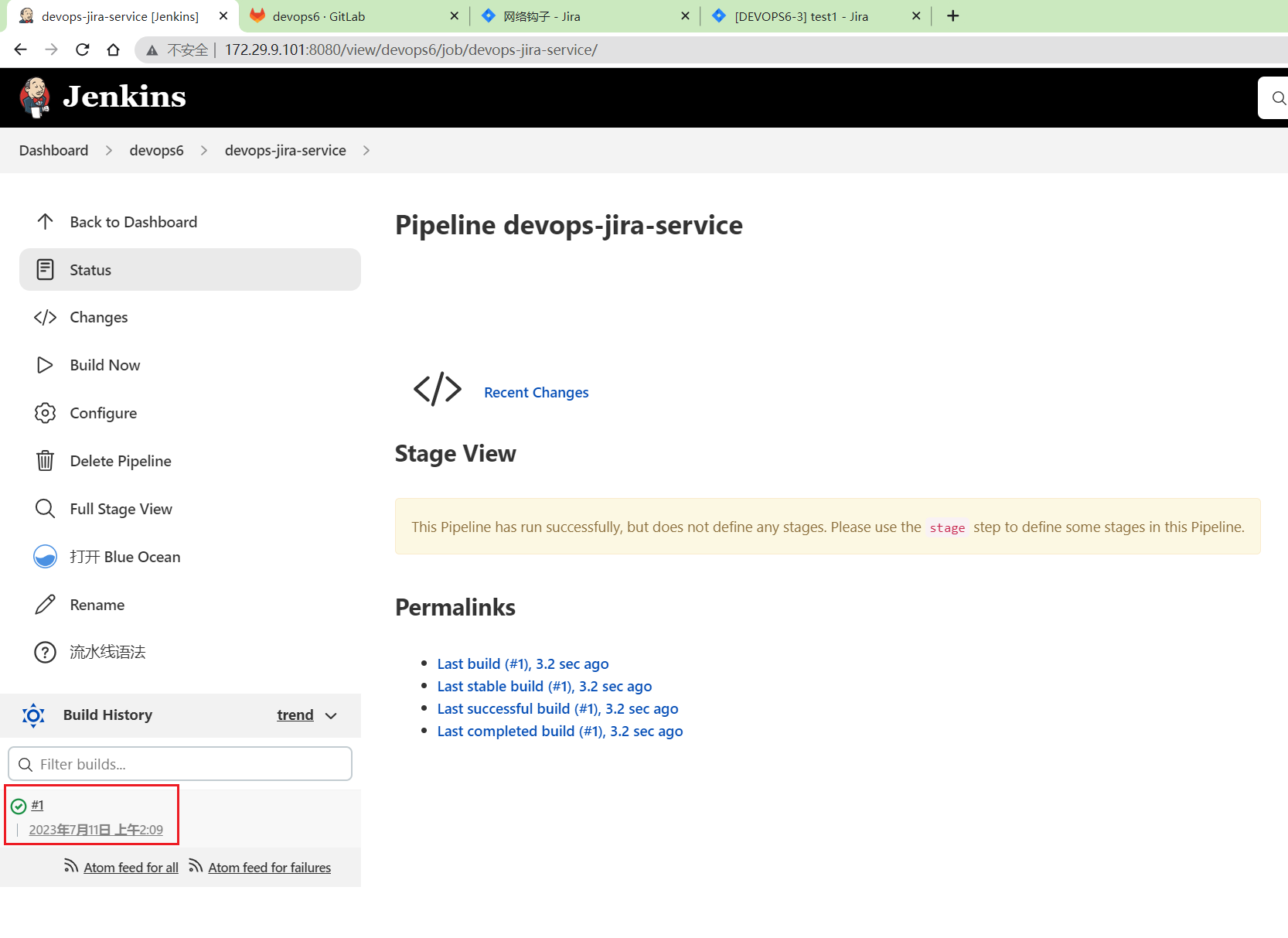
可以看到jenkins作业被成功触发了。
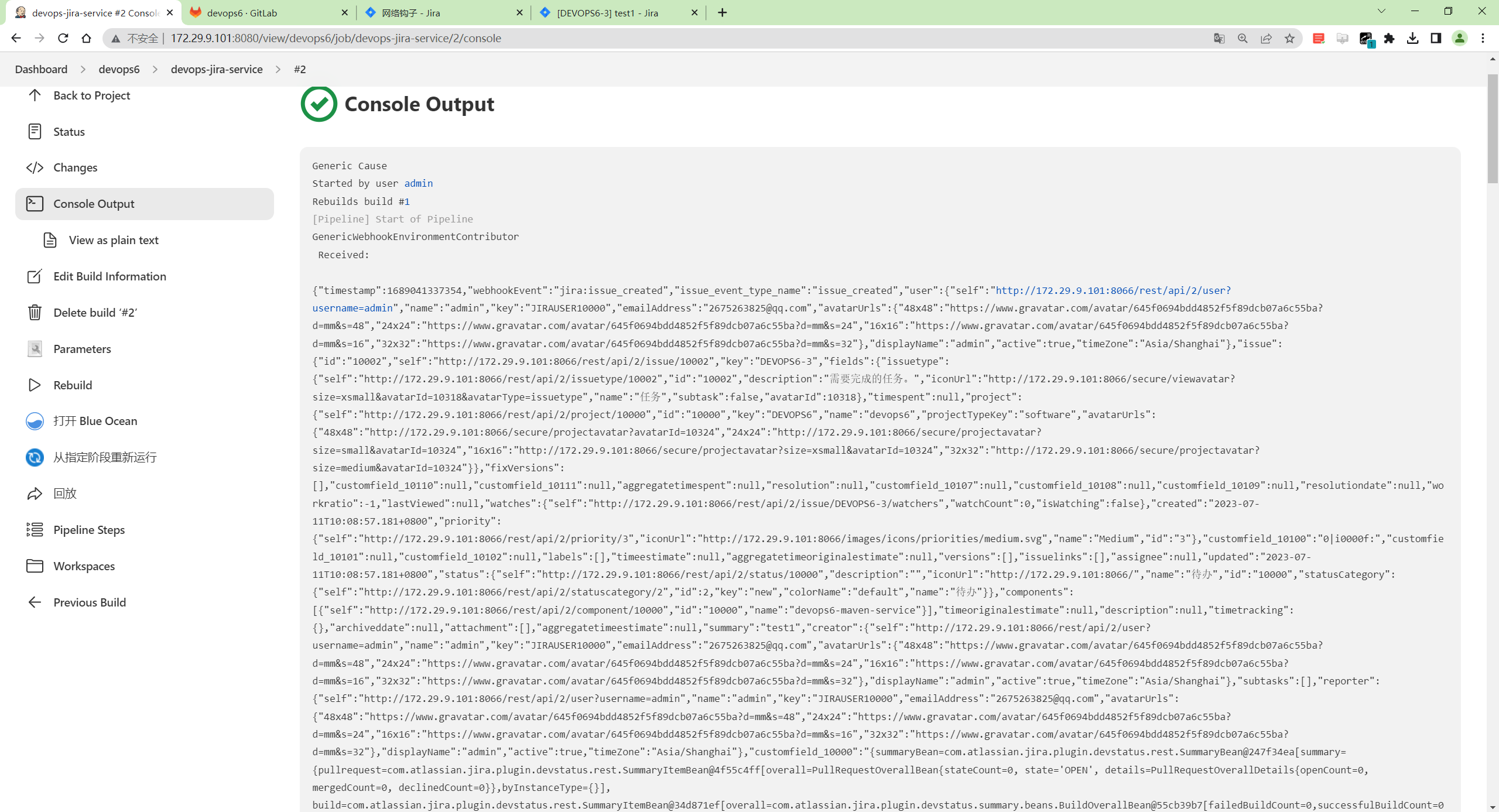
我们再来打印下这个${webhookData}变量:
编辑下pipeline代码,重新构建:
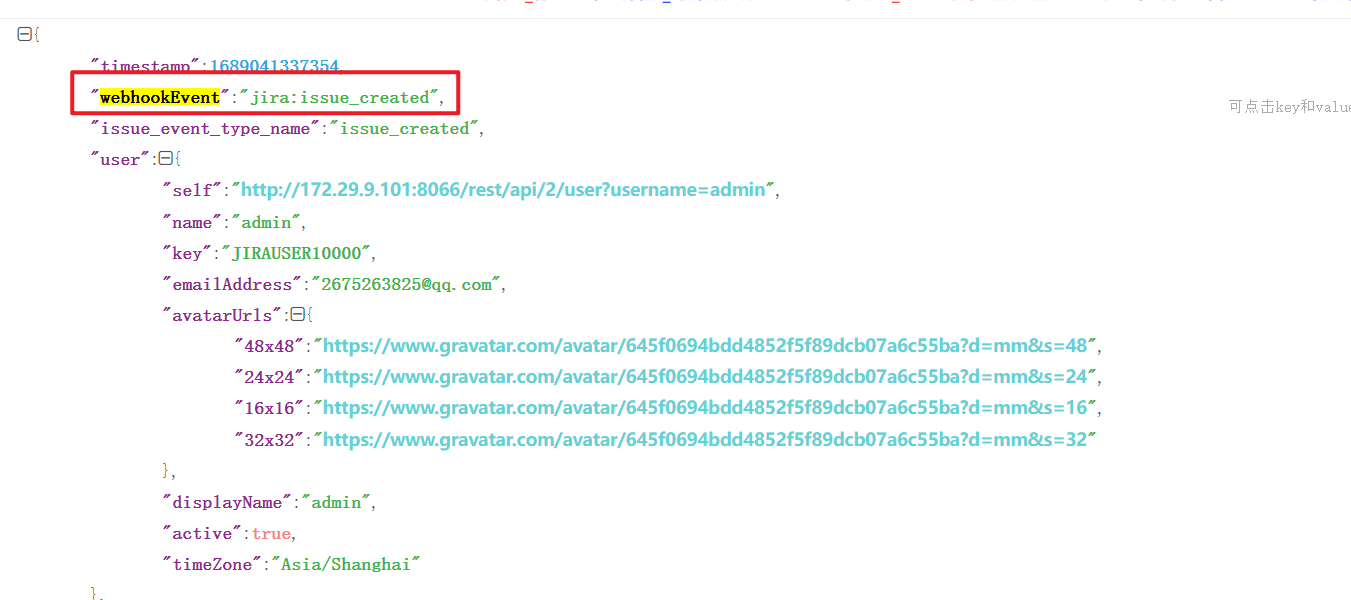
- 我们把json数据拿到在线json解析下
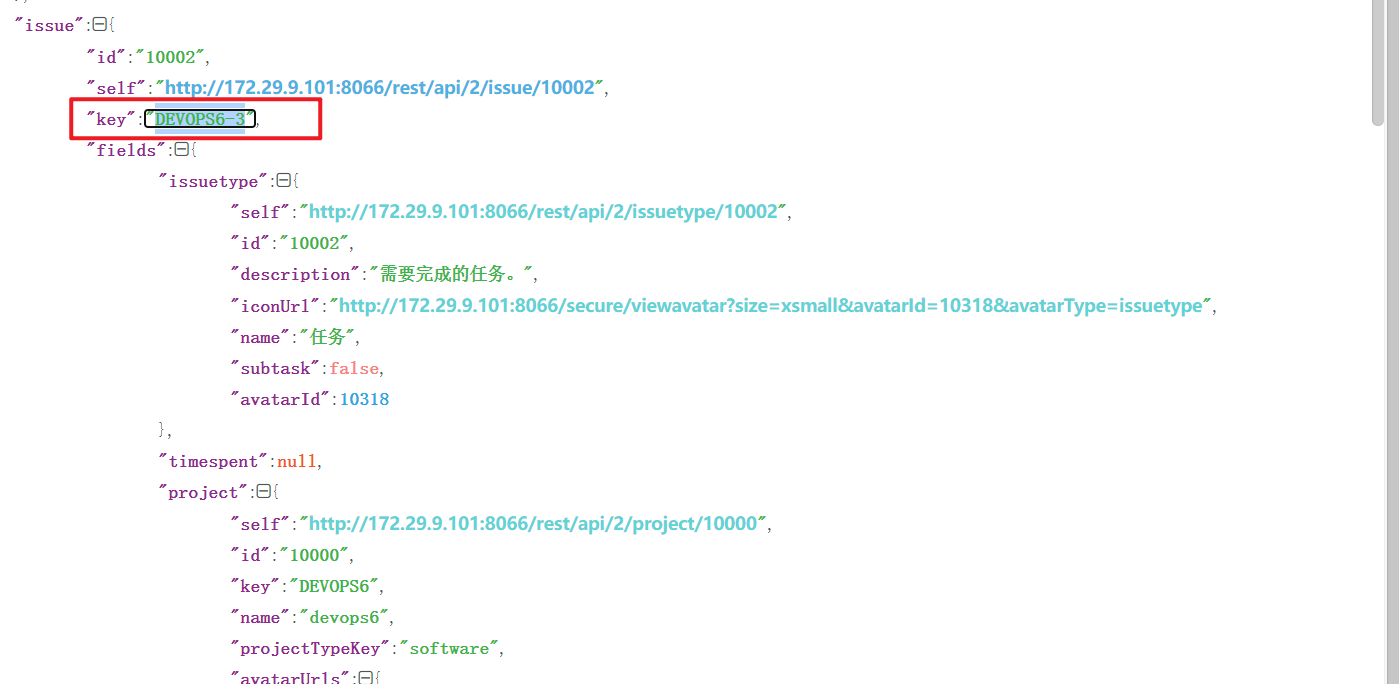
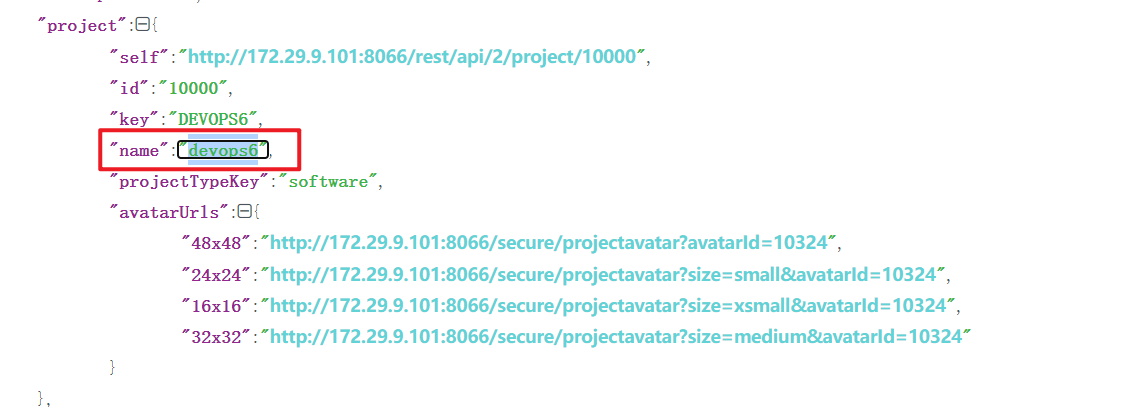
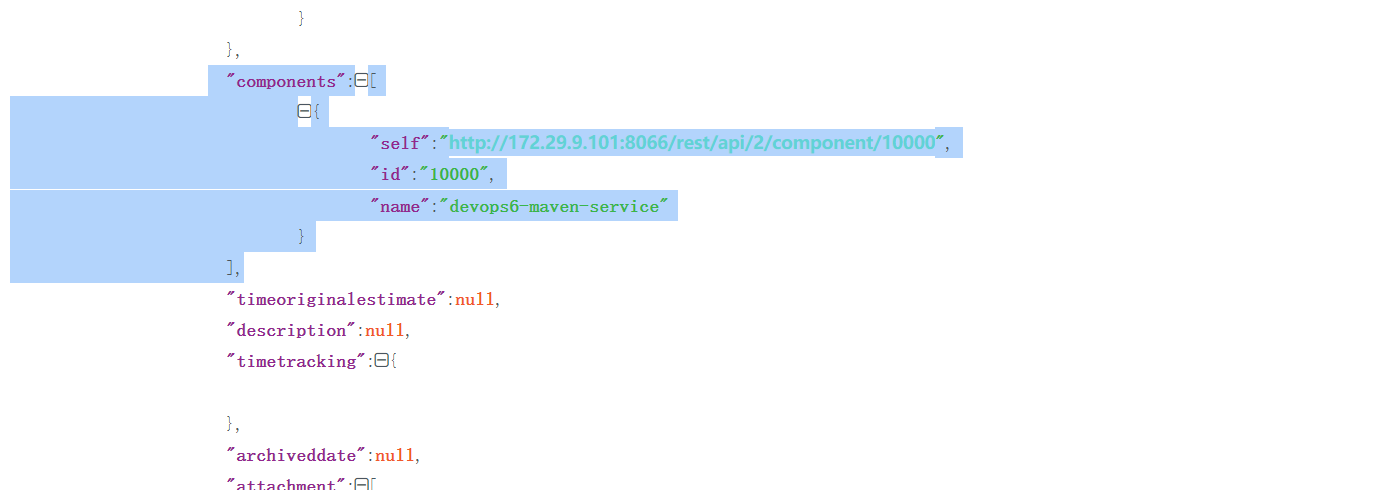
3.Jenkins流水线配置
- 解析Jira传递过来的数据;
 1webhookData = readJSON text: "${webhookData}"
 2
 3
 4// Jira事件
 5jiraEvent = webhookData.webhookEvent
 6jiraProjectName = webhookData.issue.fields.project.name
 7
 8// 获取gitlab参数
 9gitlabProjects = []
10gitlabBranchName = webhookData.issue.key
11gitlabGroupName = jiraProjectName
12
13for (i in webhookData.issue.fields.components){
14    gitlabProjects.add(i["name"])
15}
16
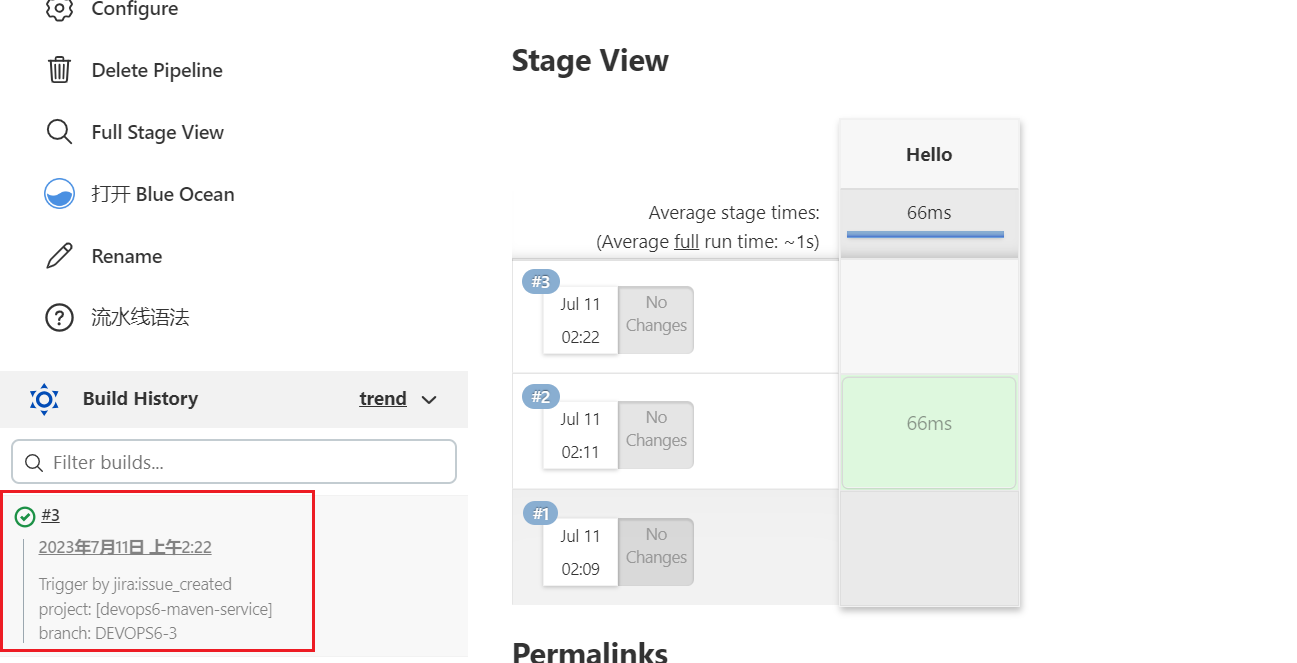
17currentBuild.description = "Trigger by ${jiraEvent} \n project: ${gitlabProjects} \n branch: ${gitlabBranchName}"
把此部分代码放到流水线里,重新构建下,可看到如下效果:
- 封装GitLab API接口
https://docs.gitlab.com/ee/api/branches.html#create-repository-branch
 1// 创建分支
 2def CreateBranch(projectId, newBranchName, sourceBranchName){
 3    try {
 4        apiUrl = "projects/${projectId}/repository/branches?branch=${newBranchName}&ref=${sourceBranchName}"
 5        response = HttpReq('POST', apiUrl, "")
 6    }
 7    catch(Exception e) {
 8        println(e)
 9
10    }
11}
12
13// 获取所有项目的id
14def GetProjectsId(gitlabGroupName, gitlabProjects){
15    gitlabProjectIds = []
16    for (project in gitlabProjects){
17        id = GetProjectId(gitlabGroupName, project)
18        println(id)
19        if (id != 0){
20            gitlabProjectIds.add(id)
21        }
22    }
23    return gitlabProjectIds
24}
25
26// 根据项目名称获取项目id
27def GetProjectId(groupName, projectName){
28    apiUrl = "projects?search=${projectName}"
29    response = HttpReq('GET', apiUrl, "")
30    response = readJSON text: response.content - "\n"
31
32    if (response.size() > 1){
33        for (i in response){
34            println(i["path_with_namespace"])
35            println(groupName + projectName)
36            if (i["path_with_namespace"] == "${groupName}/${projectName}"){
37                println(i["id"])
38                return i["id"]
39            }
40        }
41    } else {
42        return response[0]["id"]
43    }
44}
45
46
47// 封装HTTP
48def HttpReq(reqType, reqUrl,reqBody ){
49    def gitServer = "http://192.168.1.200/api/v4"
50    withCredentials([string(credentialsId: '058b7907-ebe2-4d14-9b91-1ac72e071c59', variable: 'GITLABTOKEN')]) {
51        response = httpRequest acceptType: 'APPLICATION_JSON_UTF8',
52                          consoleLogResponseBody: true,
53                          contentType: 'APPLICATION_JSON_UTF8',
54                          customHeaders: [[maskValue: false, name: 'PRIVATE-TOKEN', value: "${GITLABTOKEN}"]],
55                          httpMode: "${reqType}",
56                          url: "${gitServer}/${reqUrl}",
57                          wrapAsMultipart: false,
58                          requestBody: "${reqBody}"
59
60    }
61    return response
62}
- Pipeline主程序
 1pipeline {
 2    agent { label "build" }
 3
 4    stages{
 5        stage("Process"){
 6            steps{
 7                script{
 8                    println(gitlabProjects)
 9                    println(gitlabBranchName)
10                    projectIds = GetProjectsId(gitlabGroupName, gitlabProjects)
11
12                    switch(jiraEvent) {
13                        case "jira:issue_created":
14                            println(projectIds)
15                            for (id in projectIds){
16                                CreateBranch(id, gitlabBranchName, "main")
17                            }
18                            break
19                        default:
20                            println("error...")
21                            break
22                    }
23                }
24            }
25        }
26    }
27}
- 完整代码
  1webhookData = readJSON text: "${webhookData}"
  2
  3
  4// Jira事件
  5jiraEvent = webhookData.webhookEvent
  6jiraProjectName = webhookData.issue.fields.project.name
  7
  8// 获取gitlab参数
  9gitlabProjects = []
 10gitlabBranchName = webhookData.issue.key
 11gitlabGroupName = jiraProjectName
 12
 13for (i in webhookData.issue.fields.components){
 14    gitlabProjects.add(i["name"])
 15}
 16
 17currentBuild.description = "Trigger by ${jiraEvent} \n project: ${gitlabProjects} \n branch: ${gitlabBranchName}"
 18
 19
 20pipeline {
 21    agent { label "build" }
 22
 23    stages{
 24        stage("Process"){
 25            steps{
 26                script{
 27                    println(gitlabProjects)
 28                    println(gitlabBranchName)
 29                    projectIds = GetProjectsId(gitlabGroupName, gitlabProjects)
 30
 31                    switch(jiraEvent) {
 32                        case "jira:issue_created":
 33                            println(projectIds)
 34                            for (id in projectIds){
 35                                CreateBranch(id, gitlabBranchName, "main")
 36                            }
 37                            break
 38                        default:
 39                            println("error...")
 40                            break
 41                    }
 42                }
 43            }
 44        }
 45    }
 46}
 47
 48
 49// 创建分支
 50def CreateBranch(projectId, newBranchName, sourceBranchName){
 51    try {
 52        apiUrl = "projects/${projectId}/repository/branches?branch=${newBranchName}&ref=${sourceBranchName}"
 53        response = HttpReq('POST', apiUrl, "")
 54    }
 55    catch(Exception e) {
 56        println(e)
 57
 58    }
 59}
 60
 61// 获取所有项目的id
 62def GetProjectsId(gitlabGroupName, gitlabProjects){
 63    gitlabProjectIds = []
 64    for (project in gitlabProjects){
 65        id = GetProjectId(gitlabGroupName, project)
 66        println(id)
 67        if (id != 0){
 68            gitlabProjectIds.add(id)
 69        }
 70    }
 71    return gitlabProjectIds
 72}
 73
 74// 根据项目名称获取项目id
 75def GetProjectId(groupName, projectName){
 76    apiUrl = "projects?search=${projectName}"
 77    response = HttpReq('GET', apiUrl, "")
 78    response = readJSON text: response.content - "\n"
 79
 80    if (response.size() > 1){
 81        for (i in response){
 82            println(i["path_with_namespace"])
 83            println(groupName + projectName)
 84            if (i["path_with_namespace"] == "${groupName}/${projectName}"){
 85                println(i["id"])
 86                return i["id"]
 87            }
 88        }
 89    } else {
 90        return response[0]["id"]
 91    }
 92}
 93
 94
 95// 封装HTTP
 96def HttpReq(reqType, reqUrl,reqBody ){
 97    def gitServer = "http://172.29.9.101/api/v4"
 98    withCredentials([string(credentialsId: '5782c77d-ce9d-44e5-b9ba-1ba2097fc31d', variable: 'GITLABTOKEN')]) {
 99        response = httpRequest acceptType: 'APPLICATION_JSON_UTF8',
100                          consoleLogResponseBody: true,
101                          contentType: 'APPLICATION_JSON_UTF8',
102                          customHeaders: [[maskValue: false, name: 'PRIVATE-TOKEN', value: "${GITLABTOKEN}"]],
103                          httpMode: "${reqType}",
104                          url: "${gitServer}/${reqUrl}",
105                          wrapAsMultipart: false,
106                          requestBody: "${reqBody}"
107
108    }
109    return response
110}
将次代码放到pipeline里。
4.效果验证
- 在Jira里面创建一个issue, 关联 项目;
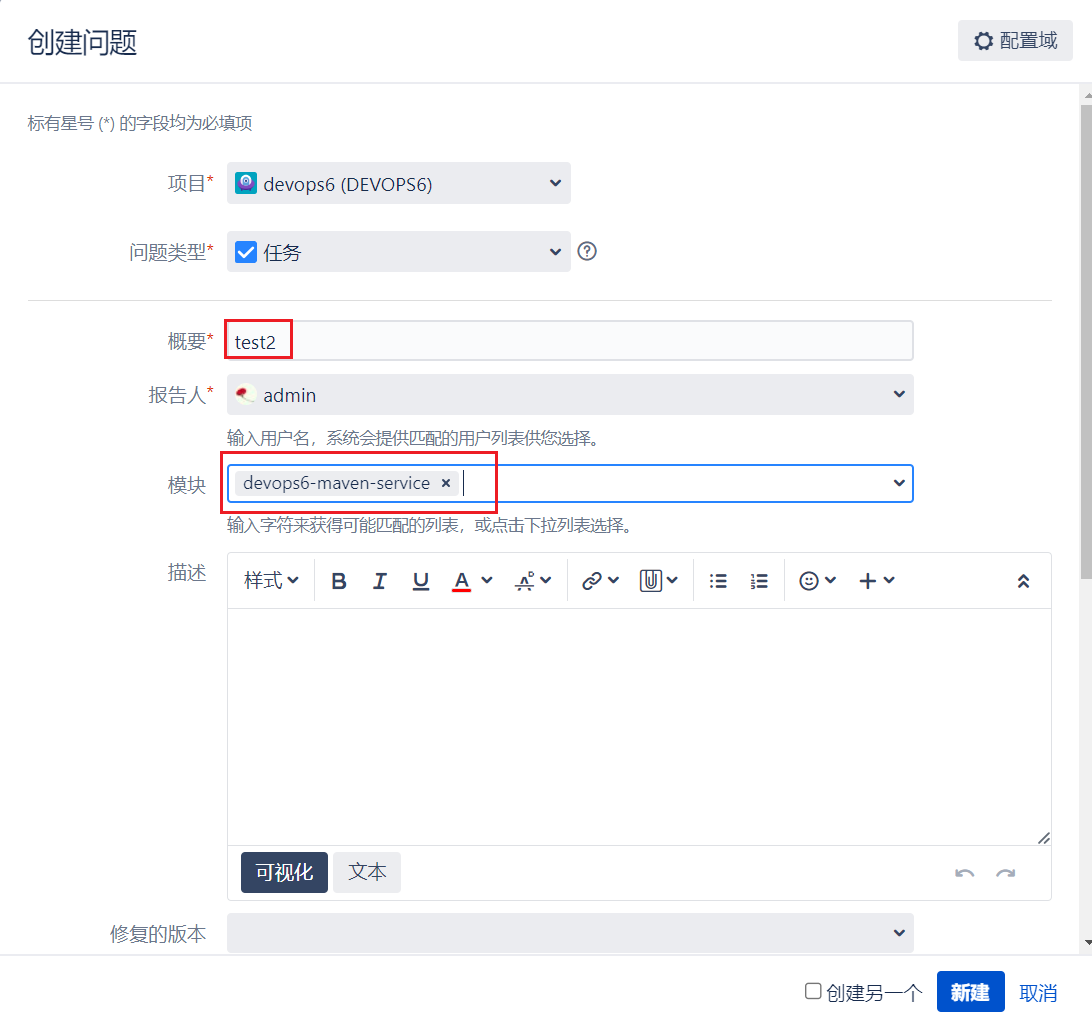
- Jenkins 流水线运行;
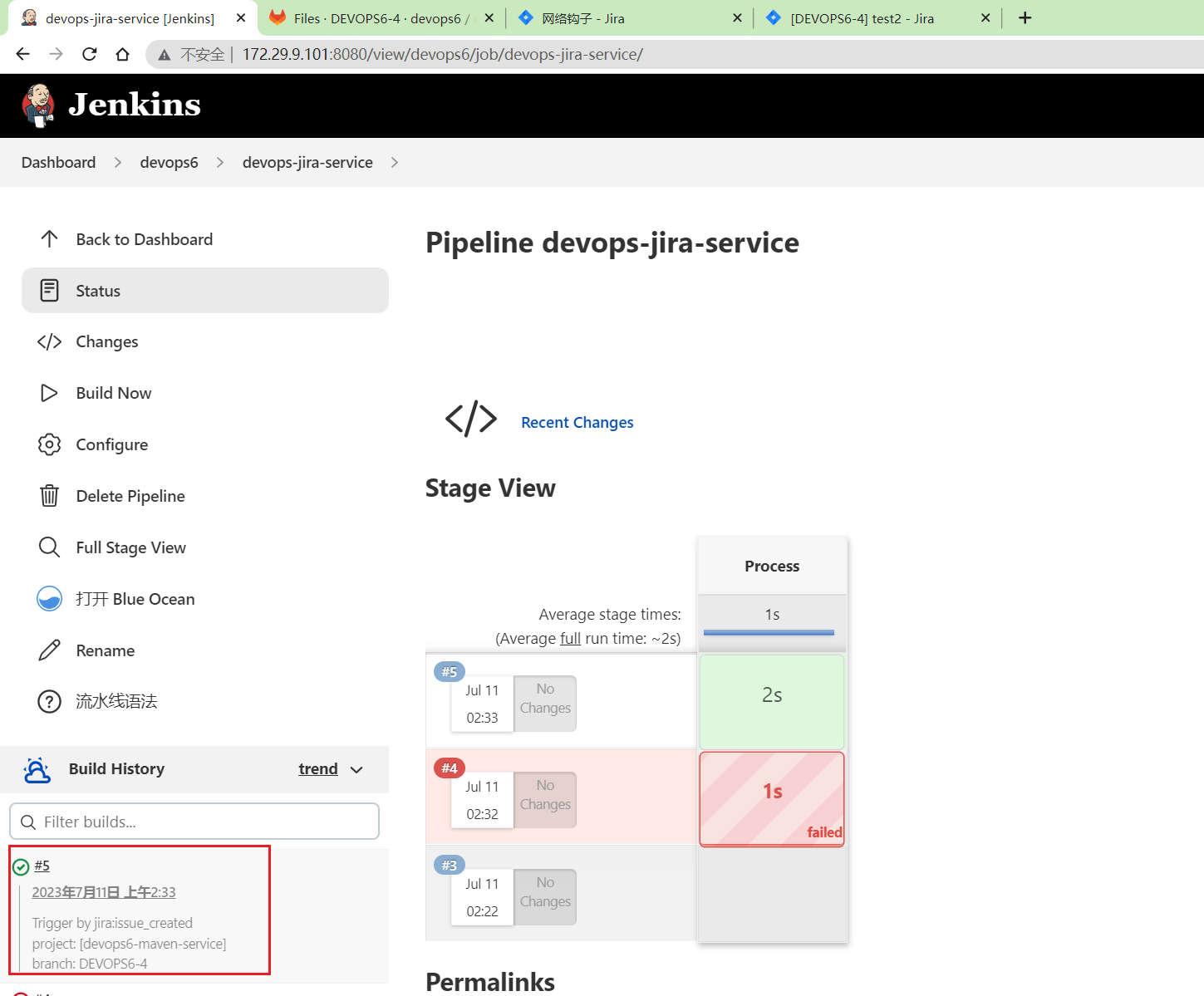
- 验证Gitlab中多了分支;
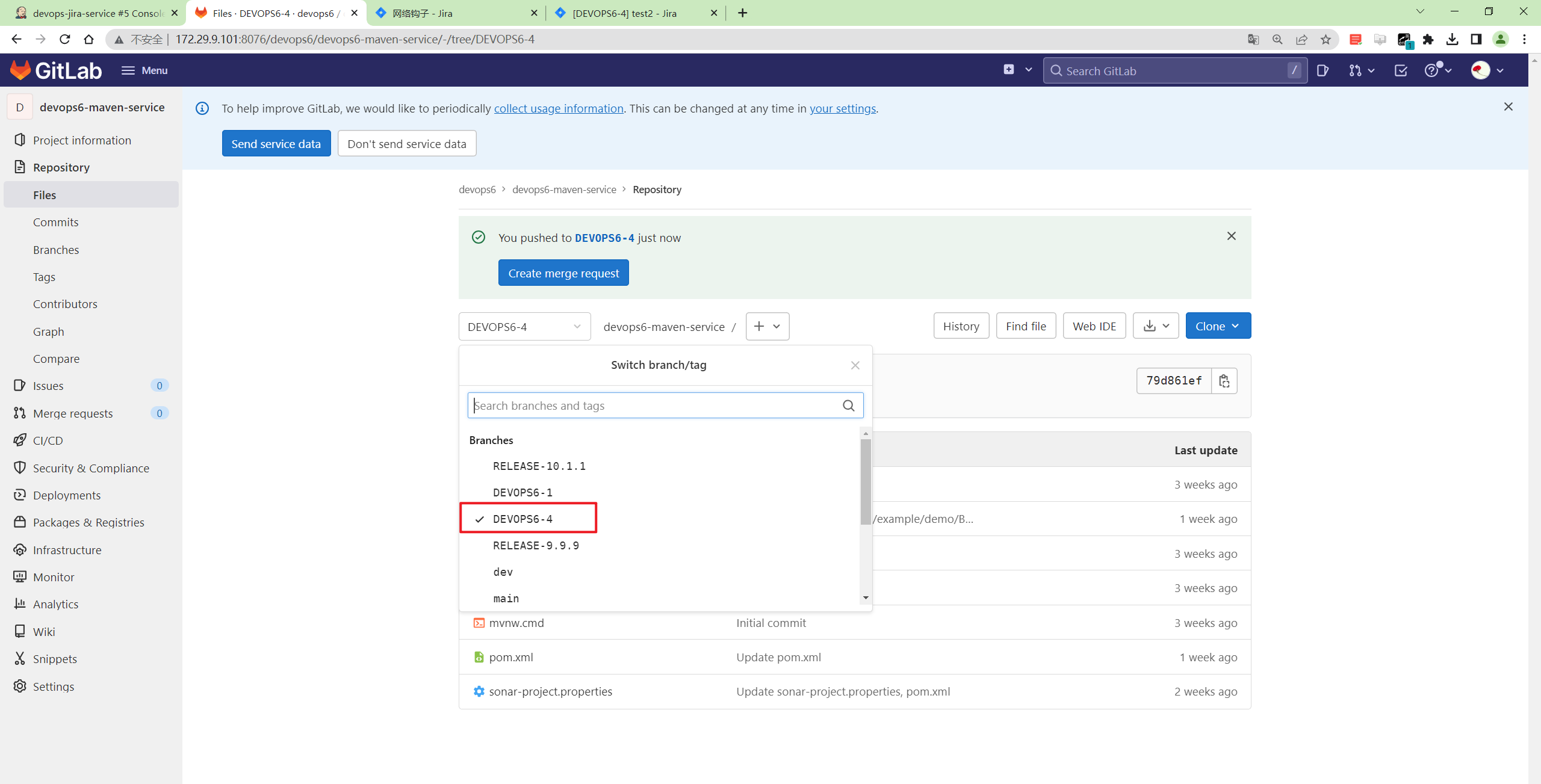
符合预期。
2、代码自动化合并

1. 更新配置Jira Webhook
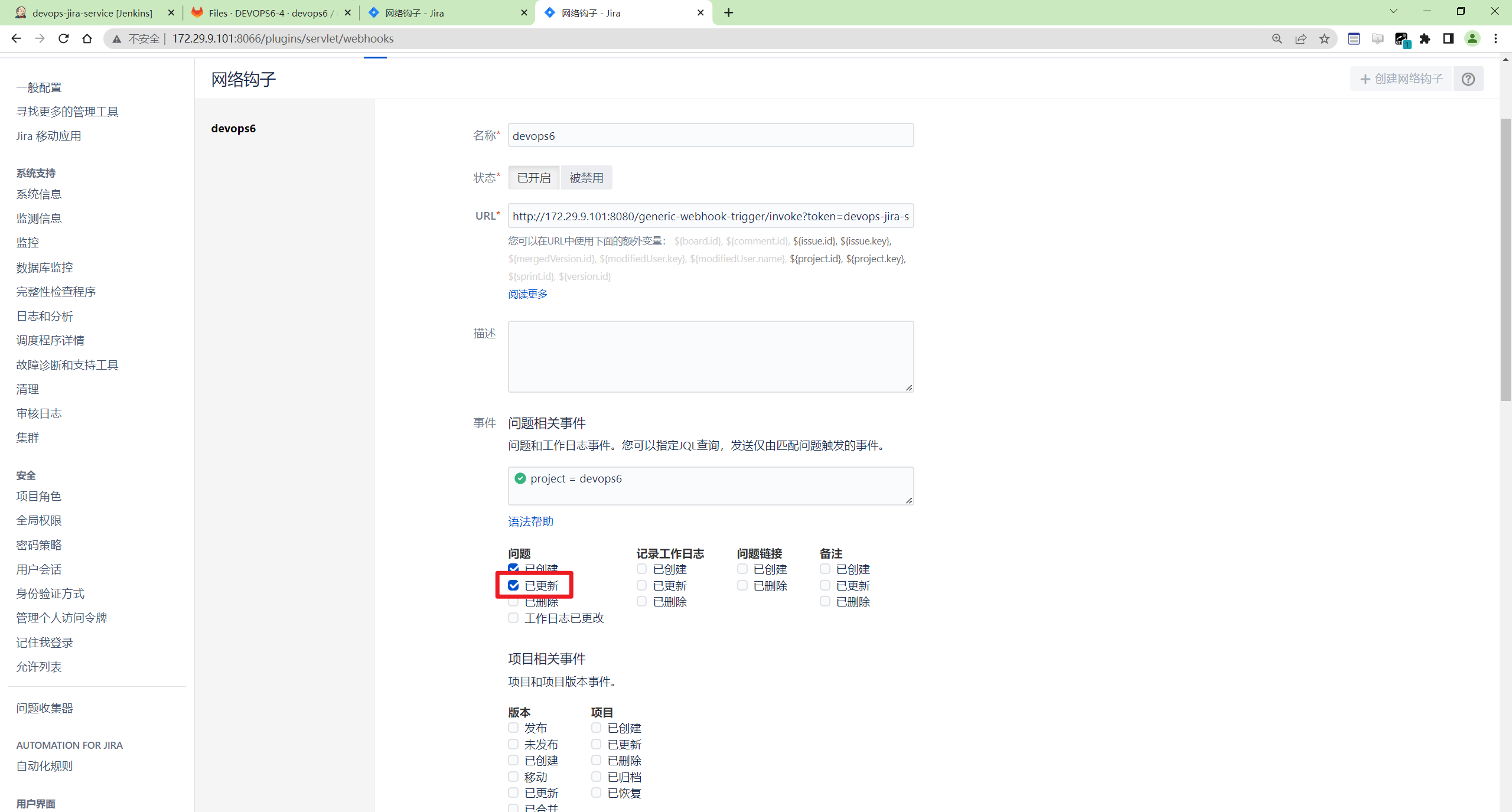
2. Issue关联版本
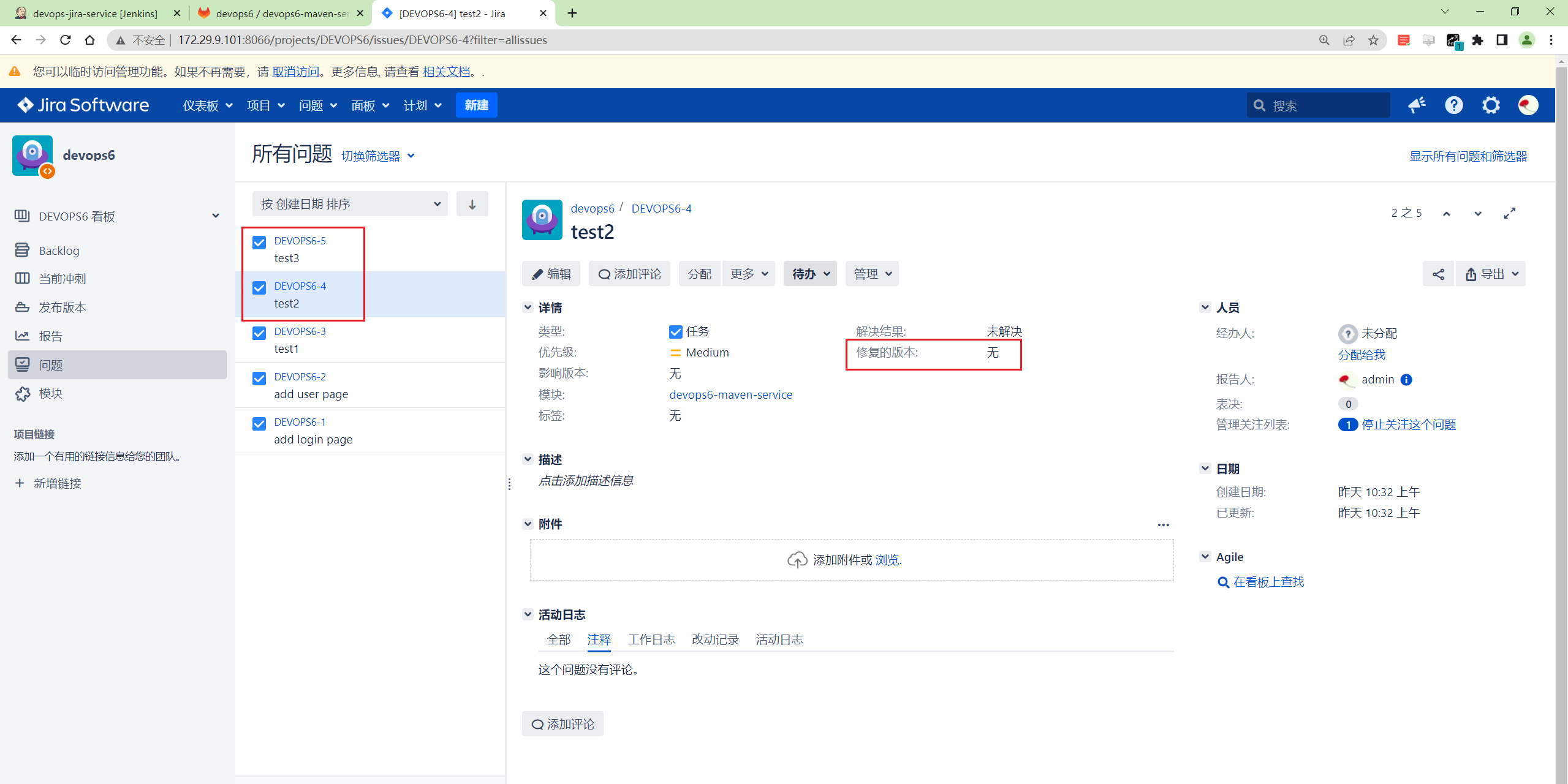
- 这里有2个待关联版本的问题
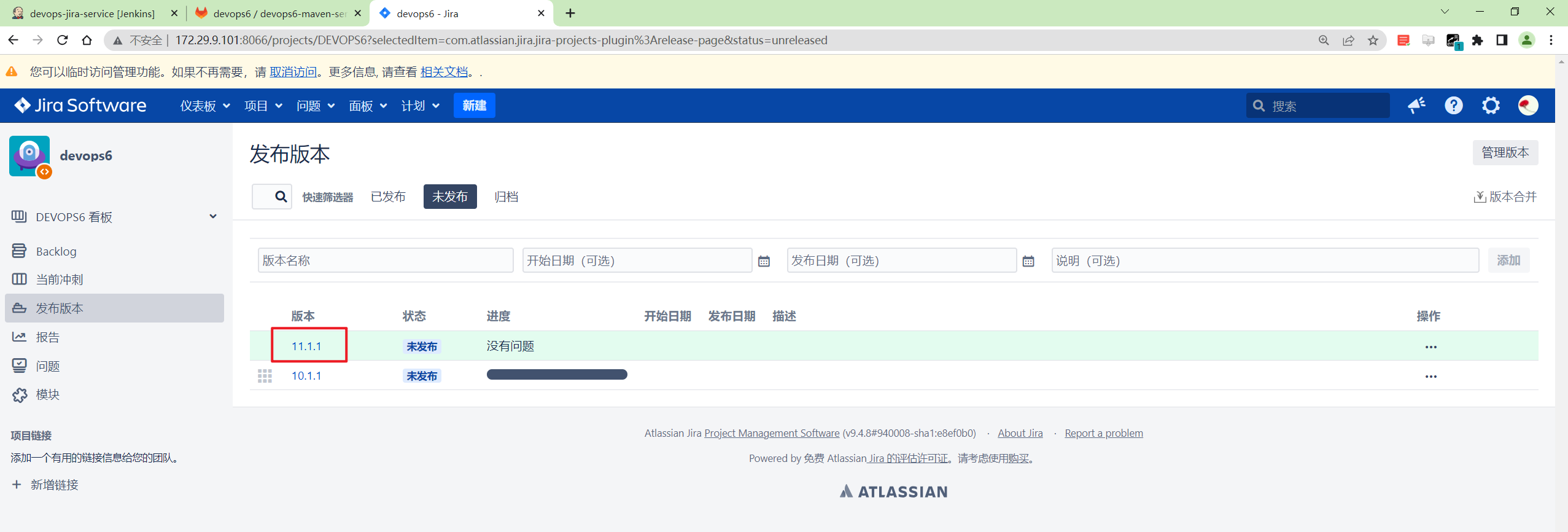
- 创建
11.1.1发布版本
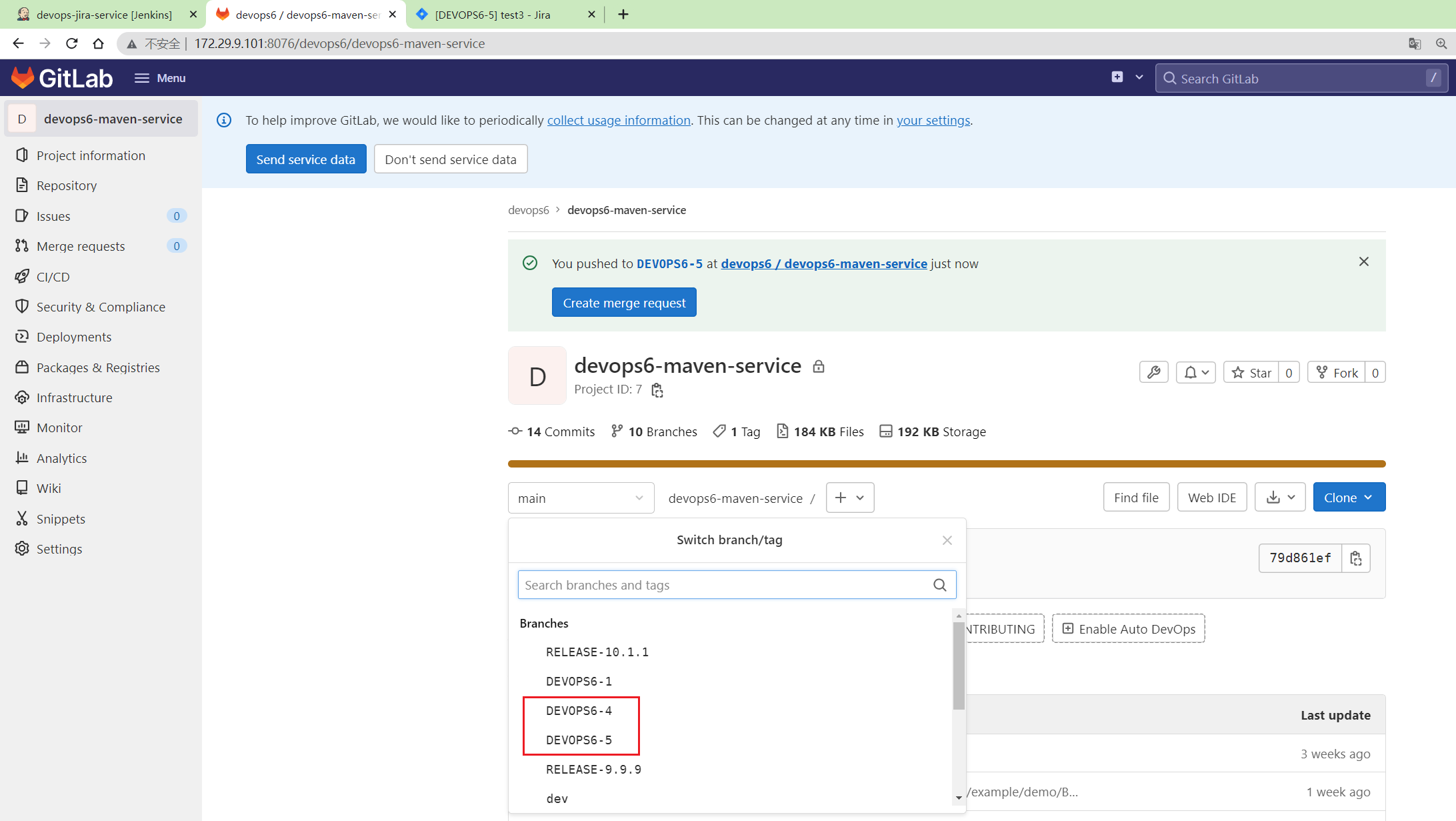
同时可以看下devops6-maven-service仓库是没有这个11.1.1版本分支的。
3. Jenkins Pipeline
- 分析Jira Webhook传递的数据
 1jira event :
 2webhookEvent: jira:issue_updated
 3
 4
 5args:
 61. gitlab 项目名称   issue.fields.components    []
 72. 分支名称  issue.key
 83. gitlab 项目组名称  issue.fields.project.name
 94. fixversion   版本分支  issue.fields.fixVersions   []
10
11
12action:
131.根据项目名称获取项目的id;
142.根据项目id,基于master分支创建一个版本分支;
153.根据fixversion, 拿到所有的特性分支;
164.根据项目id,将该项目的特性分支合并版本分支;
- 编写Jenkinsfile
  1webhookData = readJSON text: "${webhookData}"
  2
  3// Jira事件
  4jiraEvent = webhookData.webhookEvent
  5jiraProjectName = webhookData.issue.fields.project.name
  6
  7// 获取gitlab参数
  8gitlabProjects = []
  9gitlabBranchName = webhookData.issue.key
 10gitlabGroupName = jiraProjectName
 11
 12for (i in webhookData.issue.fields.components){
 13    gitlabProjects.add(i["name"])
 14}
 15
 16currentBuild.description = "Trigger by ${jiraEvent} \n project: ${gitlabProjects} \n branch: ${gitlabBranchName}"
 17
 18pipeline {
 19    agent { label "build" }
 20
 21    stages{
 22        stage("Process"){
 23            steps{
 24                script{
 25                    println(gitlabProjects)
 26                    println(gitlabBranchName)
 27                    projectIds = GetProjectsId(gitlabGroupName, gitlabProjects)
 28                    switch(jiraEvent) {
 29                        case "jira:issue_created":
 30                            println(projectIds)
 31                            for (id in projectIds){
 32                                CreateBranch(id, gitlabBranchName, "main")
 33                            }
 34                            break
 35                        case "jira:issue_updated":
 36                            if (webhookData.issue.fields.fixVersions.size() >= 1){
 37                                jiraFixVersion = webhookData.issue.fields.fixVersions[0]["name"]
 38                                // 获取fixversion关联的所有issues
 39                                issues = GetIssuesByFixVersion(jiraProjectName, jiraFixVersion)
 40
 41                                // 在issue关联的所有项目创建版本分支
 42                                for (id in projectIds){
 43                                    CreateBranch(id, "RELEASE-${jiraFixVersion}", "master")   //RELEASE-1.1.6
 44
 45                                    // 创建合并请求  特性分支 > 版本分支
 46                                    for(issue in issues) {
 47                                        CreateMergeRequest(id, issue, "RELEASE-${jiraFixVersion}" )
 48                                    }
 49                                }
 50                                break
 51                            }
 52                        default:
 53                            println("error...")
 54                            break
 55                    }
 56                }
 57            }
 58        }
 59    }
 60}
 61
 62//创建合并请求
 63def CreateMergeRequest(projectId, sourceBranch, targetBranch ){
 64    try {
 65        apiUrl = "projects/${projectId}/merge_requests"
 66        reqBody = """{"source_branch": "${sourceBranch}","target_branch":"${targetBranch}","title": "${sourceBranch}>>>${targetBranch}byJenkins"}"""
 67        println(reqBody)
 68        response = HttpReq('POST',apiUrl,reqBody)
 69    }
 70    catch(Exception e) {
 71        println(e)
 72    }
 73}
 74
 75// 查询JiraReleaseissue
 76def GetIssuesByFixVersion(projectName, fixVersion){
 77    jql = "project%20=%20${projectName}%20AND%20fixVersion%20=%20${fixVersion}"
 78    response = sh returnStdout: true, script: """
 79        curl  \
 80        -u admin:Admin@123 \
 81        -H "Content-Type: application/json" \
 82        --request GET "http://172.29.9.101:8066/rest/api/2/search?jql=${jql}" -s
 83    """
 84    response = readJSON text: """ ${response - "\n"} """
 85    issues = []
 86    for (i in response["issues"]){
 87        issues.add(i["key"])
 88    }
 89
 90    return issues
 91}
 92
 93// 创建分支
 94def CreateBranch(projectId, newBranchName, sourceBranchName){
 95    try {
 96        apiUrl = "projects/${projectId}/repository/branches?branch=${newBranchName}&ref=${sourceBranchName}"
 97        response = HttpReq('POST', apiUrl, "")
 98    }
 99    catch(Exception e) {
100        println(e)
101
102    }
103}
104
105// 获取所有项目的id
106def GetProjectsId(gitlabGroupName, gitlabProjects){
107    gitlabProjectIds = []
108    for (project in gitlabProjects){
109        id = GetProjectId(gitlabGroupName, project)
110        println(id)
111        if (id != 0){
112            gitlabProjectIds.add(id)
113        }
114    }
115    return gitlabProjectIds
116}
117
118// 根据项目名称获取项目id
119def GetProjectId(groupName, projectName){
120    apiUrl = "projects?search=${projectName}"
121    response = HttpReq('GET', apiUrl, "")
122    response = readJSON text: response.content - "\n"
123
124    if (response.size() > 1){
125        for (i in response){
126            println(i["path_with_namespace"])
127            println(groupName + projectName)
128            if (i["path_with_namespace"] == "${groupName}/${projectName}"){
129                println(i["id"])
130                return i["id"]
131            }
132        }
133    } else {
134        return response[0]["id"]
135    }
136}
137
138
139// 封装HTTP
140def HttpReq(reqType, reqUrl,reqBody ){
141    def gitServer = "http://172.29.9.101:8076/api/v4"
142    withCredentials([string(credentialsId: '5782c77d-ce9d-44e5-b9ba-1ba2097fc31d', variable: 'GITLABTOKEN')]) {
143        response = httpRequest acceptType: 'APPLICATION_JSON_UTF8',
144                          consoleLogResponseBody: true,
145                          contentType: 'APPLICATION_JSON_UTF8',
146                          customHeaders: [[maskValue: false, name: 'PRIVATE-TOKEN', value: "${GITLABTOKEN}"]],
147                          httpMode: "${reqType}",
148                          url: "${gitServer}/${reqUrl}",
149                          wrapAsMultipart: false,
150                          requestBody: "${reqBody}"
151
152    }
153    return response
154}
4. 效果验证
- jira上关联问题到发布版本
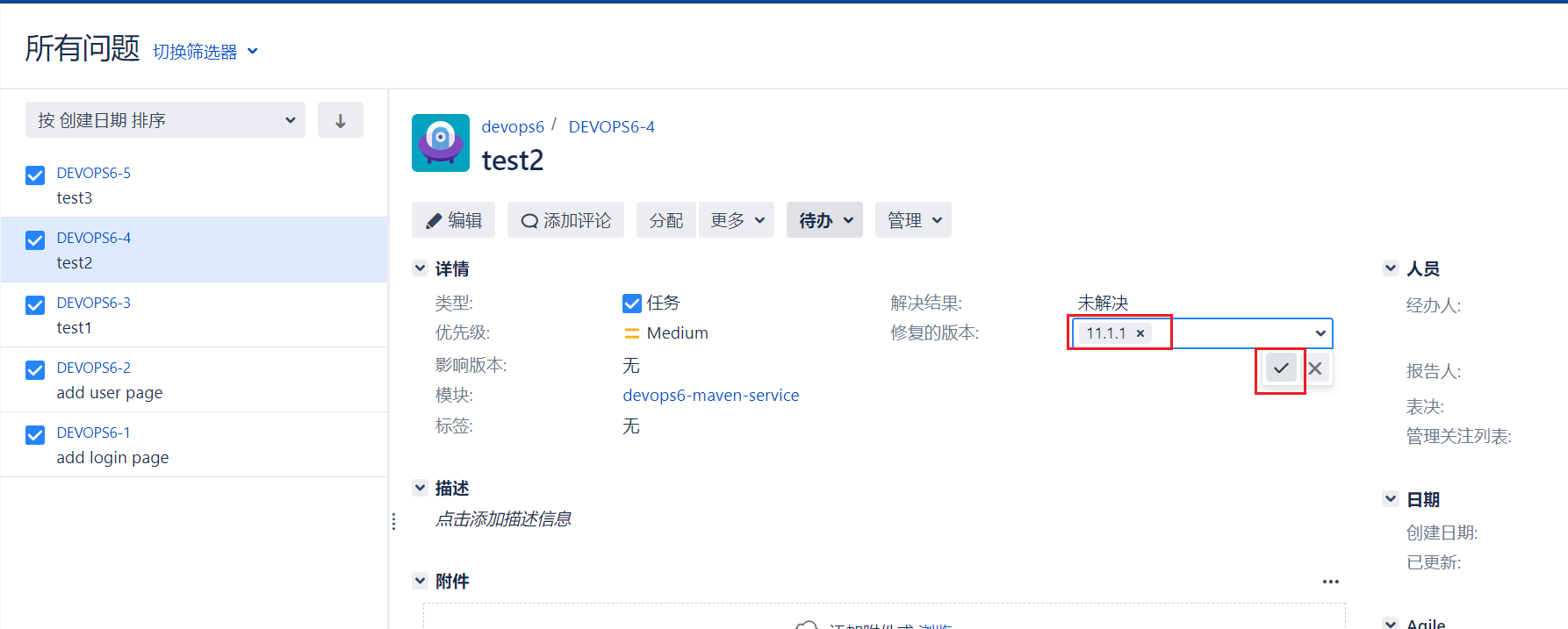
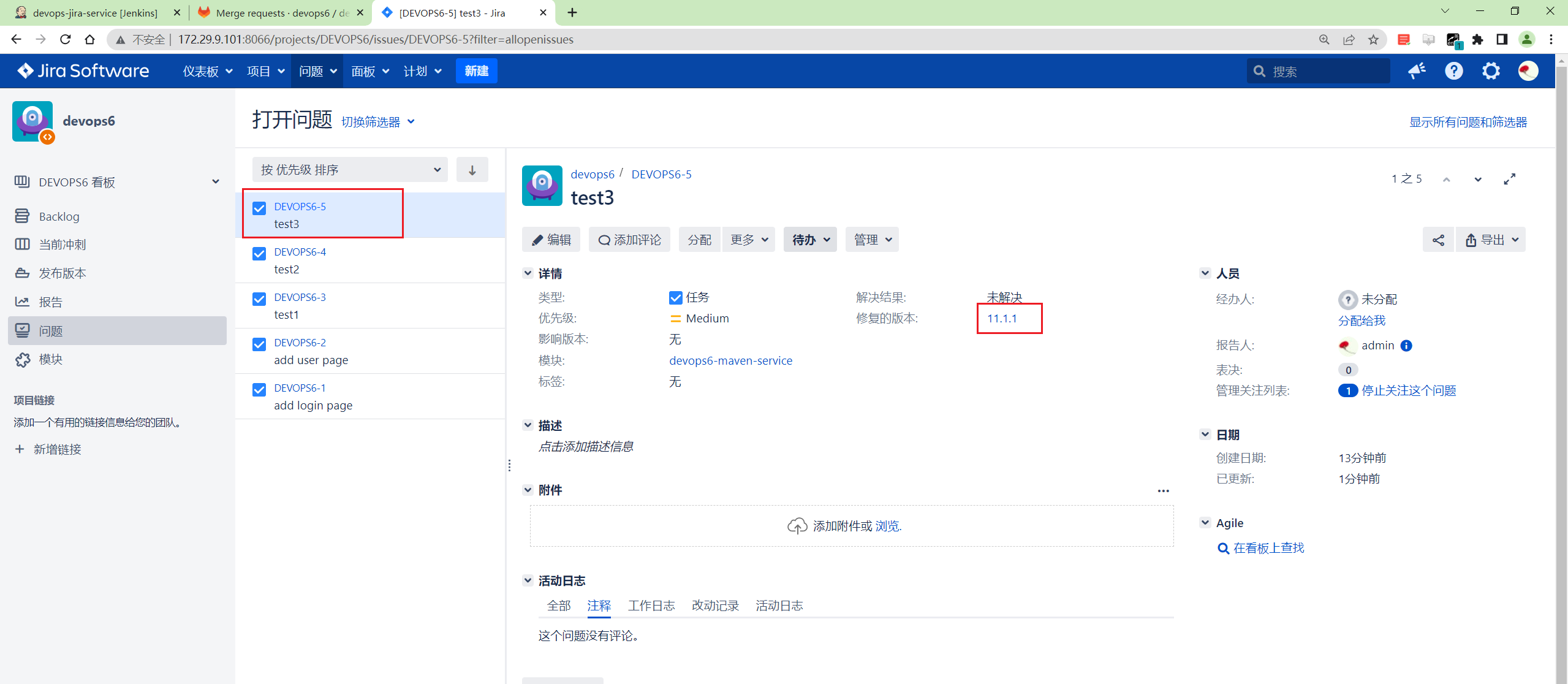
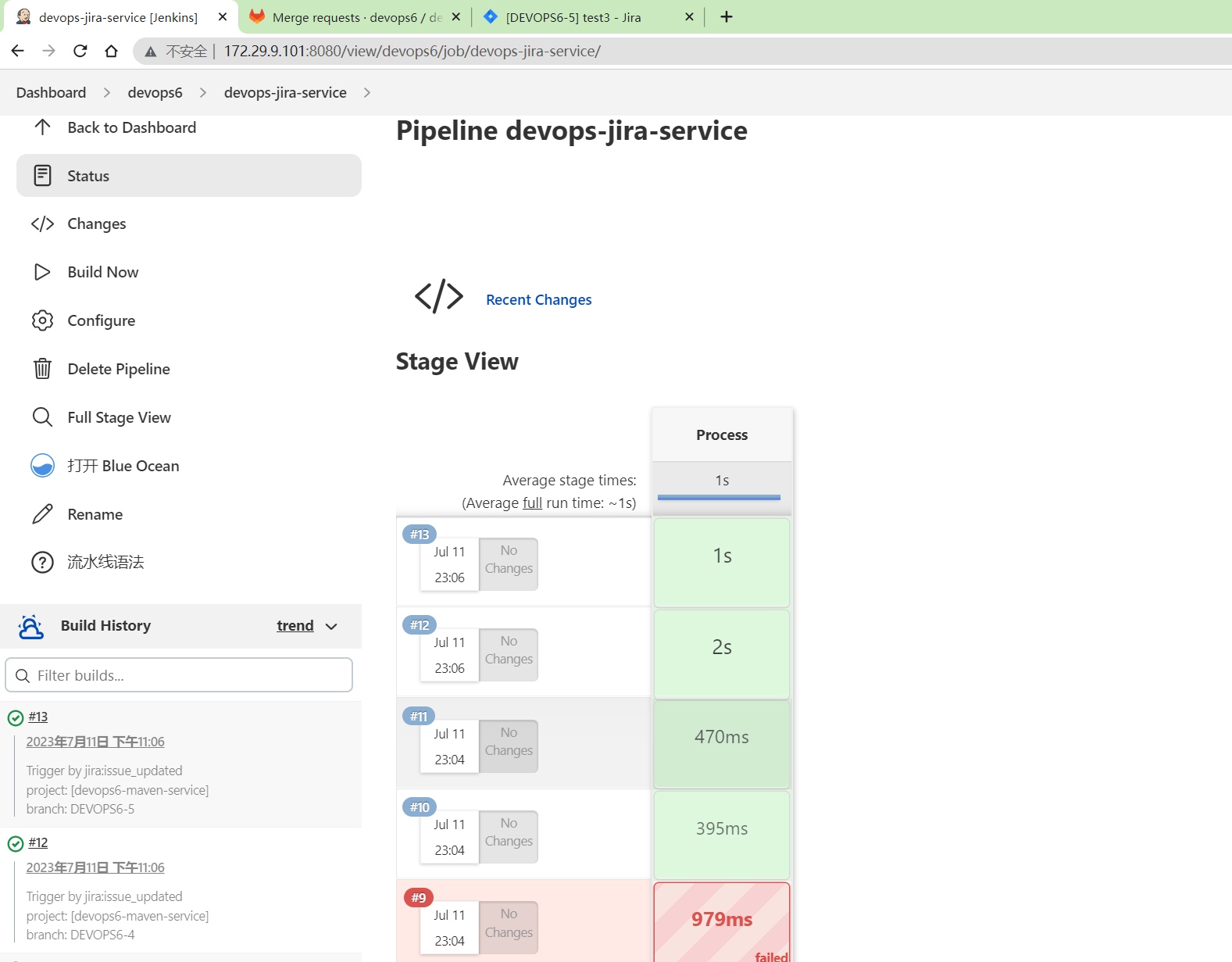
可以看到触发了jenkins流水线:
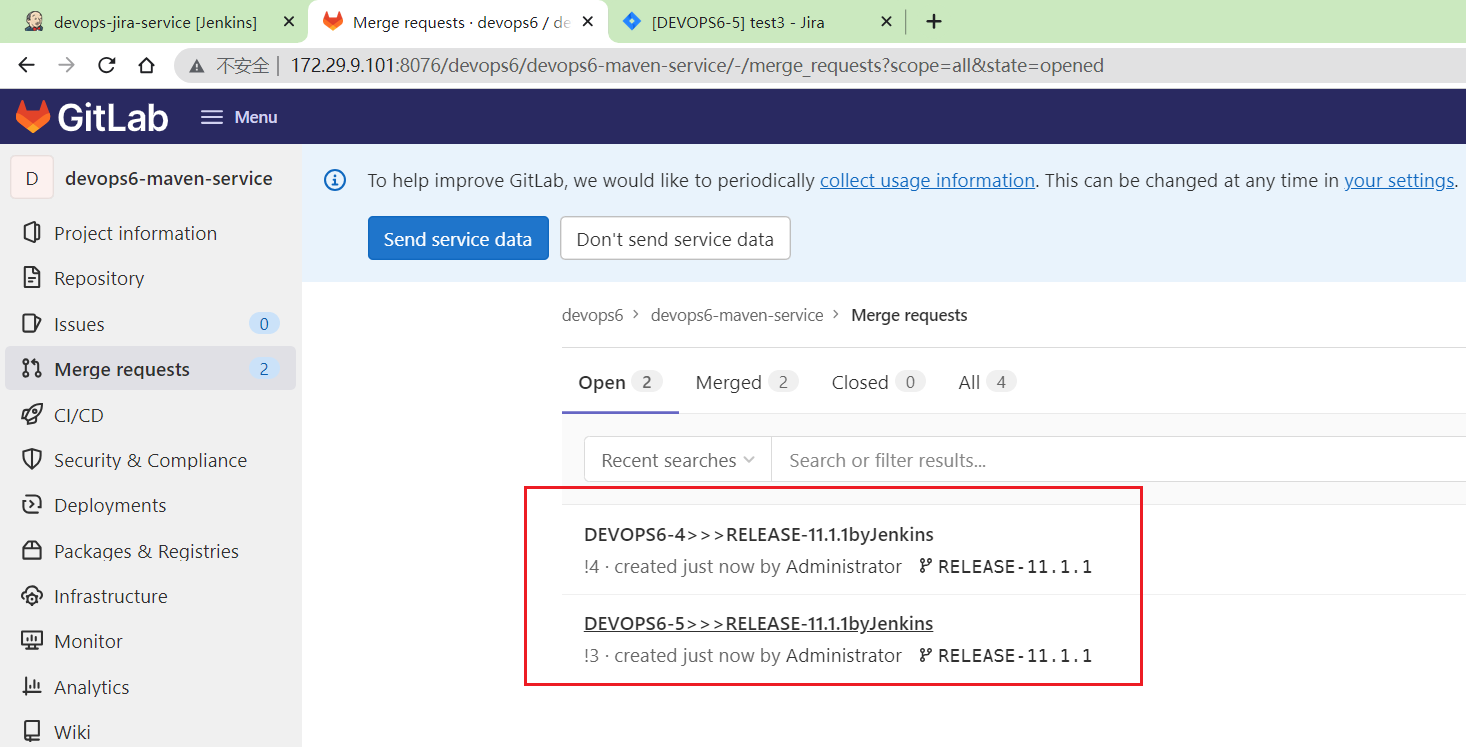
gitlab上也能看到有mr请求了:
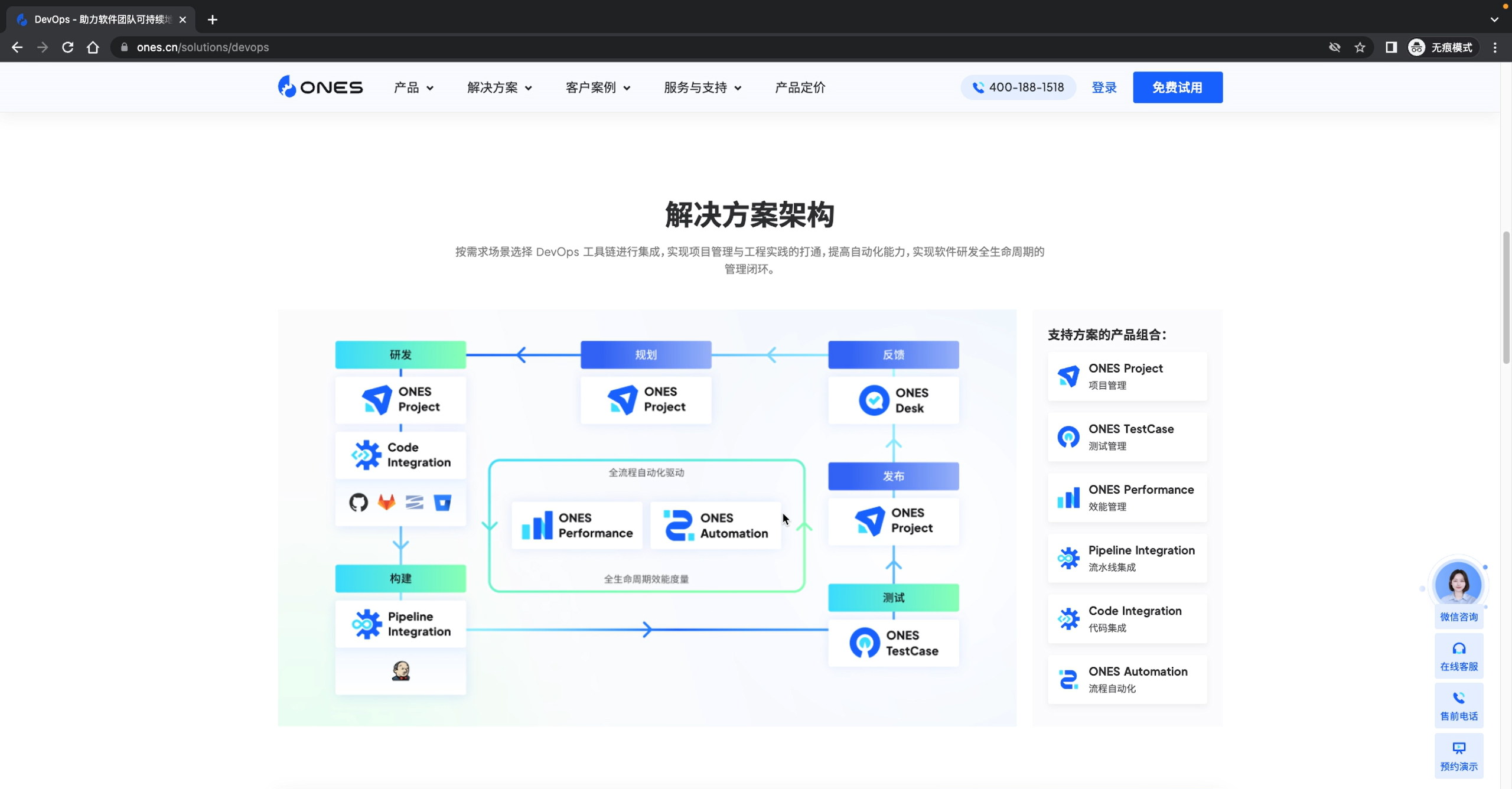
jira付费插件也能支持这样的效果。
测试结束。😘
FAQ
ones
关于我
我的博客主旨:
- 排版美观,语言精炼;
- 文档即手册,步骤明细,拒绝埋坑,提供源码;
- 本人实战文档都是亲测成功的,各位小伙伴在实际操作过程中如有什么疑问,可随时联系本人帮您解决问题,让我们一起进步!
🍀 微信二维码 x2675263825 (舍得), qq:2675263825。

🍀 微信公众号 《云原生架构师实战》

🍀 语雀
https://www.yuque.com/xyy-onlyone
🍀 csdn https://blog.csdn.net/weixin_39246554?spm=1010.2135.3001.5421

🍀 知乎 https://www.zhihu.com/people/foryouone

最后
好了,关于本次就到这里了,感谢大家阅读,最后祝大家生活快乐,每天都过的有意义哦,我们下期见!
📡
推荐使用微信支付

推荐使用支付宝