--
:
--
:
--
MariaDB
最后更新于:
MariaDB

目录
[toc]
官网
maridb.org 官方
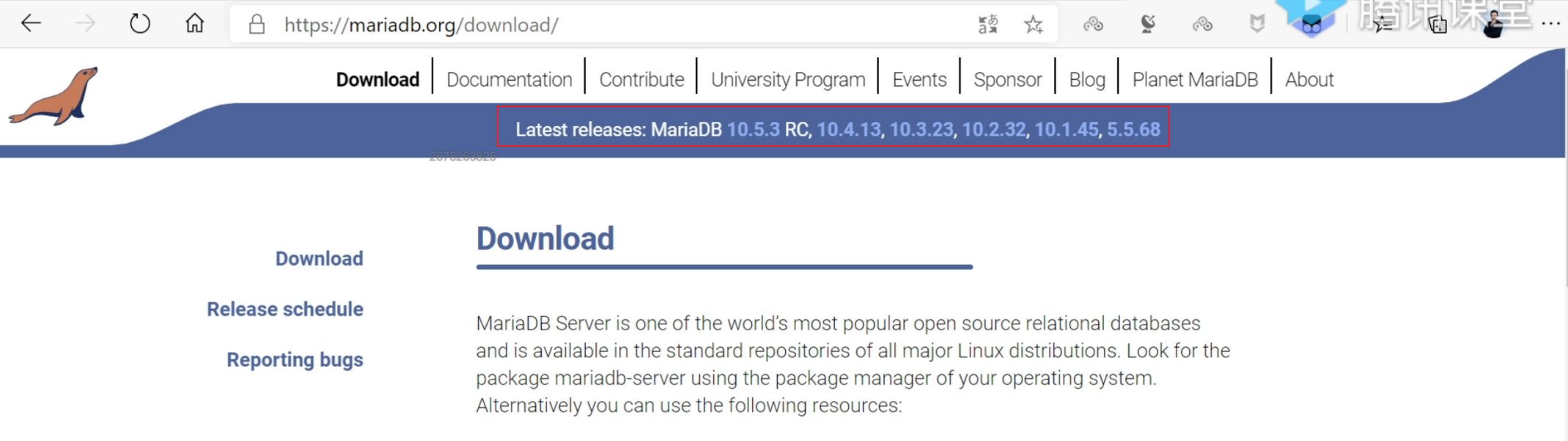
RC:测试阶段了。
2024年3月28日
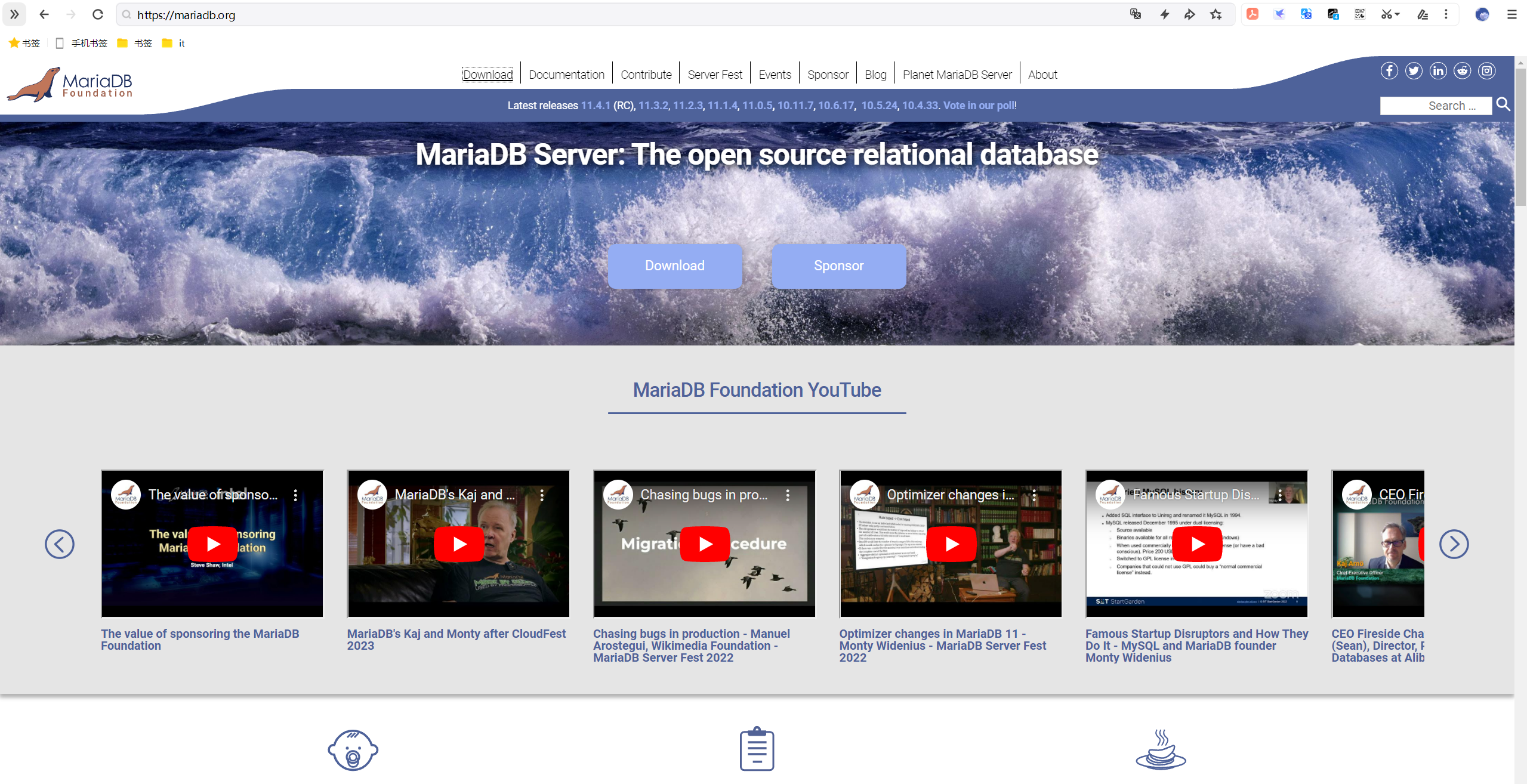
FAQ
mariadb版本
- Server version: 10.5.24-MariaDB MariaDB Server
 1[root@linux ~]# mysql
 2Welcome to the MariaDB monitor.  Commands end with ; or \g.
 3Your MariaDB connection id is 22
 4Server version: 10.5.24-MariaDB MariaDB Server
 5
 6Copyright (c) 2000, 2018, Oracle, MariaDB Corporation Ab and others.
 7
 8Type 'help;' or '\h' for help. Type '\c' to clear the current input statement.
 9
10MariaDB [(none)]>
11
12[root@linux ~]# netstat -antlp|grep 3306
13tcp6       0      0 :::3306                 :::*                    LISTEN      25471/mariadbd
14[root@linux ~]#
15
16[root@linux ~]# systemctl status mariadb
17● mariadb.service - MariaDB 10.5.24 database server
18   Loaded: loaded (/usr/lib/systemd/system/mariadb.service; enabled; vendor preset: disabled)
19  Drop-In: /etc/systemd/system/mariadb.service.d
20           └─migrated-from-my.cnf-settings.conf
21   Active: active (running) since Thu 2024-03-28 15:41:05 CST; 14h ago
22     Docs: man:mariadbd(8)
23           https://mariadb.com/kb/en/library/systemd/
24  Process: 25486 ExecStartPost=/bin/sh -c systemctl unset-environment _WSREP_START_POSITION (code=exited, status=0/SUCCESS)
25  Process: 25459 ExecStartPre=/bin/sh -c [ ! -e /usr/bin/galera_recovery ] && VAR= ||   VAR=`cd /usr/bin/..; /usr/bin/galera_recovery`; [ $? -eq 0 ]   && systemctl set-environment _WSREP_START_POSITION=$VAR || exit 1 (code=exited, status=0/SUCCESS)
26  Process: 25457 ExecStartPre=/bin/sh -c systemctl unset-environment _WSREP_START_POSITION (code=exited, status=0/SUCCESS)
27 Main PID: 25471 (mariadbd)
28   Status: "Taking your SQL requests now..."
29    Tasks: 9 (limit: 32440)
30   Memory: 101.6M
31   CGroup: /system.slice/mariadb.service
32           └─25471 /usr/sbin/mariadbd
33
34Mar 28 21:33:14 linux mariadbd[25471]: 2024-03-28 21:33:14 15 [Warning] Aborted connection 15 to db: 'unconnected' user: 'una...cation)
35Mar 28 21:33:14 linux mariadbd[25471]: 2024-03-28 21:33:14 16 [Warning] Aborted connection 16 to db: 'unconnected' user: 'una...cation)
36Mar 28 22:38:02 linux mariadbd[25471]: 2024-03-28 22:38:02 17 [Warning] Host name 'rorefah.cn' could not be resolved: Name or...t known
37Mar 28 22:38:02 linux mariadbd[25471]: 2024-03-28 22:38:02 17 [Warning] Aborted connection 17 to db: 'unconnected' user: 'una...cation)
38Mar 29 00:28:23 linux mariadbd[25471]: 2024-03-29  0:28:23 18 [Warning] IP address '198.235.24.122' could not be resolved: Na...t known
39Mar 29 00:28:23 linux mariadbd[25471]: 2024-03-29  0:28:23 18 [Warning] Aborted connection 18 to db: 'unconnected' user: 'una...cation)
40Mar 29 01:08:27 linux mariadbd[25471]: 2024-03-29  1:08:27 19 [Warning] Aborted connection 19 to db: 'unconnected' user: 'una...cation)
41Mar 29 01:56:25 linux mariadbd[25471]: 2024-03-29  1:56:25 20 [Warning] Aborted connection 20 to db: 'unconnected' user: 'una...cation)
42Mar 29 05:41:43 linux mariadbd[25471]: 2024-03-29  5:41:43 21 [Warning] Host name 'scanner-202.hk2.censys-scanner.com' could ...t known
43Mar 29 05:41:43 linux mariadbd[25471]: 2024-03-29  5:41:43 21 [Warning] Aborted connection 21 to db: 'unconnected' user: 'una...cation)
44Hint: Some lines were ellipsized, use -l to show in full.
45[root@linux ~]#
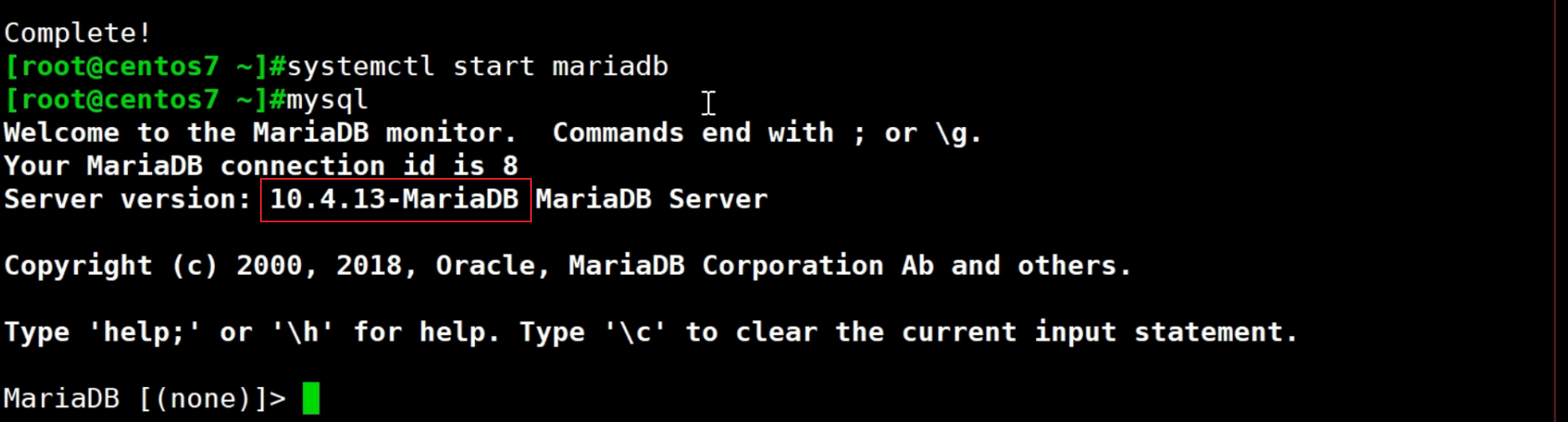
- 老师的,10.4.13
- 重新安装
 1https://mirrors.tuna.tsinghua.edu.cn/mariadb/yum/10.4.33/centos7-amd64/
 2
 3yum remove -y mariadb-server
 4
 510.5.24-1.el7.centos
 6
 7cat > /etc/yum.repos.d/mariadb.repo << EOF
 8[mariadb]
 9name = MariaDB
10baseurl = https://mirrors.tuna.tsinghua.edu.cn/mariadb/yum/10.4.33/centos7-amd64/
11gpgcheck = 0
12EOF
13
14yum clean all
15yum makecache
16yum repolist all
17
18
19##2、部署
20yum install -y mariadb-server --disableexcludes=MariaDB
21systemctl enable --now mariadb
22
23##3、测试
24#mysql
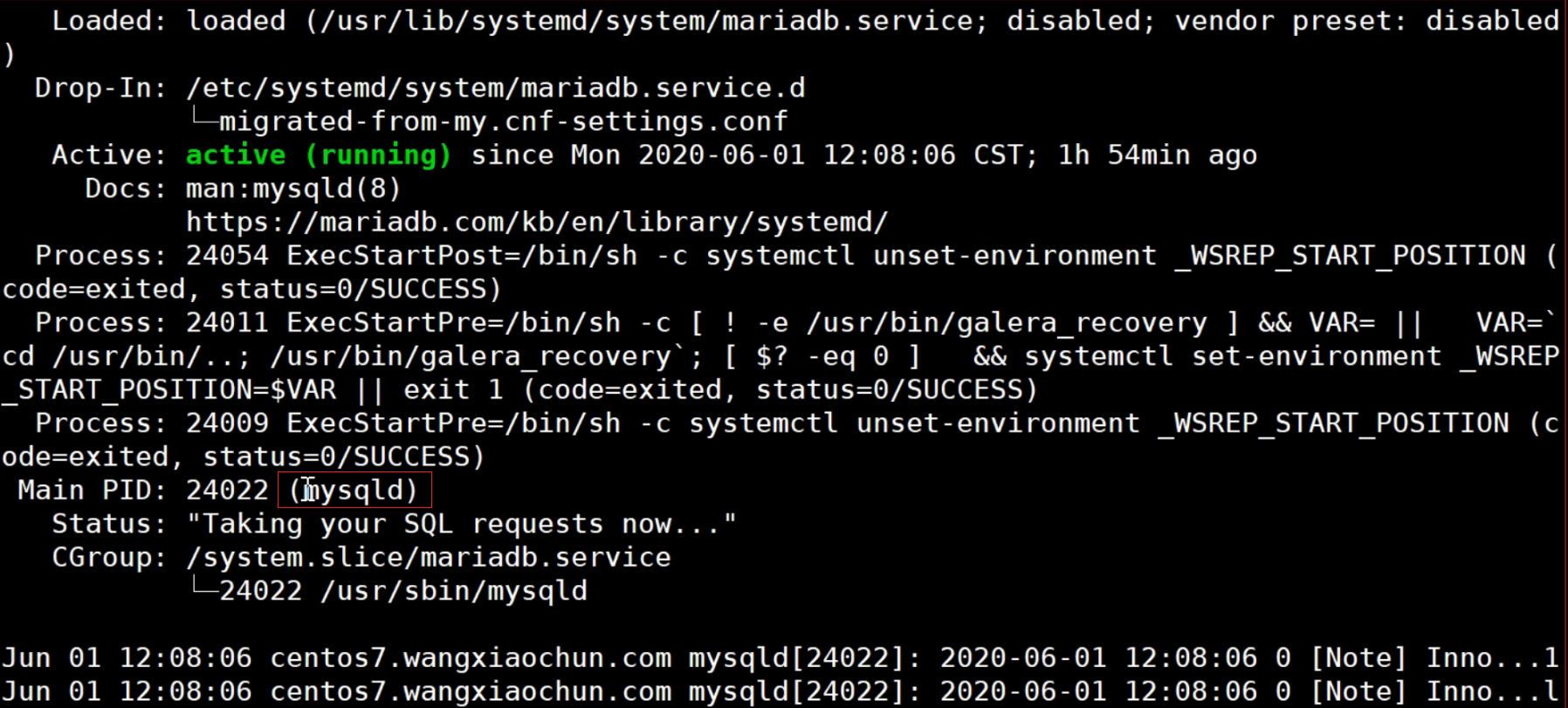
- 重装后的10.4.33版本果然是mysqld进程的
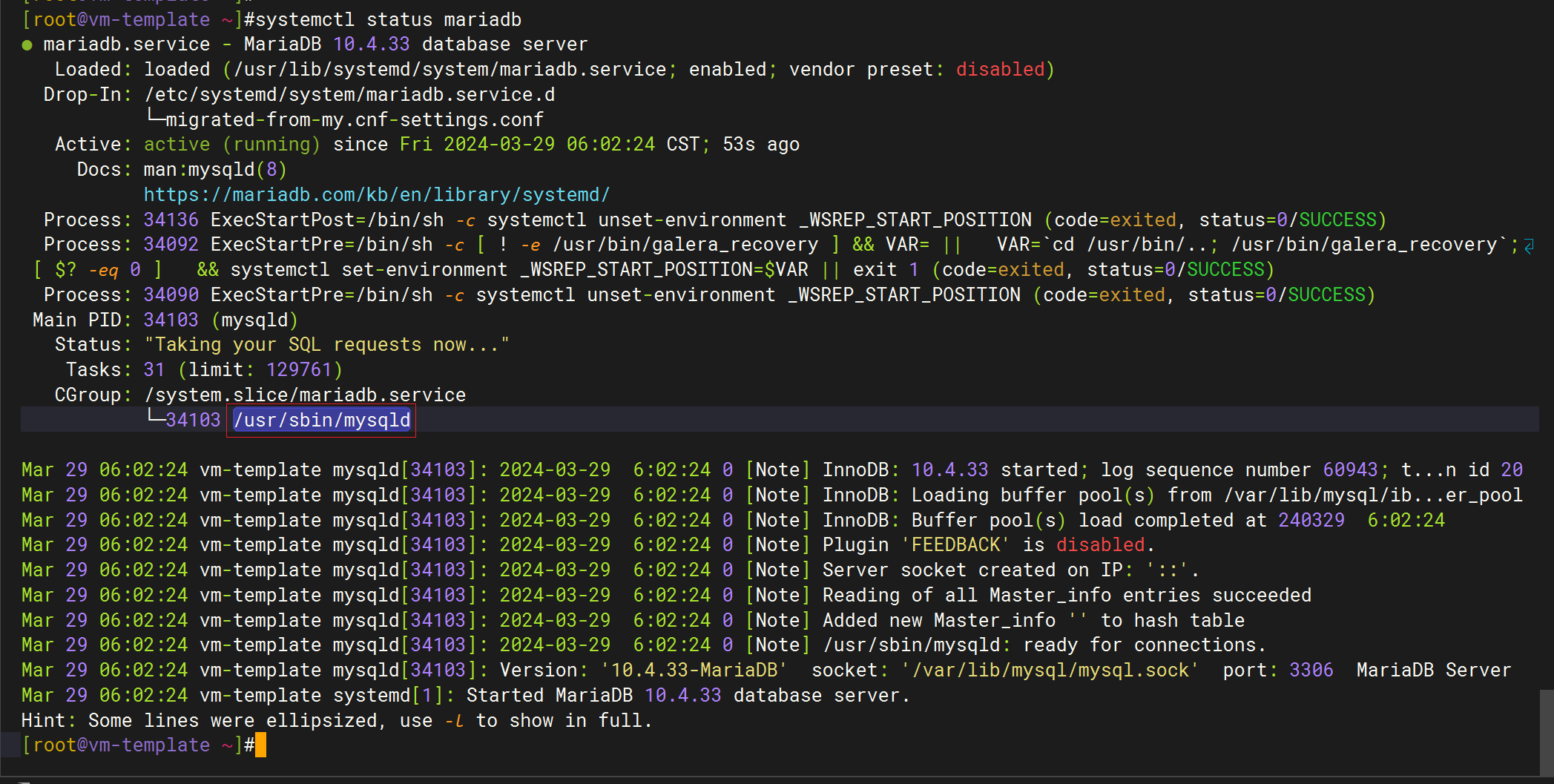
1[root@vm-template ~]#netstat -antlp|grep 3306
2tcp6       0      0 :::3306                 :::*                    LISTEN      34103/mysqld
3[root@vm-template ~]#

可以看到mysqld这个进程是以mysql用户来运行的。
查看某个进程的父进程:ps -auxf
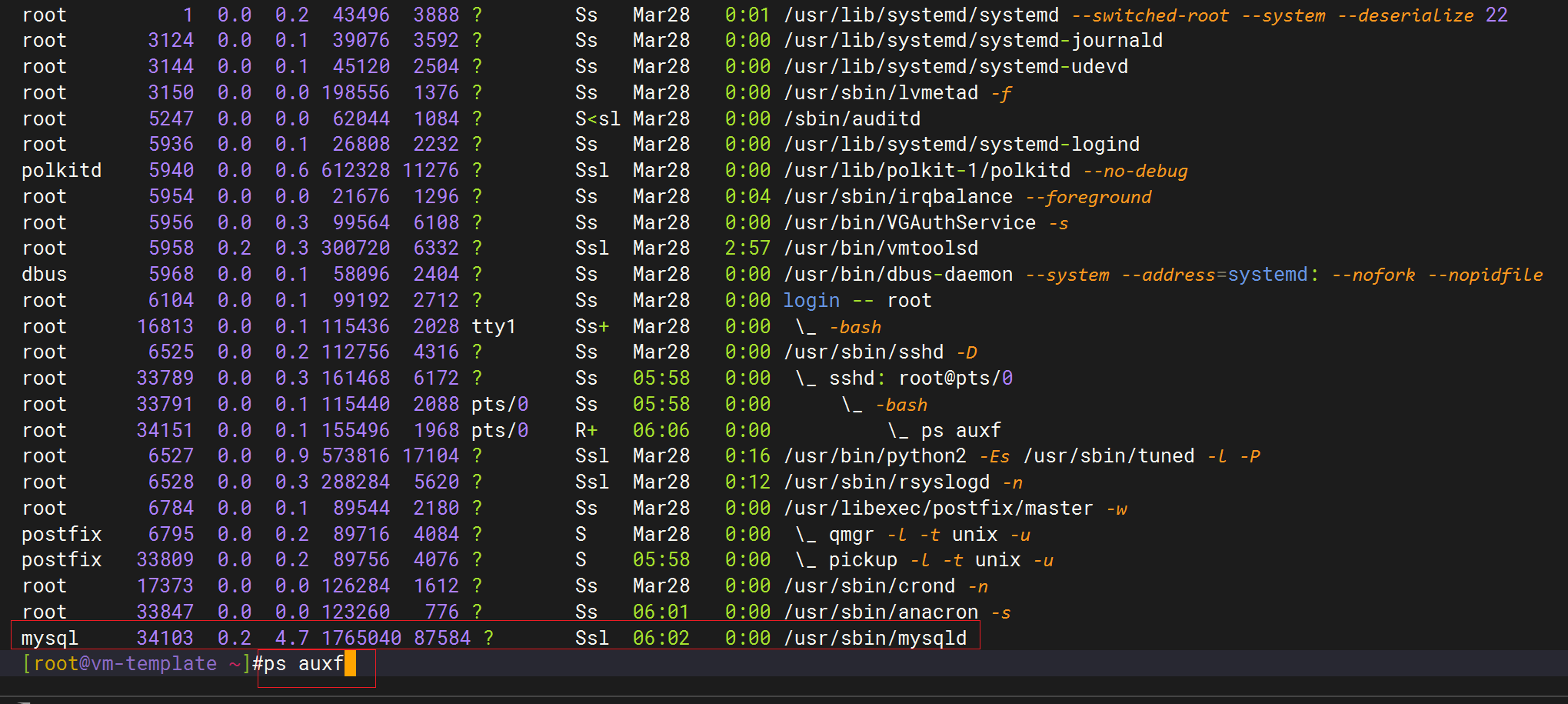

这里的l代表多线程。
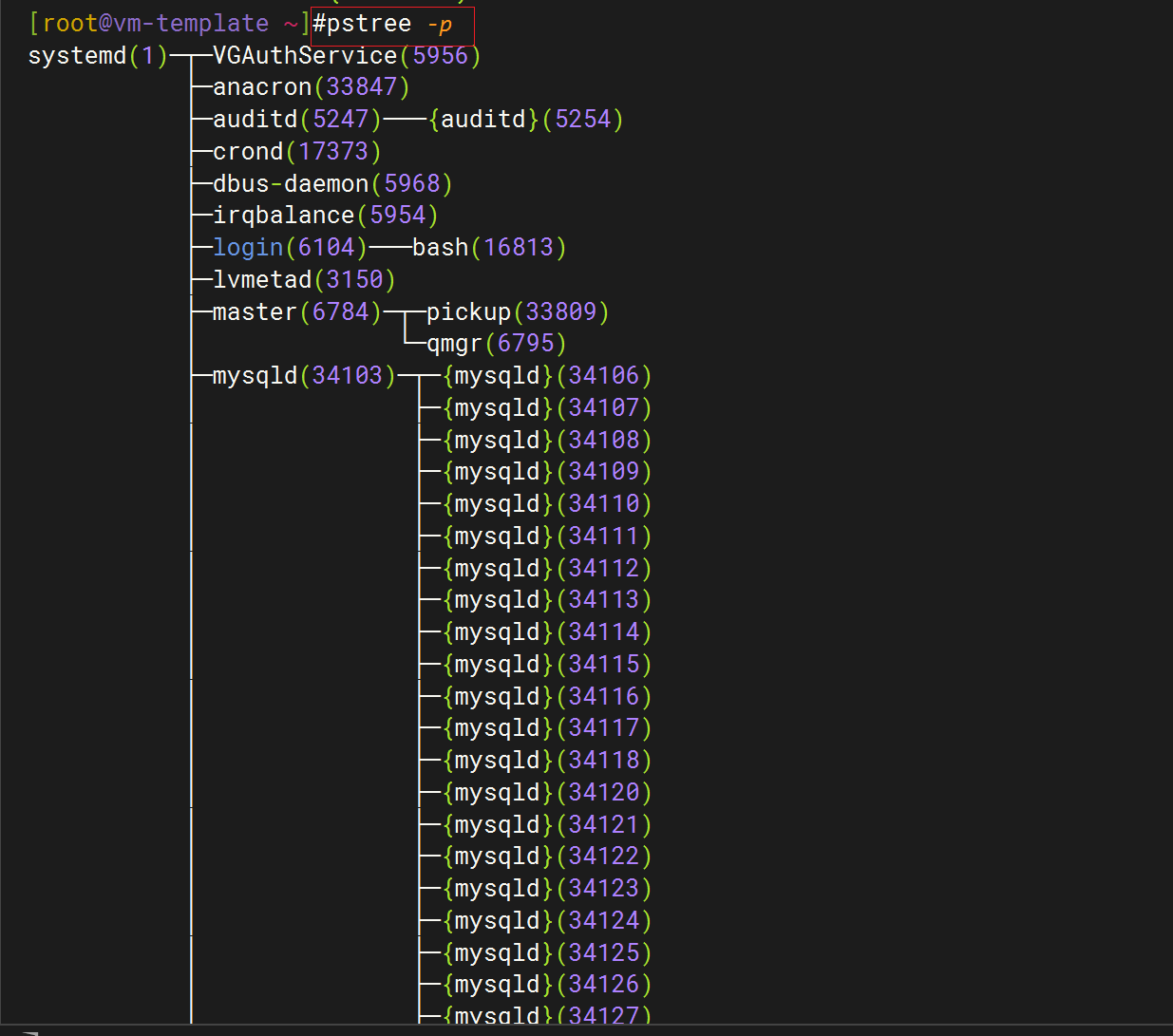
pstree -p
1……
2mysql:x:998:996:MySQL server:/var/lib/mysql:/sbin/nologin
3[root@vm-template ~]#cat /etc/passwd
mysql客户端工具:
1[root@linux-test ~]#which mysql
2/usr/bin/mysql
3[root@linux-test ~]#rpm -qf `which mysql`
4MariaDB-client-10.4.33-1.el7.centos.x86_64
5[root@linux-test ~]#
这个mysql客户端可以连接本机的数据库,也可以连接远程数据库。
连接本机数据库,是不需要任何用户名/密码验证的哦:
 1[root@linux-test ~
 2Welcome to the Mar
 3Your MariaDB conne
 4Server version: 10
 5
 6
 7Copyright (c) 2000
 8
 9
10Type 'help;' or '\
11
12
13MariaDB [(none)]>
查看mariadb支持的文件大小
 1[root@vm-template ~]#cd /app/mysql/
 2[root@vm-template mysql]#ls
 3bin      COPYING.thirdparty  data  EXCEPTIONS-CLIENT  INSTALL-BINARY  man         README.md     scripts  sql-bench
 4COPYING  CREDITS             docs  include            lib             mysql-test  README-wsrep  share    support-files
 5[root@vm-template mysql]#ls support-files/
 6binary-configure  my-huge.cnf             my-large.cnf   my-small.cnf         mysql-log-rotate  policy     wsrep_notify
 7magic             my-innodb-heavy-4G.cnf  my-medium.cnf  mysqld_multi.server  mysql.server      wsrep.cnf
 8[root@vm-template mysql]#
 9
10
11head my-huge.cnf;echo -e;head my-large.cnf ;echo -e;head my-small.cnf
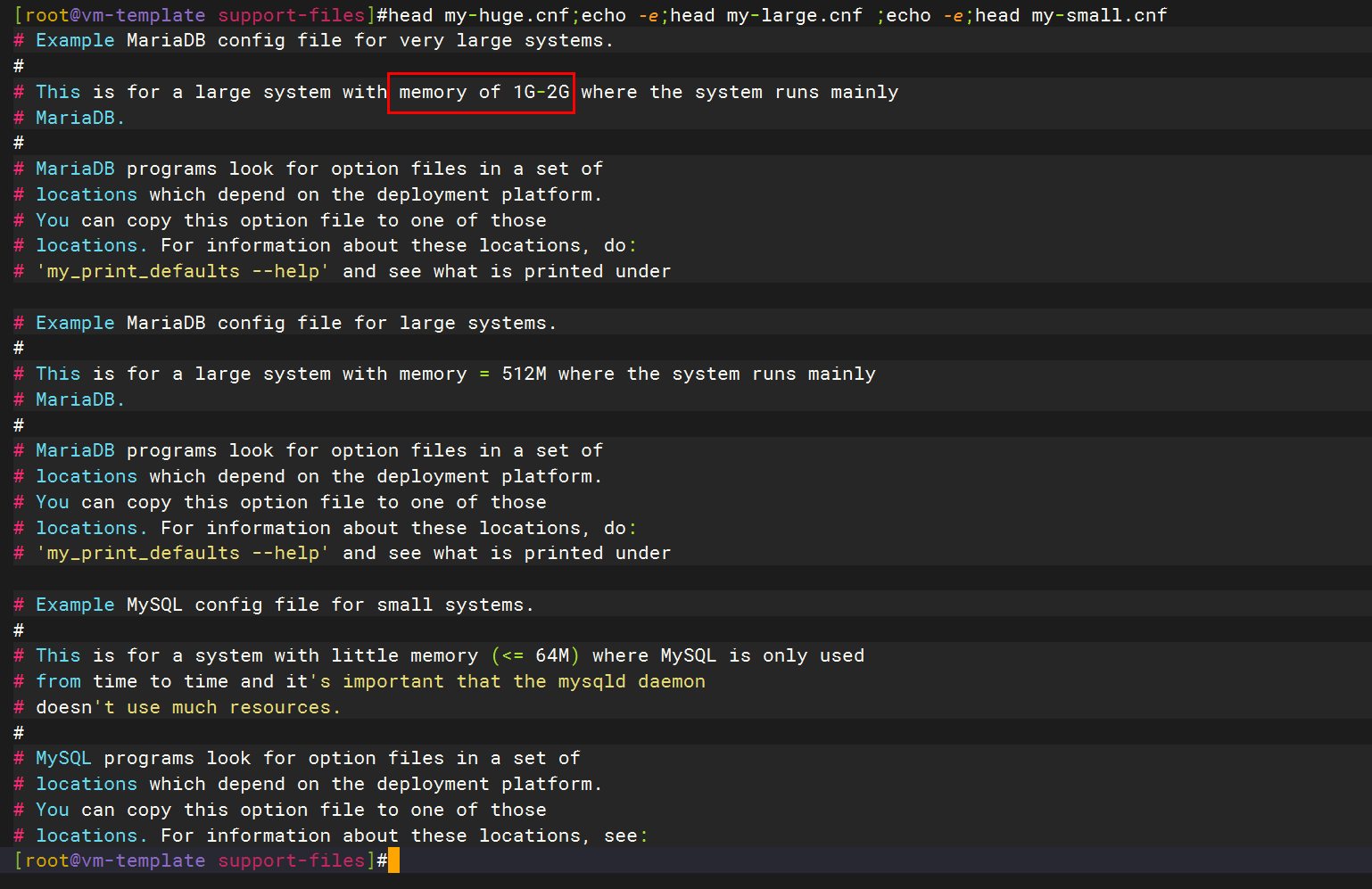
生产里这些肯定是要改的
cat /etc/my.cnf
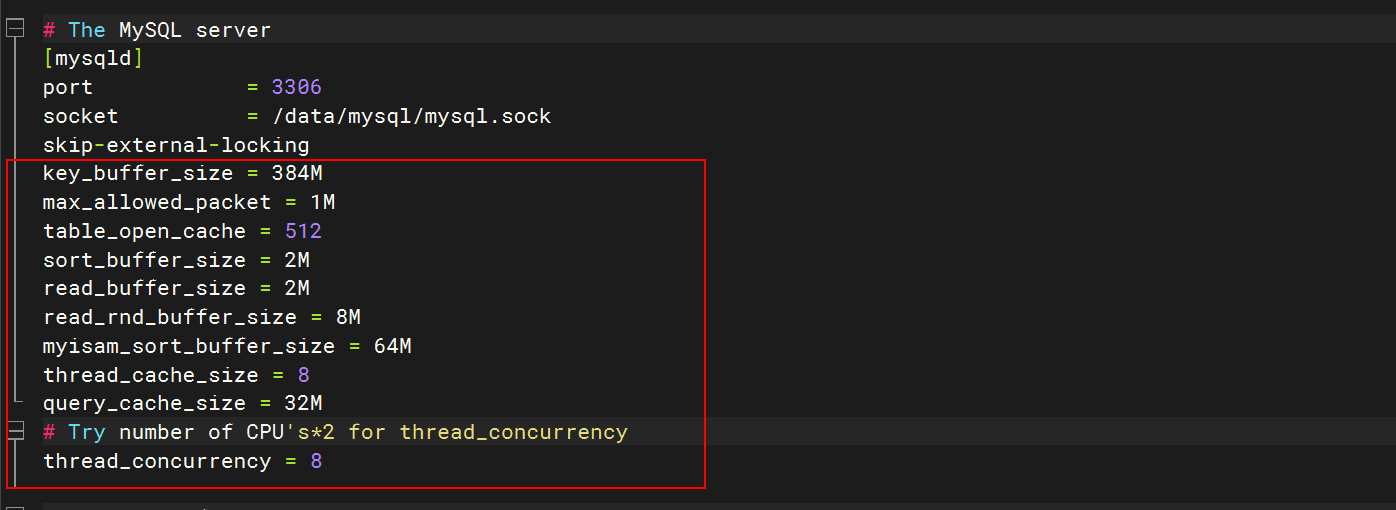
 1[mysqld]
 2port            = 3306
 3socket          = /data/mysql/mysql.sock
 4skip-external-locking
 5key_buffer_size = 384M
 6max_allowed_packet = 1M
 7table_open_cache = 512
 8sort_buffer_size = 2M
 9read_buffer_size = 2M
10read_rnd_buffer_size = 8M
11myisam_sort_buffer_size = 64M
12thread_cache_size = 8
13query_cache_size = 32M
14# Try number of CPU's*2 for thread_concurrency
15thread_concurrency = 8
mariadb tcp 3306
1[root@linux ~]# netstat -antlp|grep 3306
2tcp6       0      0 :::3306                 :::*                    LISTEN      25471/mariadbd
好多公司都在用mariadb了
在开源界对mysql前景不怎么看好。 好多公司都在用mariadb了。
哈哈:鄙视链 percona server>mariadb>mysql
但目前大多数公司用mysql还是比较多的。
关于我
我的博客主旨:
- 排版美观,语言精炼;
- 文档即手册,步骤明细,拒绝埋坑,提供源码;
- 本人实战文档都是亲测成功的,各位小伙伴在实际操作过程中如有什么疑问,可随时联系本人帮您解决问题,让我们一起进步!
🍀 微信二维码
x2675263825 (舍得), qq:2675263825。

🍀 微信公众号
《云原生架构师实战》

🍀 个人博客站点

🍀 语雀
https://www.yuque.com/xyy-onlyone
🍀 csdn
https://blog.csdn.net/weixin_39246554?spm=1010.2135.3001.5421

🍀 知乎
https://www.zhihu.com/people/foryouone

最后
好了,关于本次就到这里了,感谢大家阅读,最后祝大家生活快乐,每天都过的有意义哦,我们下期见!

📡
推荐使用微信支付

推荐使用支付宝